Domio was a technology platform focused on the travel sector, encompassing real estate, hospitality, and design with an emphasis on social connections. The company offered curated vacation rentals and branded apartment-hotels, focused on group travelers. Their mission was to connect the world through travel.
GUEST PORTAL
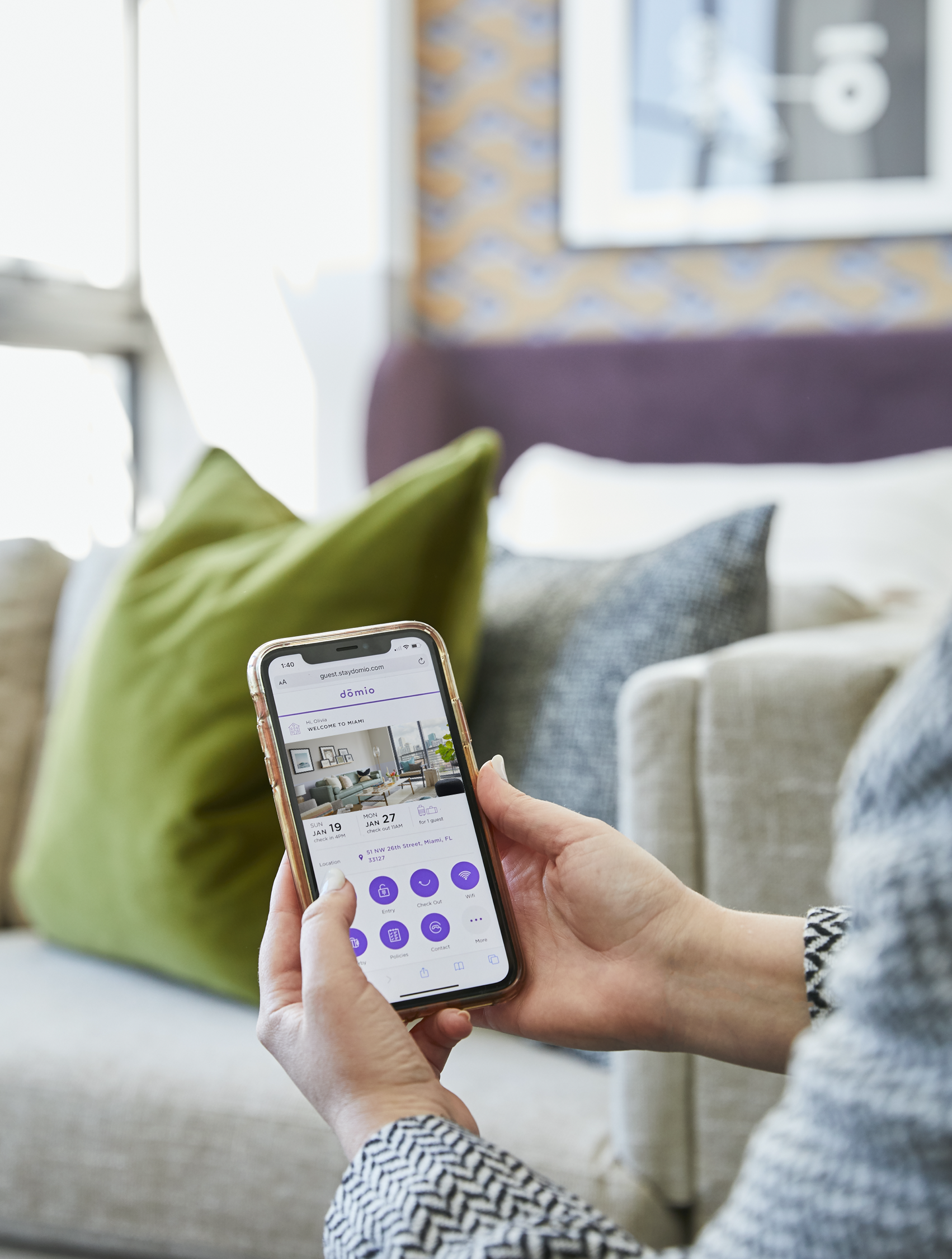
The Guest Portal is a mobile first experience offered to guests who have booked a stay with Domio. This responsive web product allows guests to learn more about their stay such as check in/out times, directions, things to do, and more without having to contact the Guest Experience team for help.
Guest Portal CMS
Not only was the redesign of the consumer facing product imperative to our success, but also the internal facing portion was vital for our Guest Experience Team to consistently deliver delightful experiences. Prior to the redesign, we used a third party tool to maintain and organize our content. As a team, we decided that we wanted more control over our experience and have the ability to curate the product to our guests’ needs.
What
UX/UI
Research
Testing
Team
Lead design — Myself
Product Manager — Ryan Kwok
Engineers — Deep Patel, Collin Klippel
Guest Experience team
DURATION
6 Months
Launch date
2019 July
Device
Responsive web
TOOLS
Sketch
Invision
Abstract
Principle
Usertesting.com
JIRA
OBJECTIVE
To redesign the user experience of our Guest Portal and feature the most relevant and resourceful information to guest(s) during their stay at a Domio property. This product will also aim to help decrease the amount of incoming calls and inquiries directed to the Guest Experience team.
Challenge
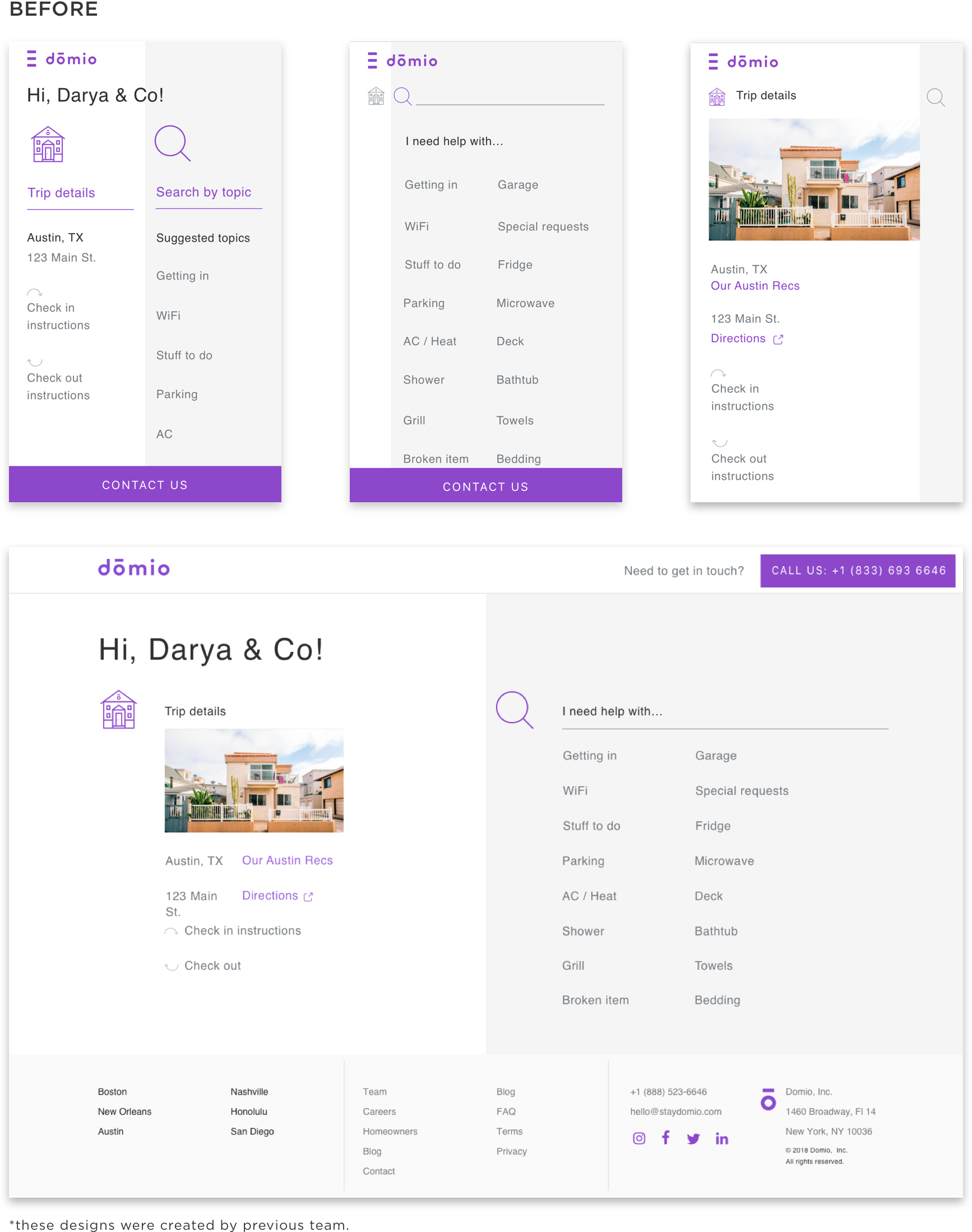
When the company first started, the initial version of the Guest Portal had to be created very quickly and only offered limited information about the guest’s stay. There was not enough time to test or flesh out the designs before launch date - the company needed a tool immediately. This experience was only offered in one city (Austin, Texas) for the product kickoff. Through this MVP, we were able to collect data in understanding what information was most useful, whether they understood how to navigate through the experience, and what was not useful at all.
Guest communication journey flow
This is an example of a journey flow in which a guest would experience after booking a stay with Domio. We believe in communicating transparency with our guests and this flow demonstrates the various avenues we implement to make their stay as seamless as possible.

initial wireframes
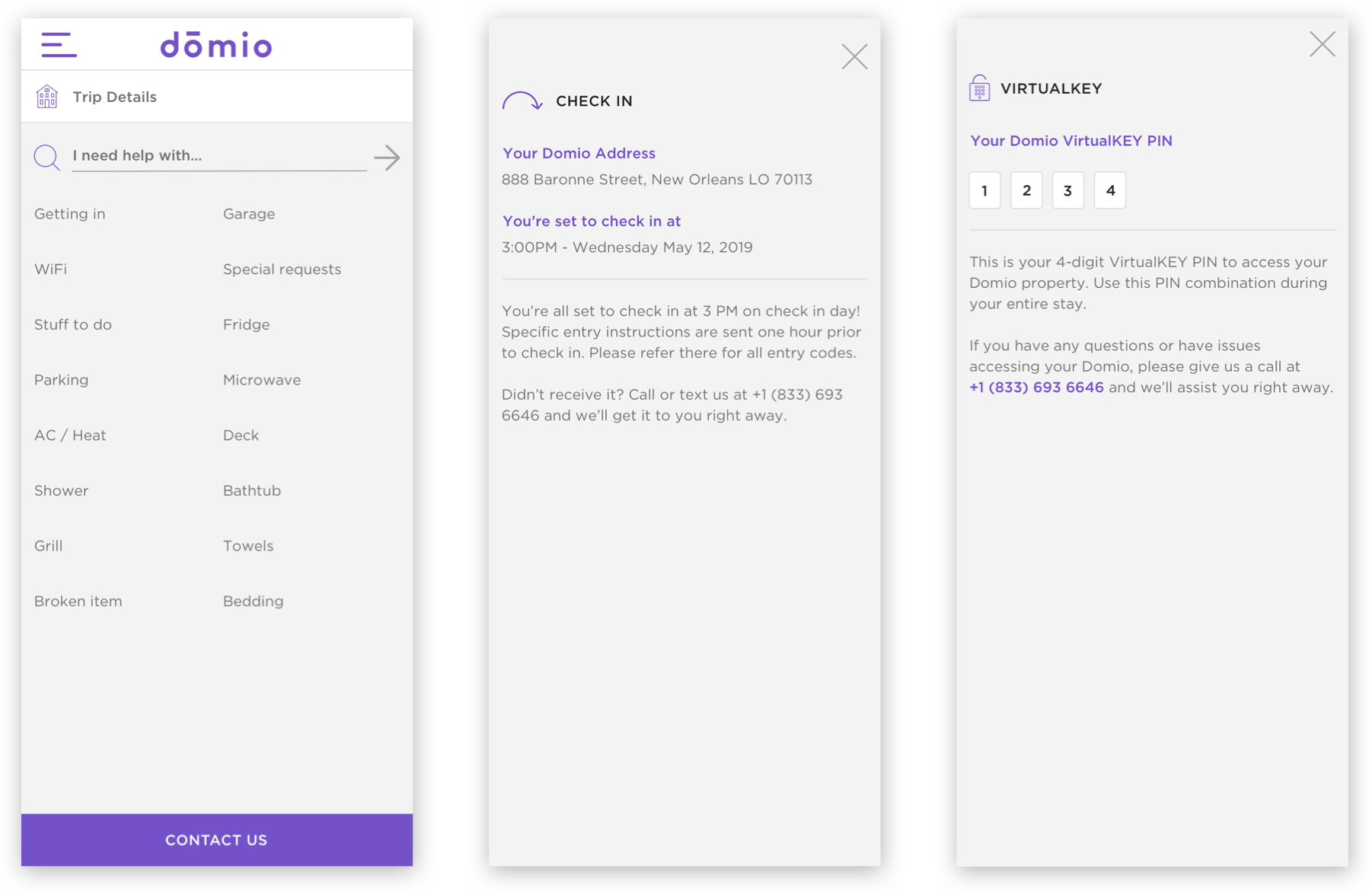
user testing
To better understand which topics were most relevant to our guests, I conducted 3 sets of tests (each with 6-8 participants) of user tests through usertesting.com to evaluate which topics to prioritize/de-prioritize. Each test that I created displayed different sets of icons. Within the test, I asked users to express their expectations prior to clicking on the buttons and whether they understood the descriptions corresponding to the topics.
High level findings:
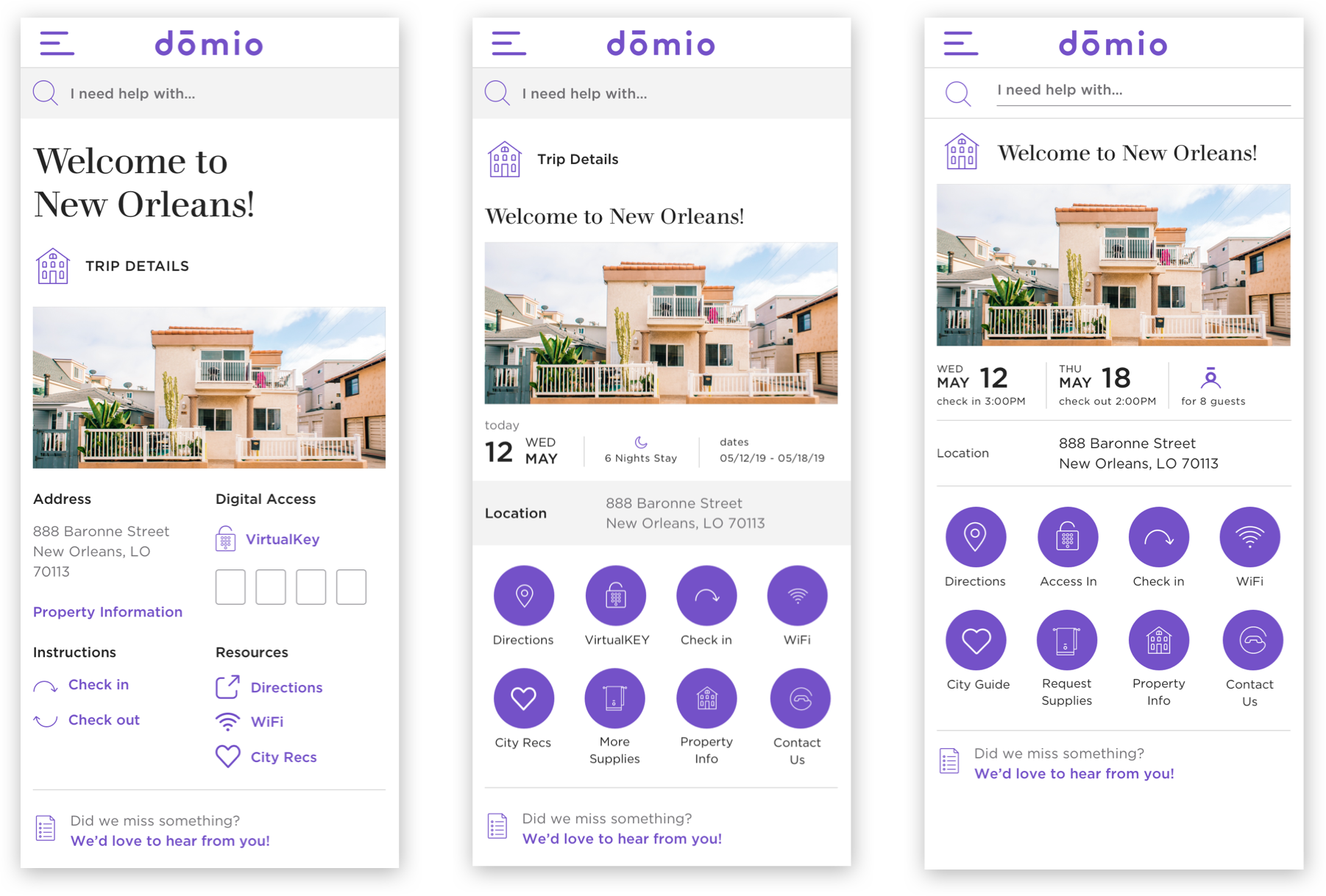
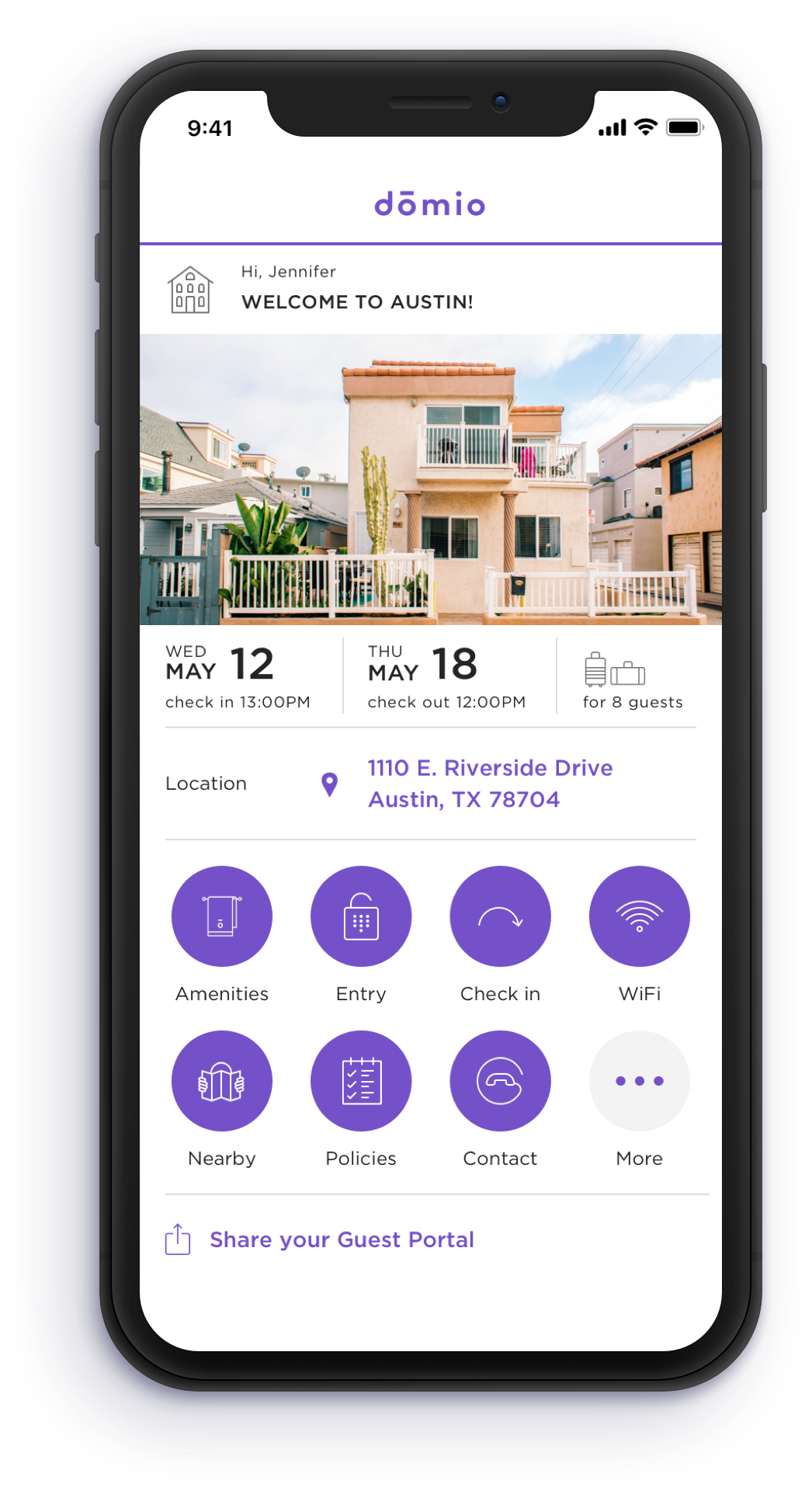
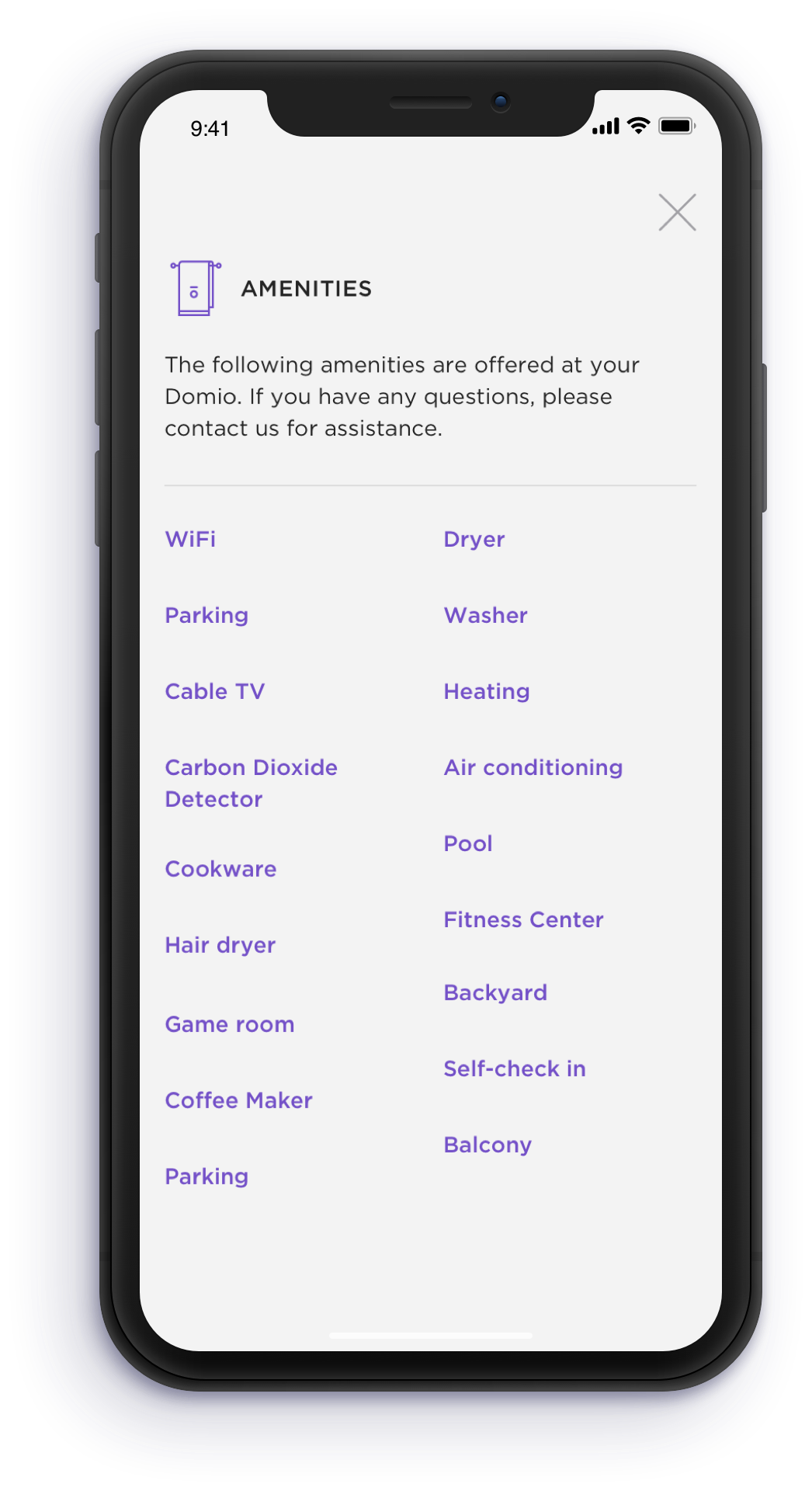
Most requested information - Amenities, Check in/out, Entry, WiFi, Contact, Directions, Things to do/see, Parking, and number of rooms.
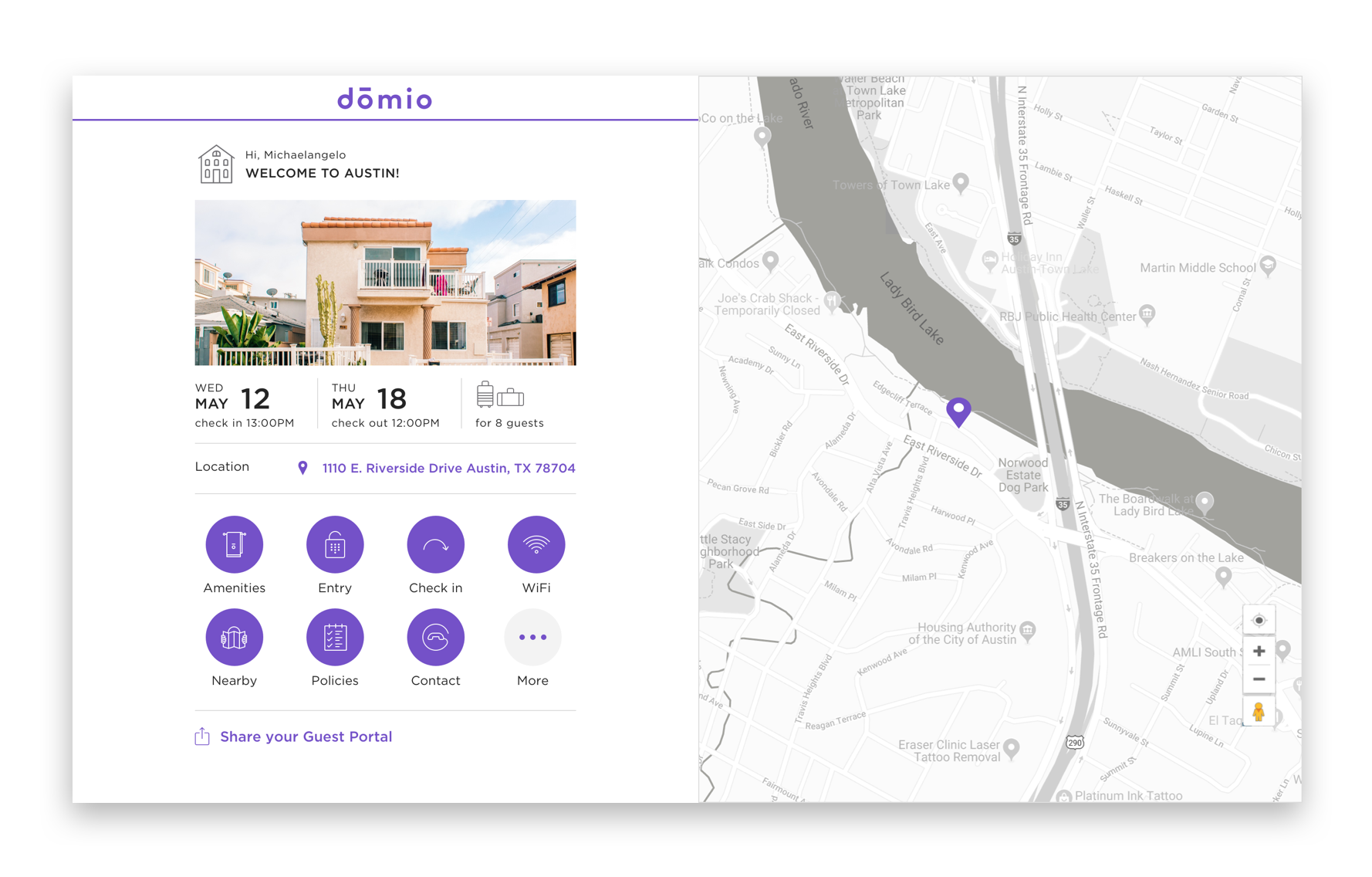
My solution: I designed 8 essential purple buttons that highlight these most requested topics. These topic buttons are intended for the user to quickly find and have available upfront.
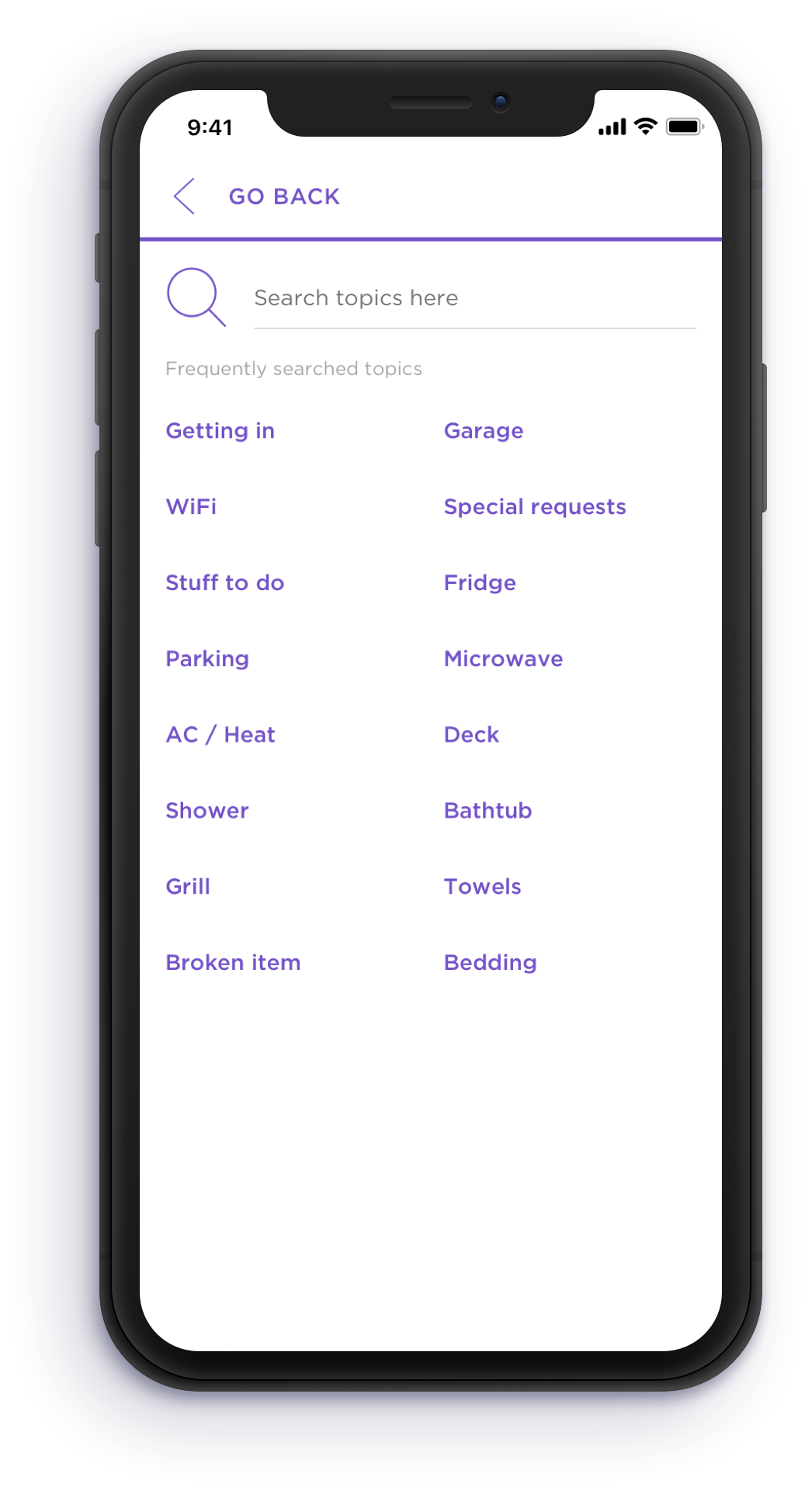
Many users did not see the Search button or the search bar that I initially designed (even when placed in areas that felt like the most prominent), nor did they understand what it might be used for.
My solution: Since I guided my users attention to the area of the purple buttons, I designed a grey colored button labeled as ‘More’ to entice users to tap to find out what else they can do in this experience.
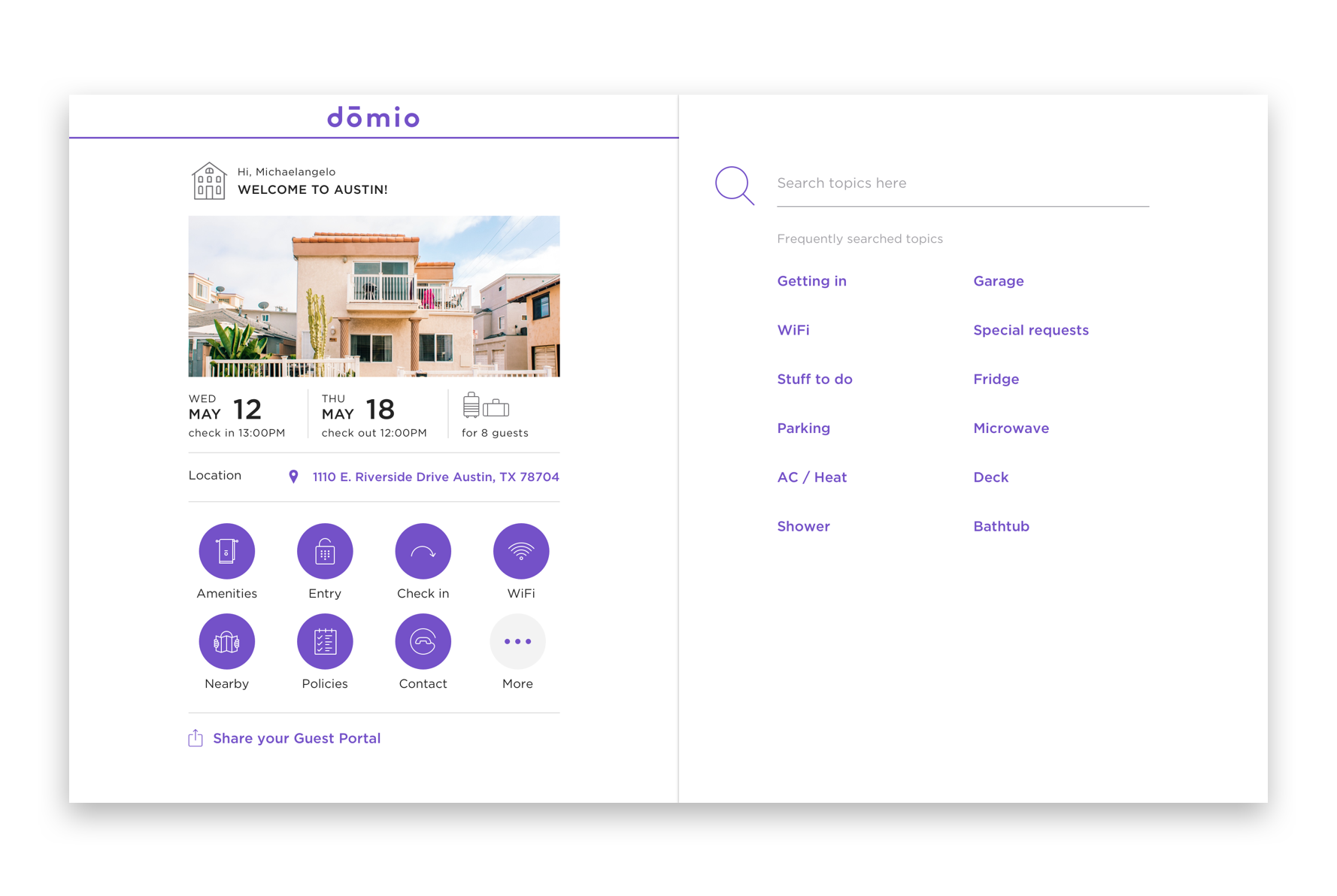
When users were on the Search page, they didn’t know what to search for or what keywords they should use.
My solution: I added a list of common keywords that a guest might search. These words were linked to actual topic pages so that the user could easily navigate to them right away.
Overall, most users found the experience to be aesthetically eye catching, modern looking, organized, and enjoyed the use of the colors and visuals.
Most users did not expect to interact with this type of experience and expressed how they’d like to use it in the future for when they stayed at a vacation rental.
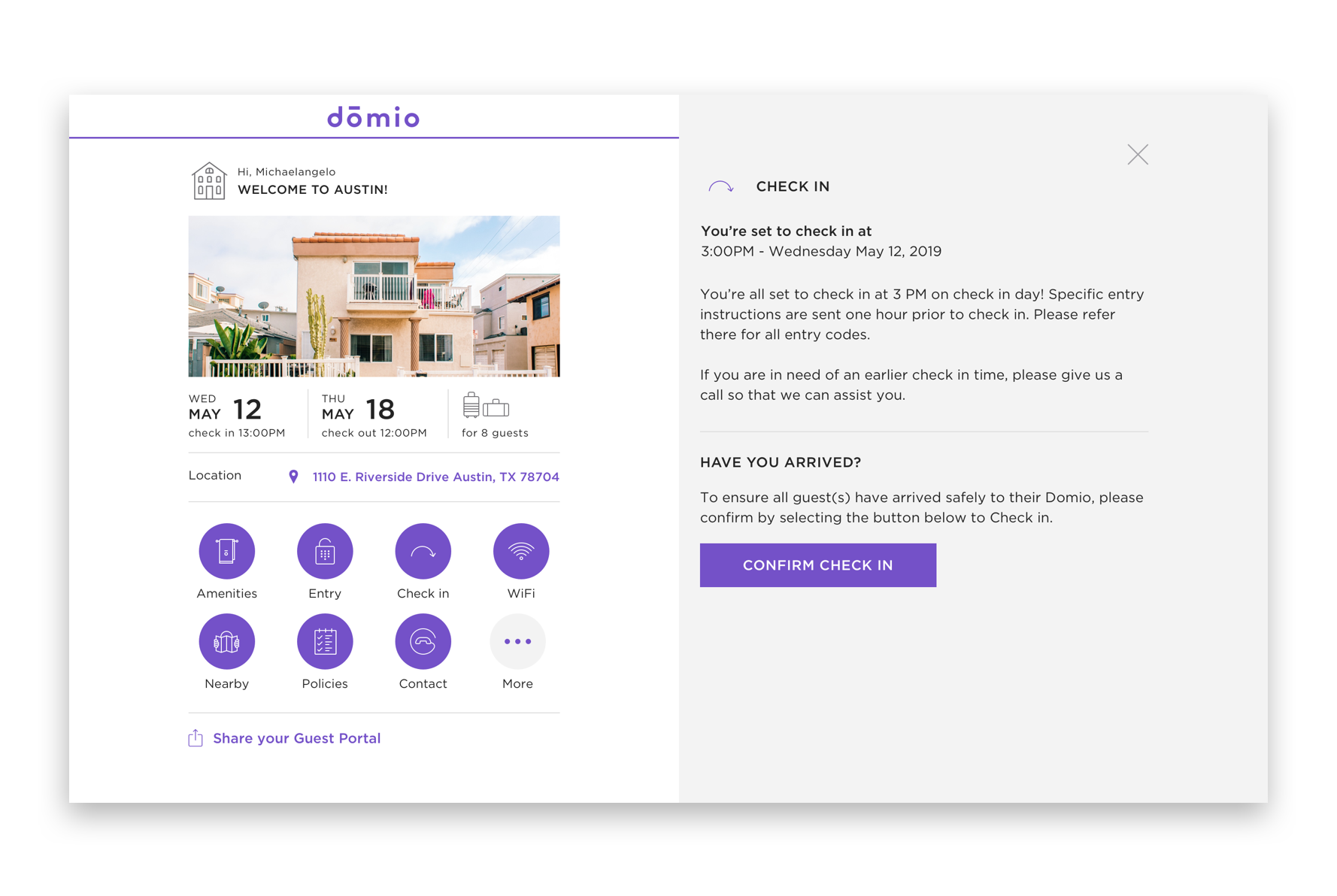
Final product
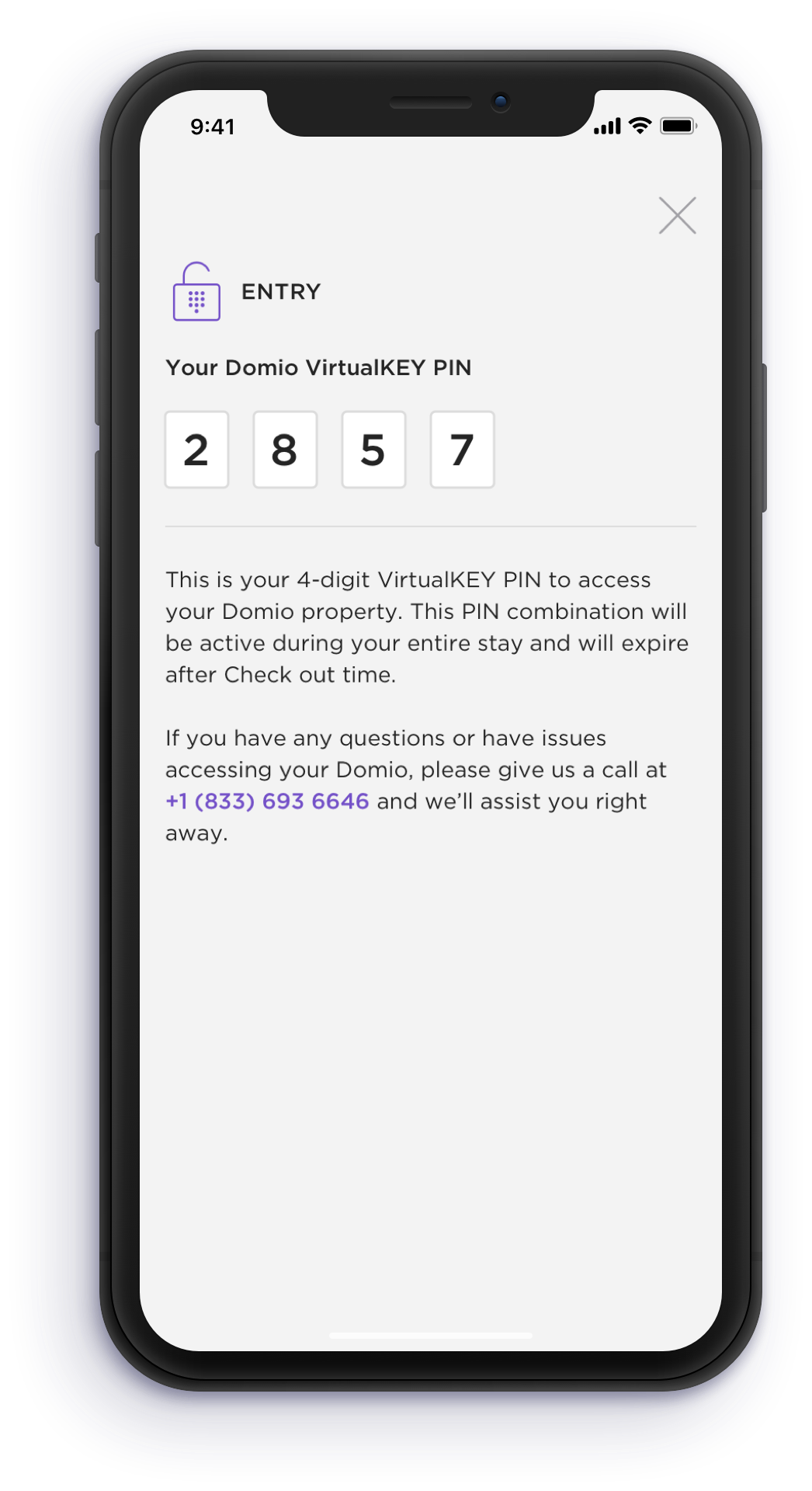
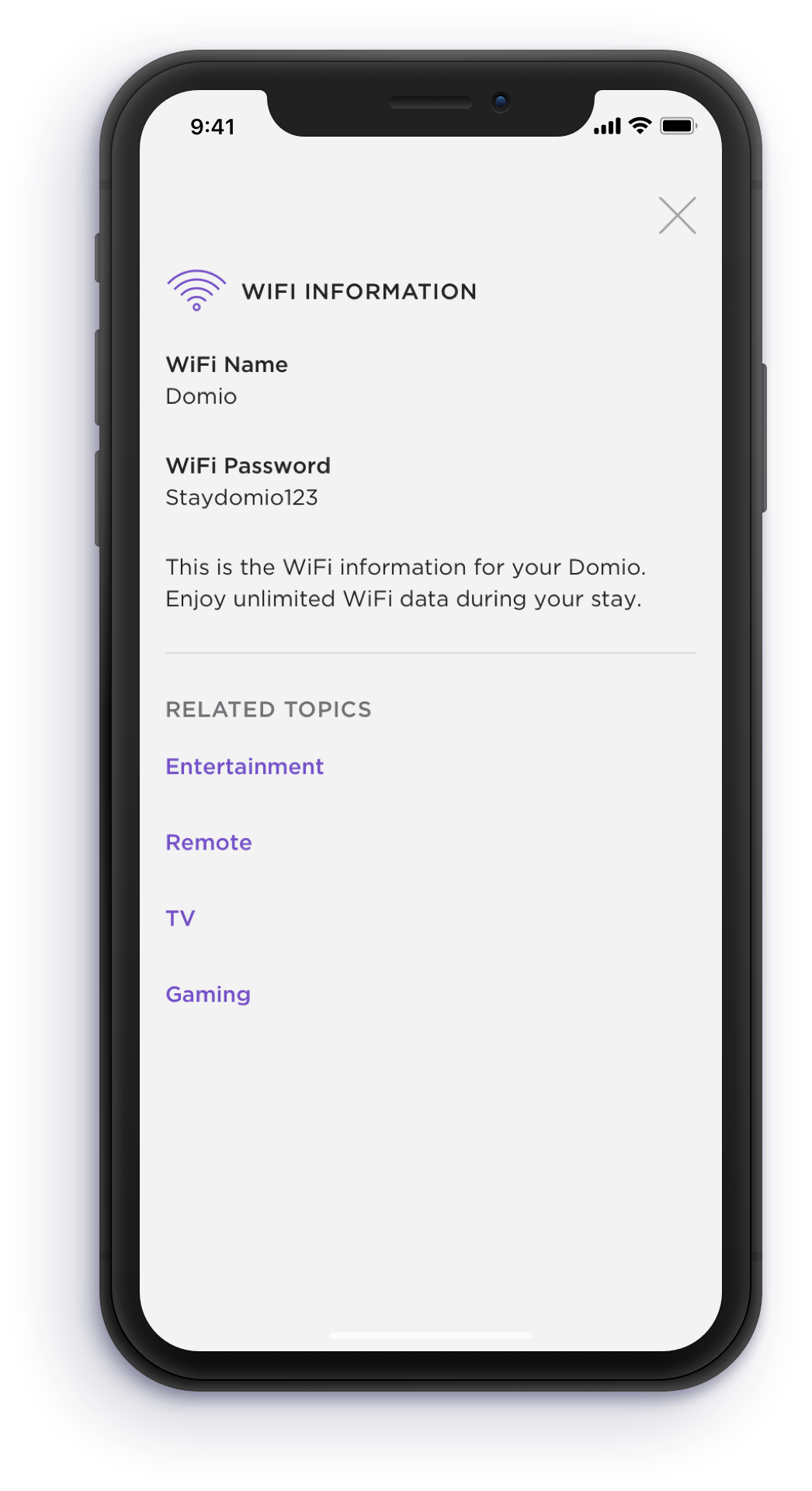
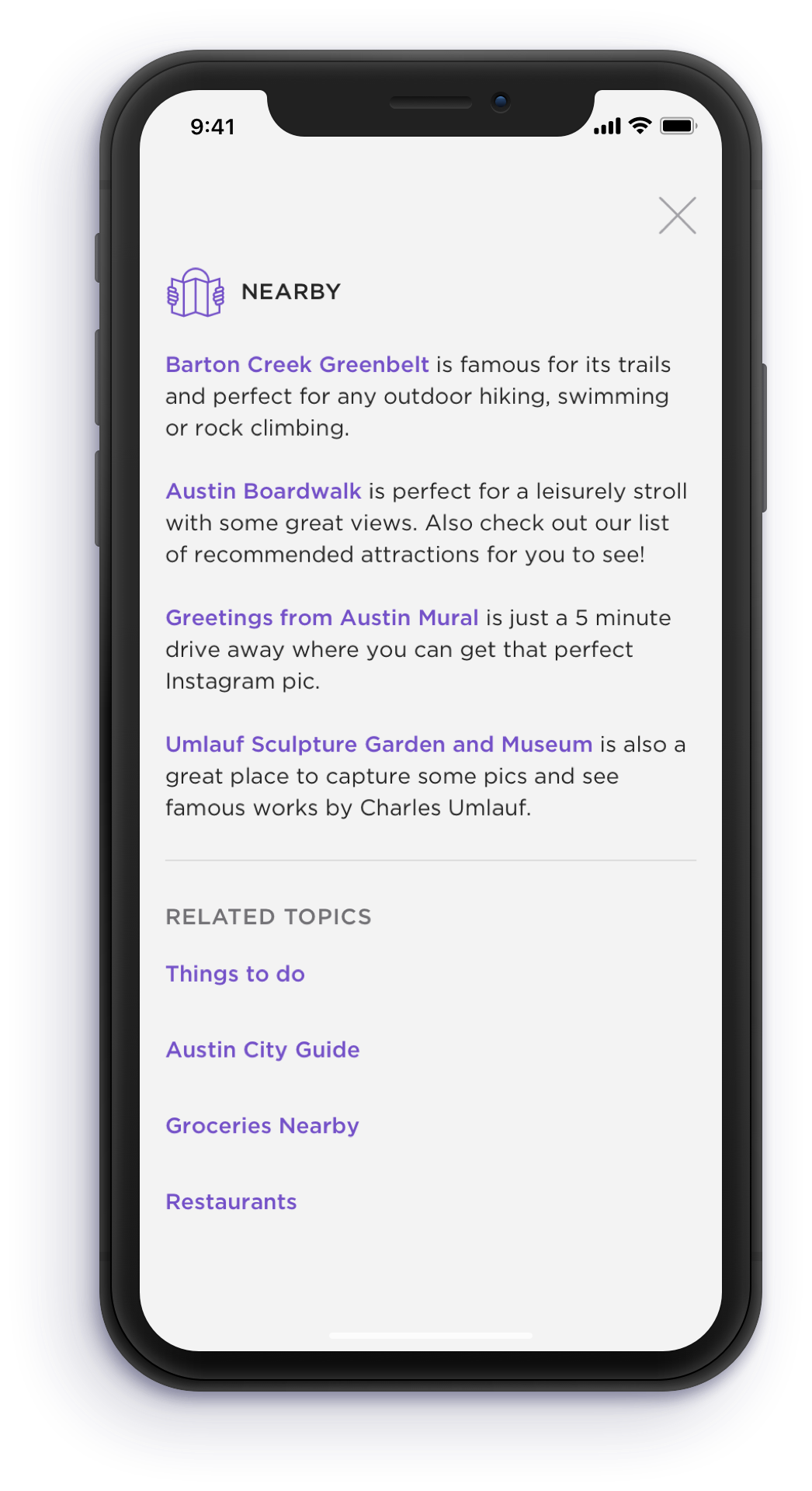
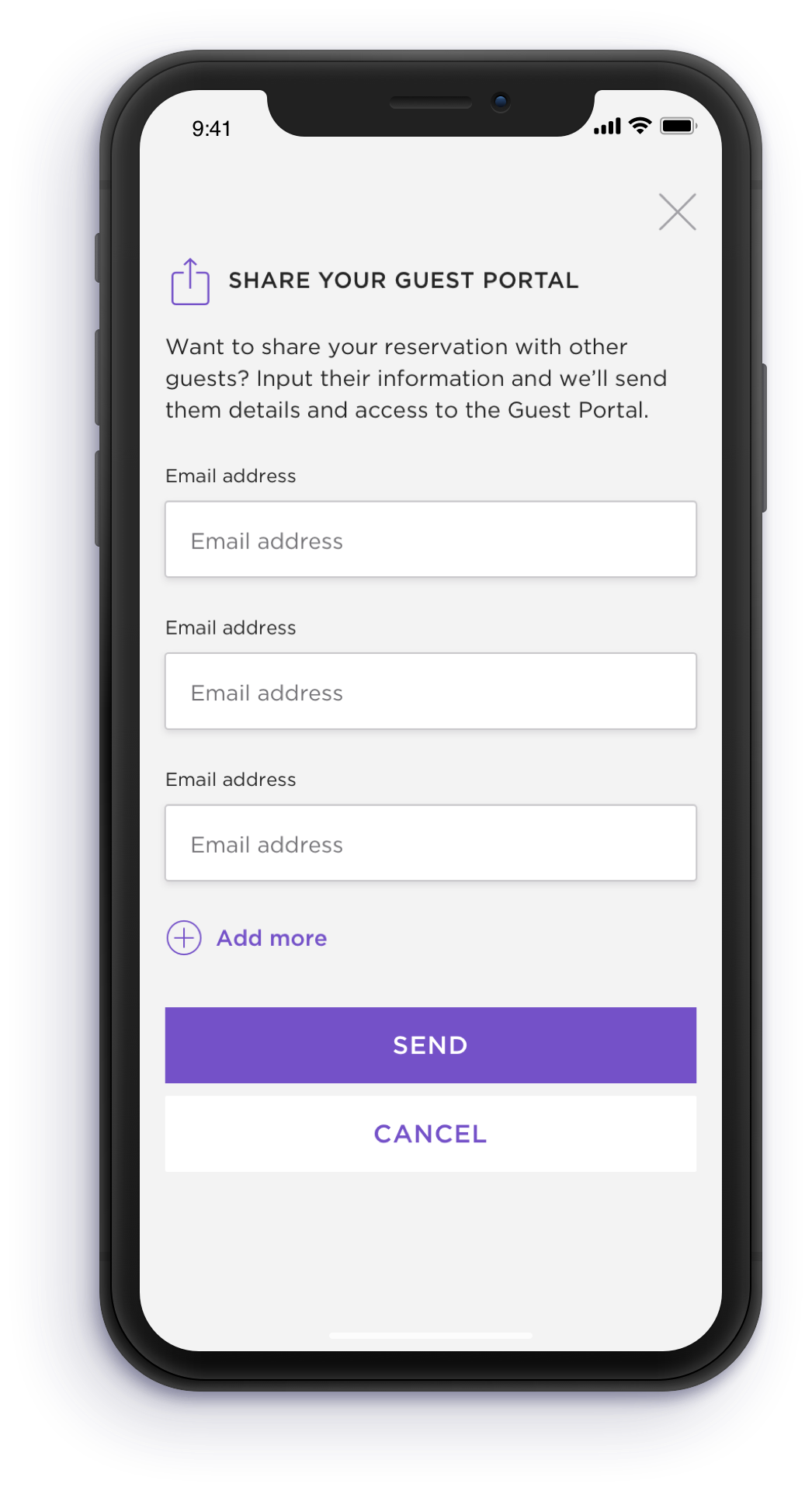
results
Through various rounds of usability testing and research, my team and I were able to understand what content was most valuable to the user, if iconography made sense, whether navigation was seamless, and overall if the experience was any use at all during their stay.
The redesigned product officially launched in July 2019 and our Guest Experience team noticed an immediate decrease in call volume related to reservation questions.
Here are some stats recorded after 7 weeks:
Positive feedback
Activation rate > 66%
Avg. links sent: 401
Avg. session duration: 2 min 30 sec
Avg. users: 405
Sessions per user: 2.86
Sessions: 1,722
Most guests find the Guest Portal useful and 90% would recommend to friends.
Usage data shows that the Guest Portal is being used, re-used, and shared.
guest portal cms
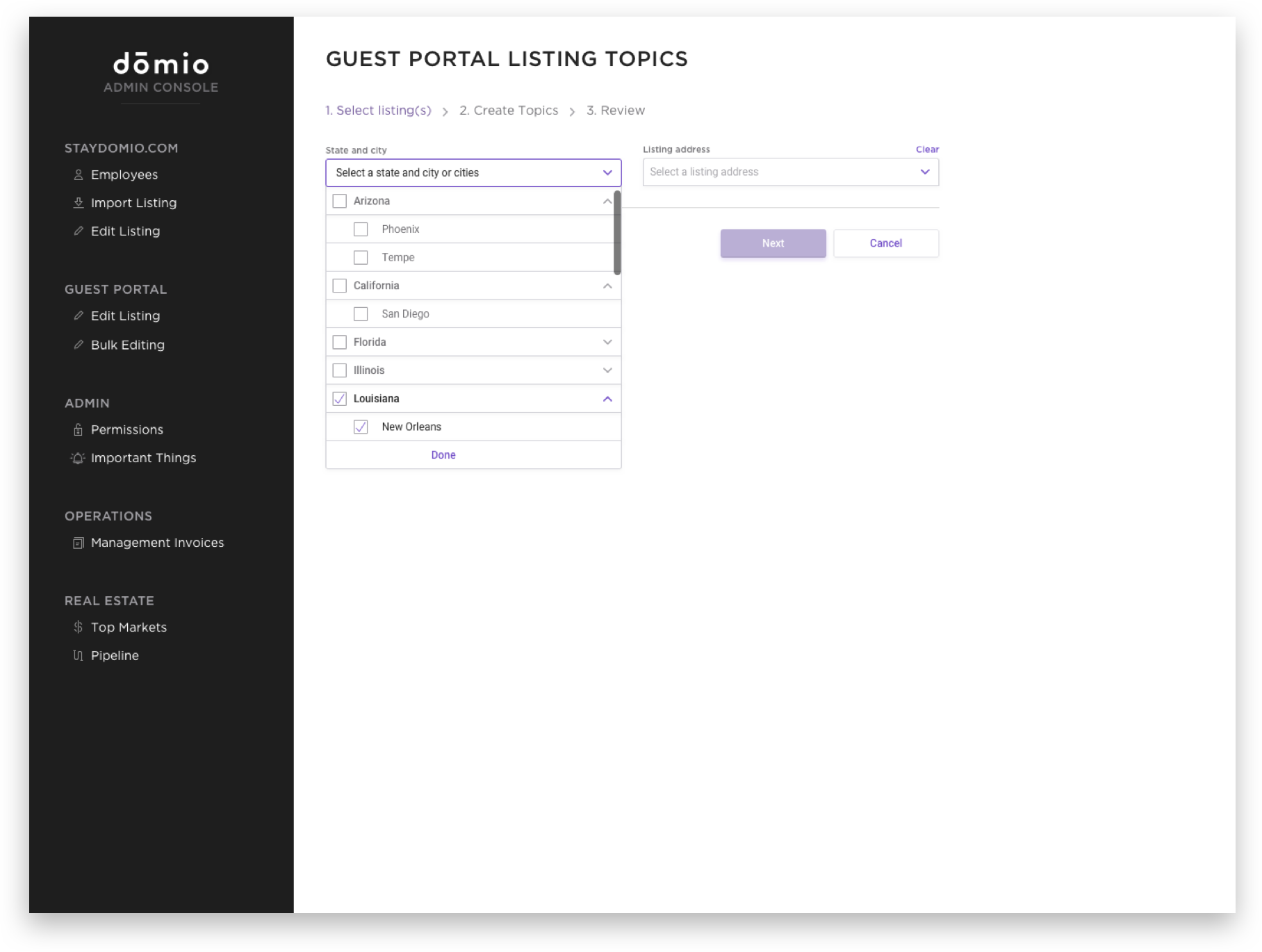
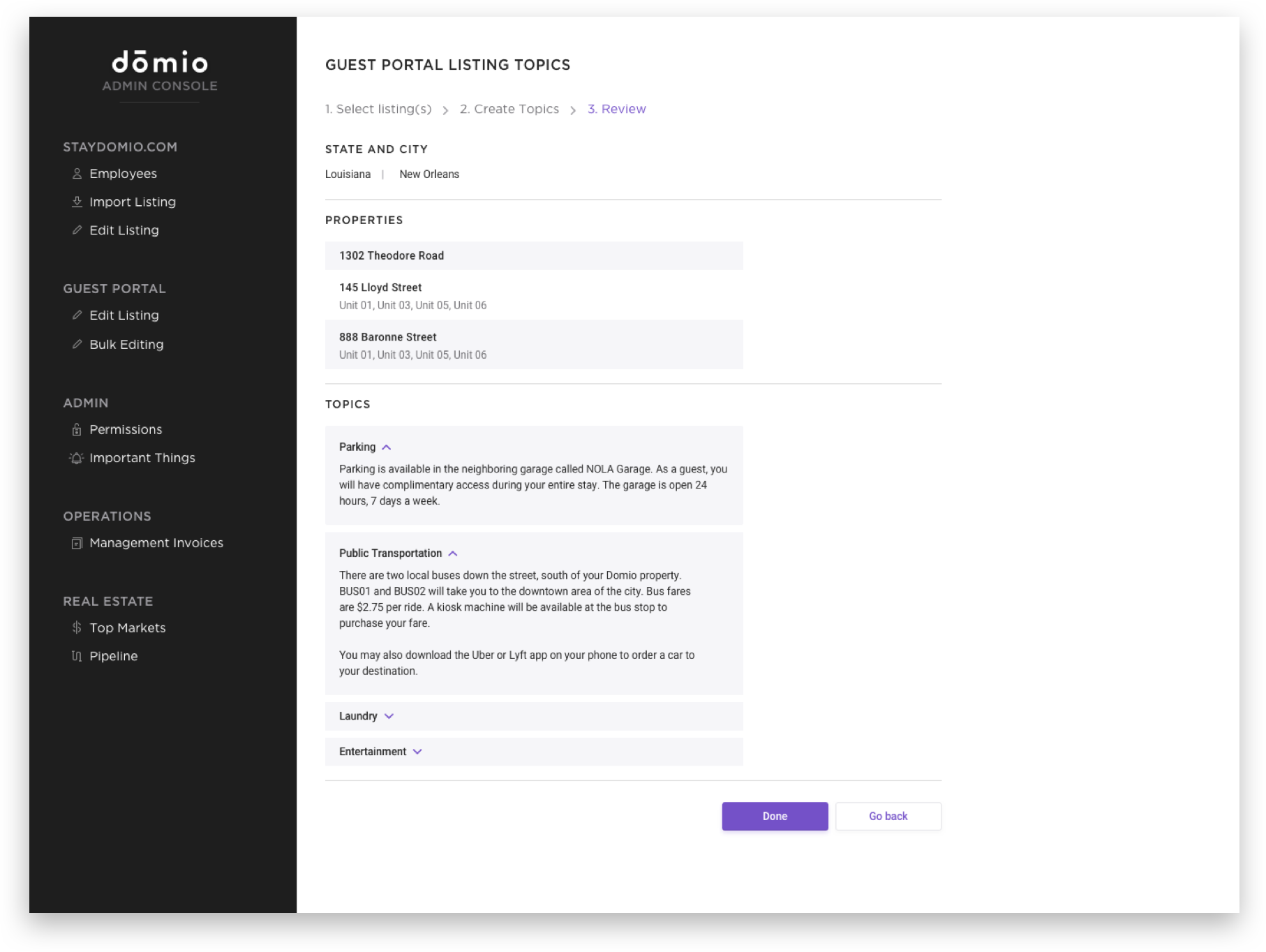
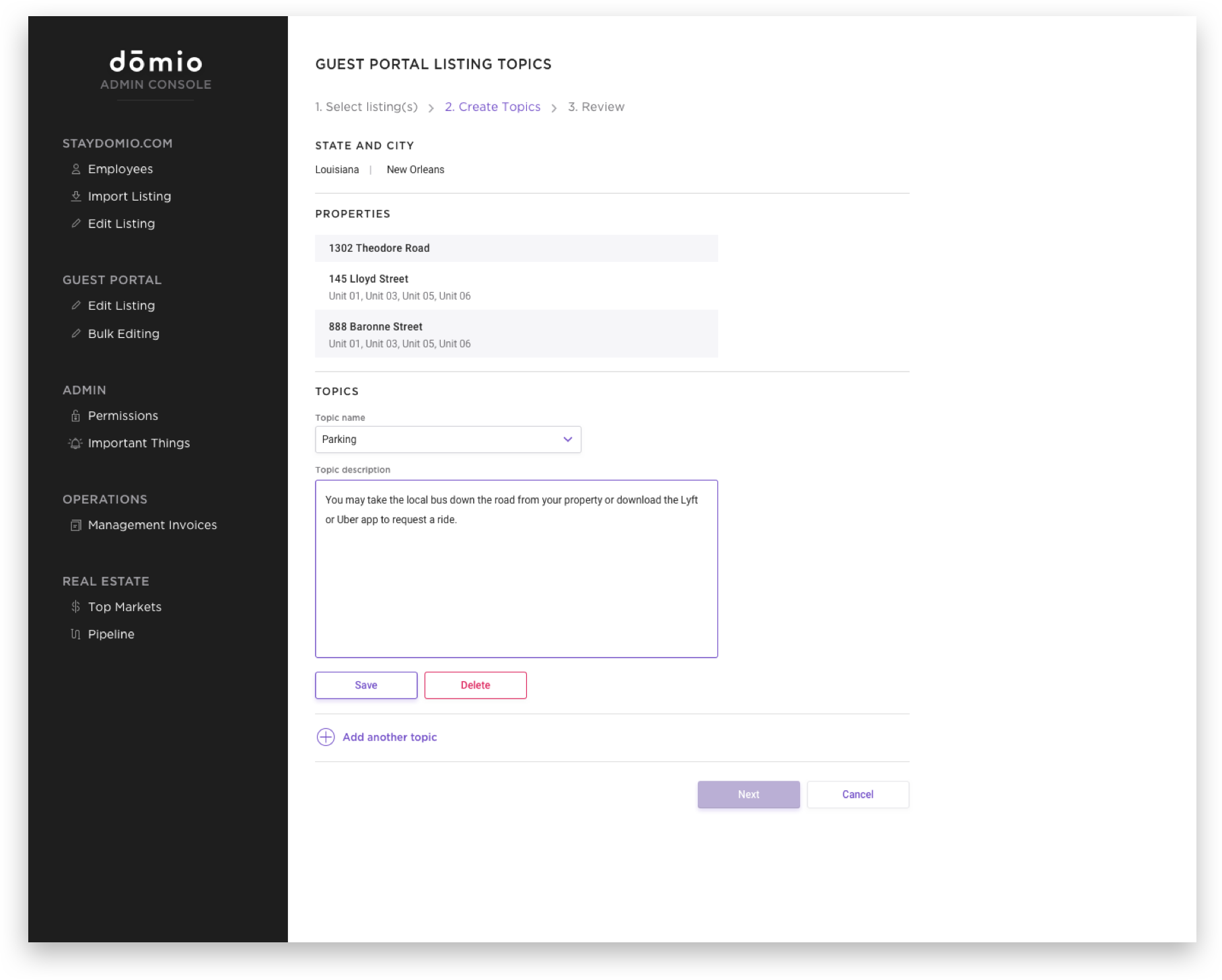
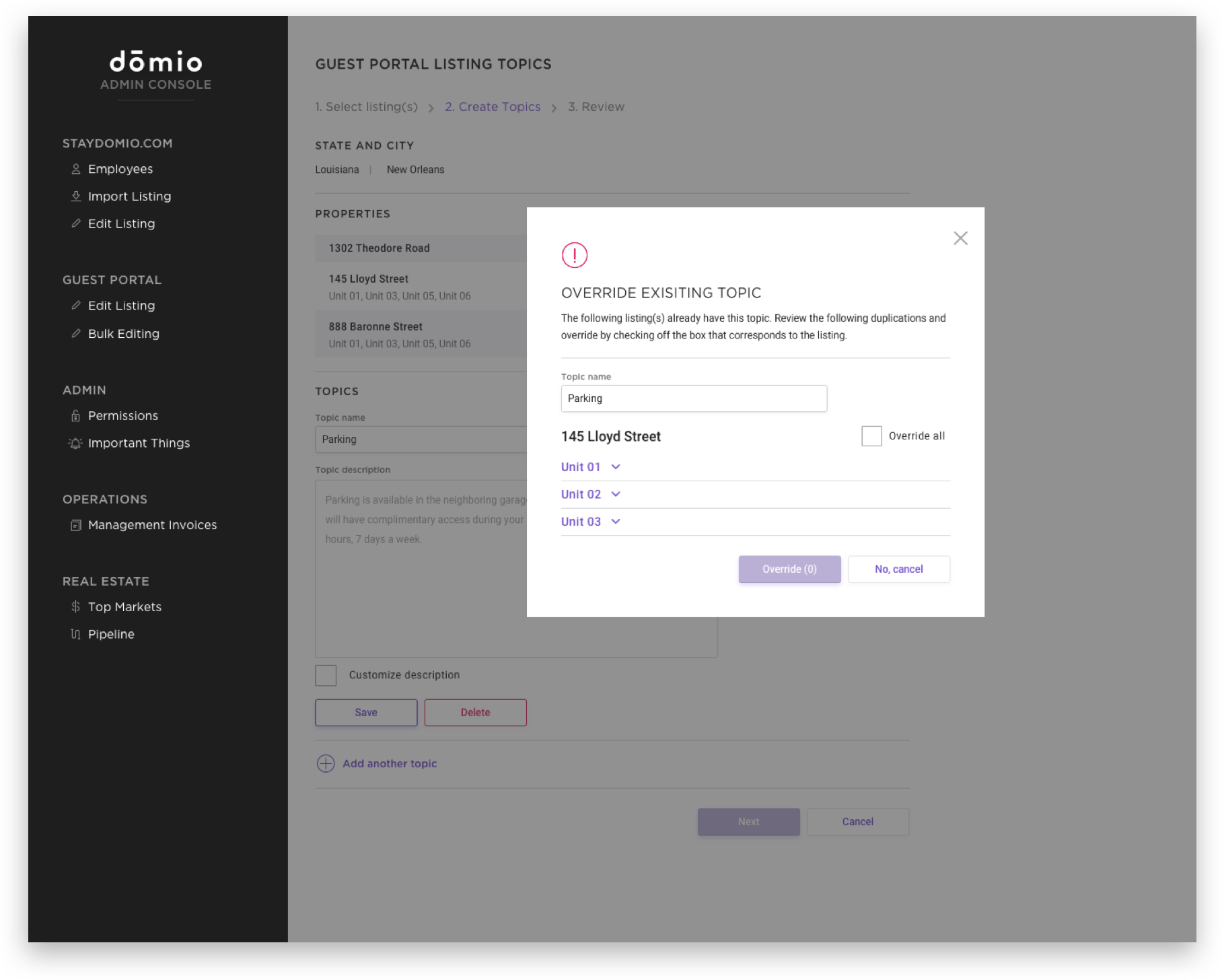
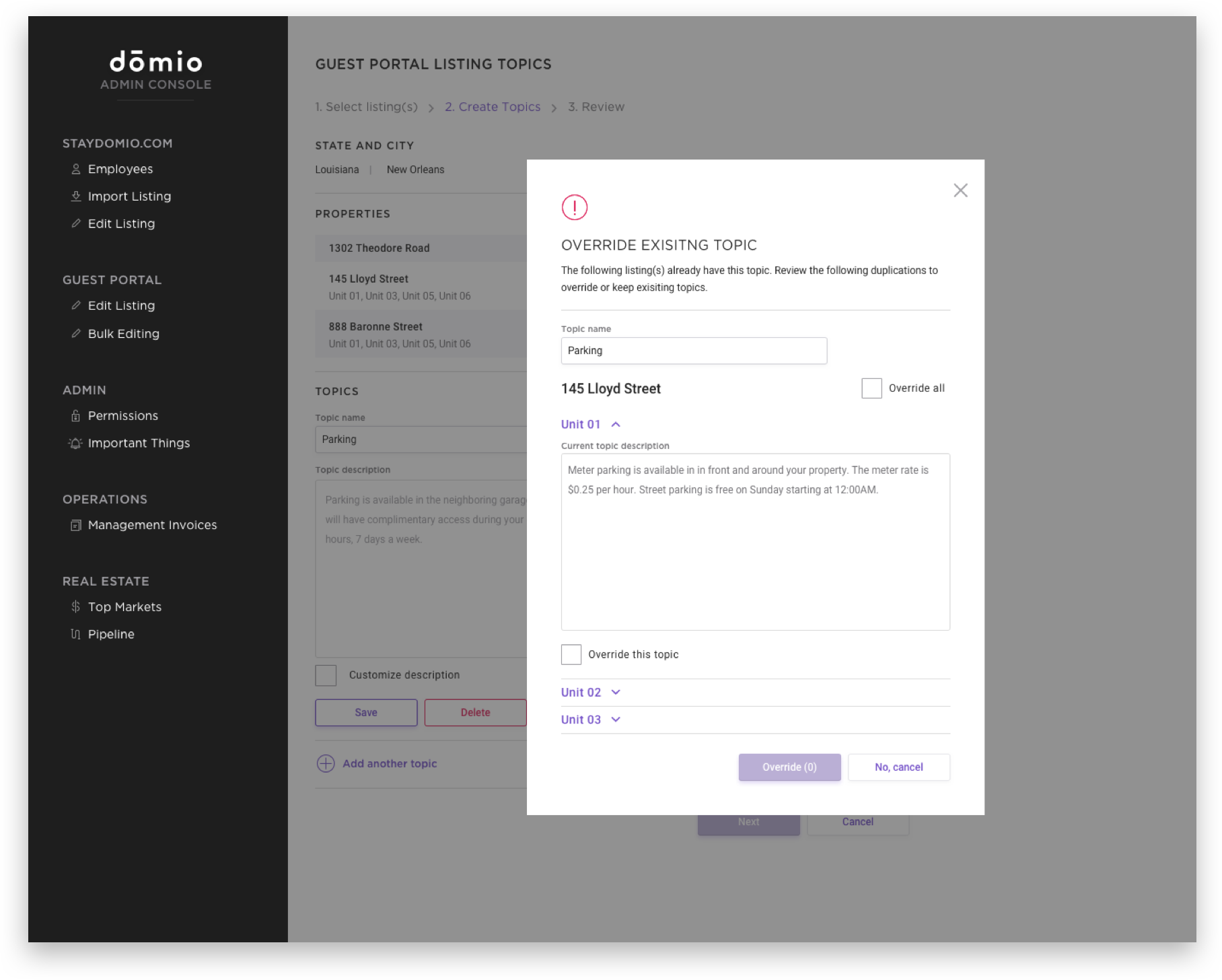
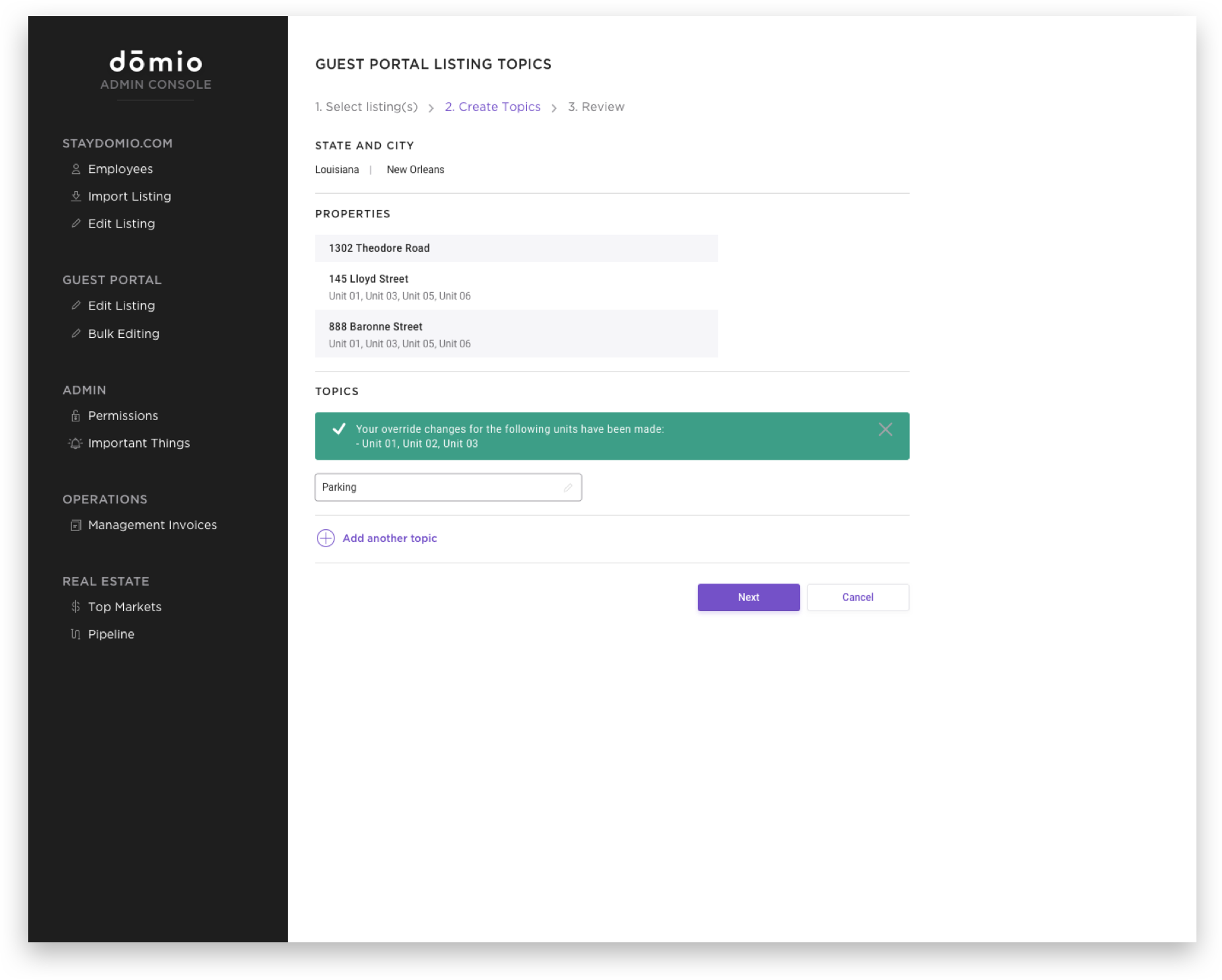
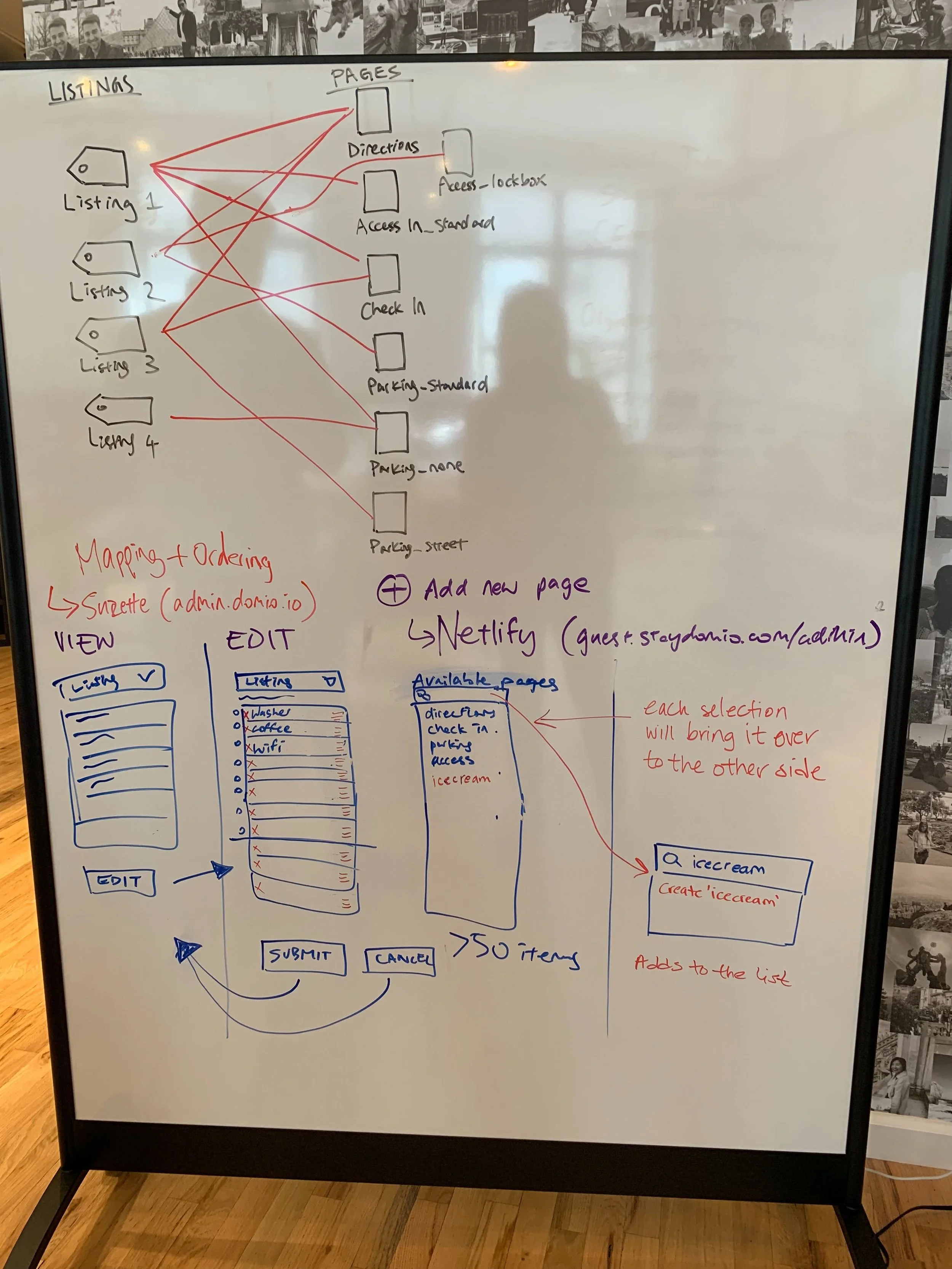
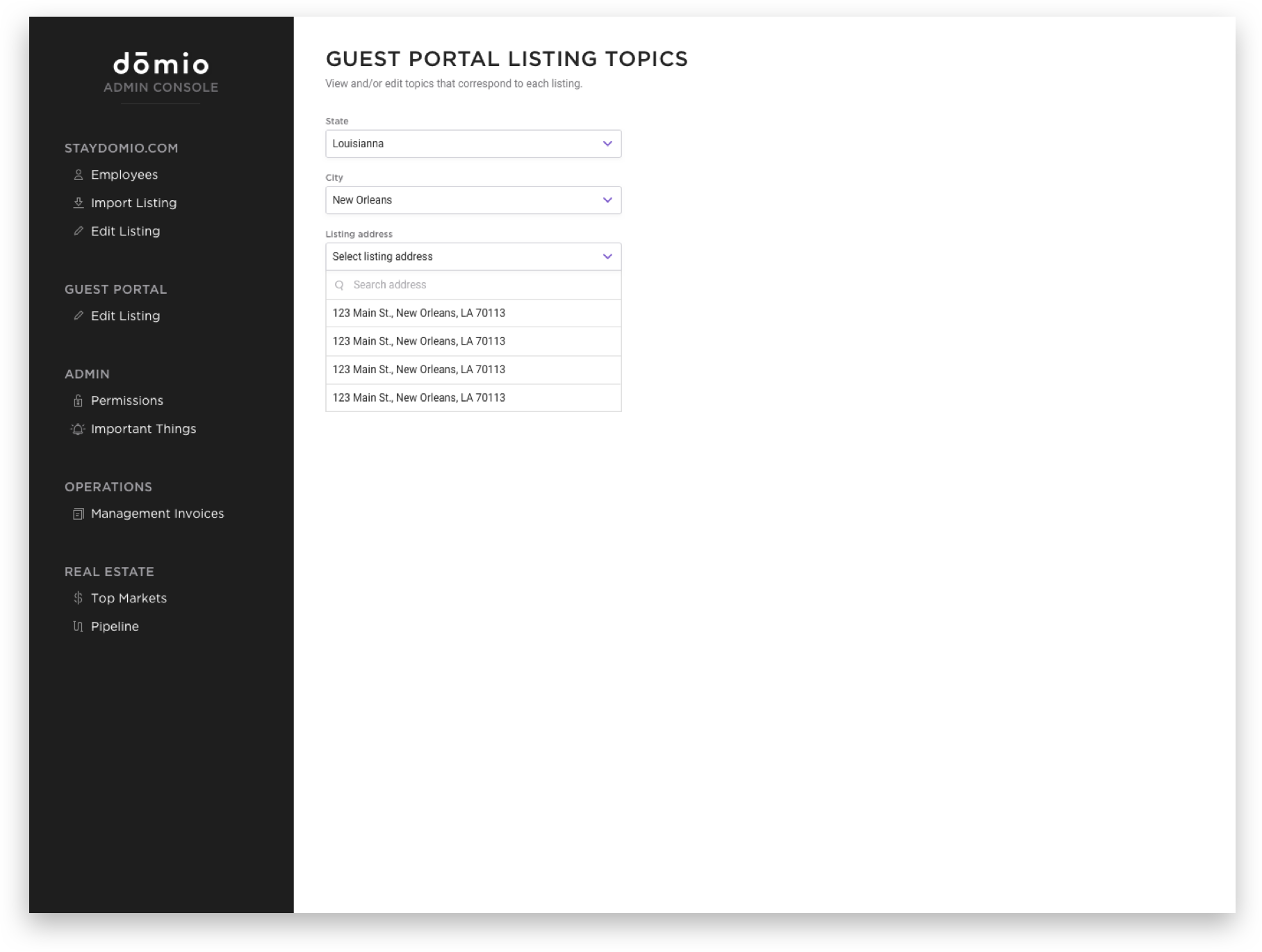
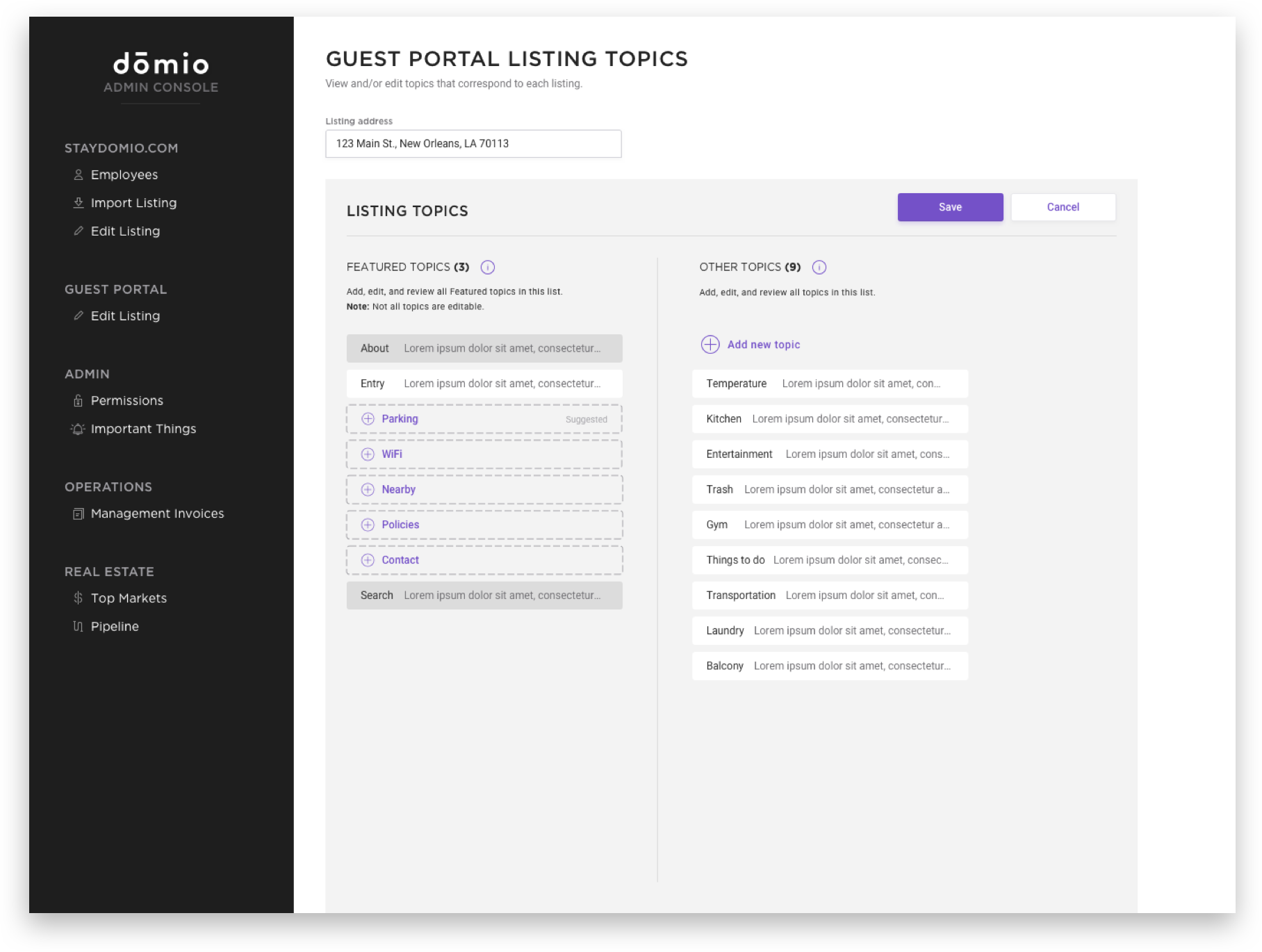
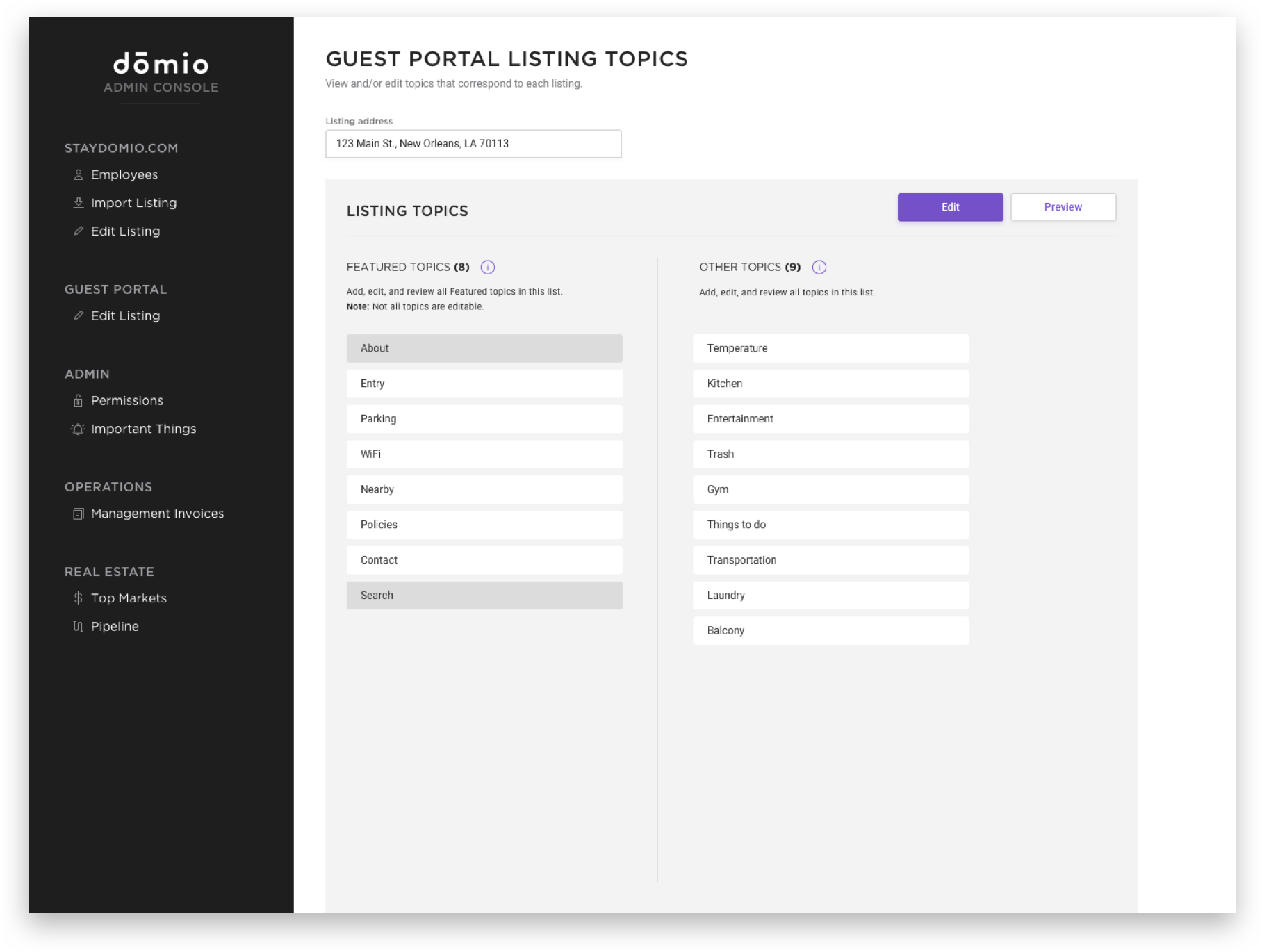
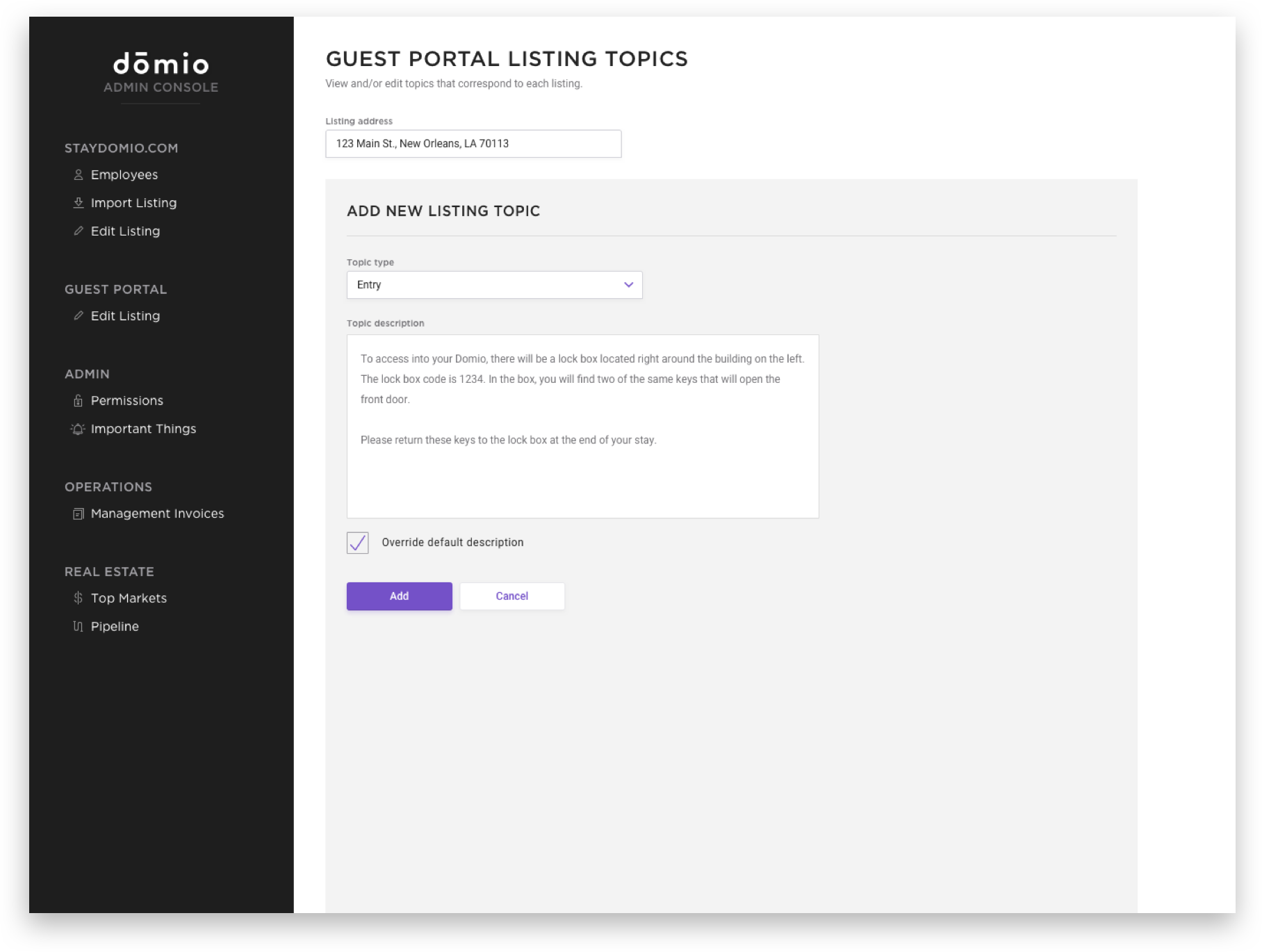
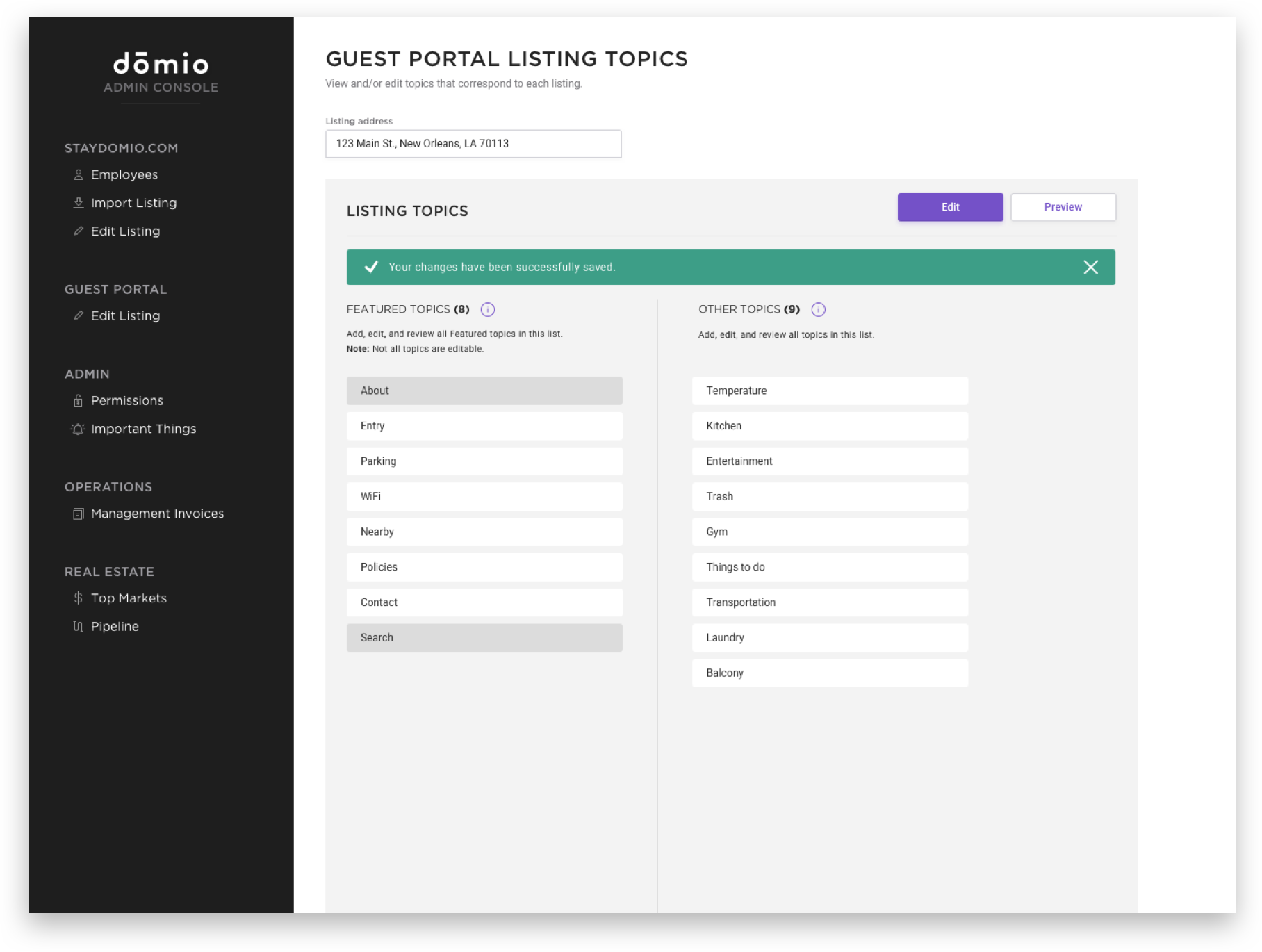
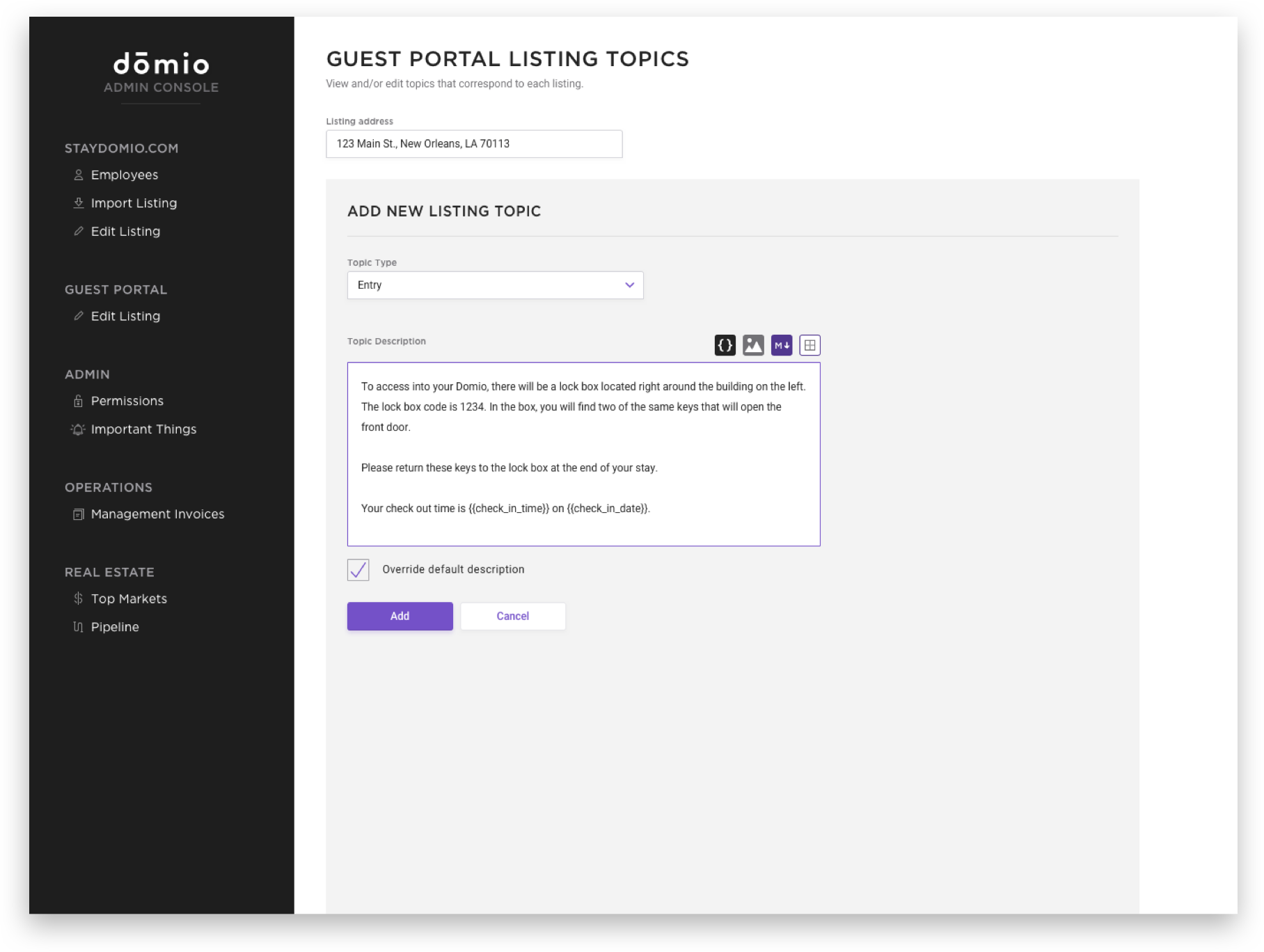
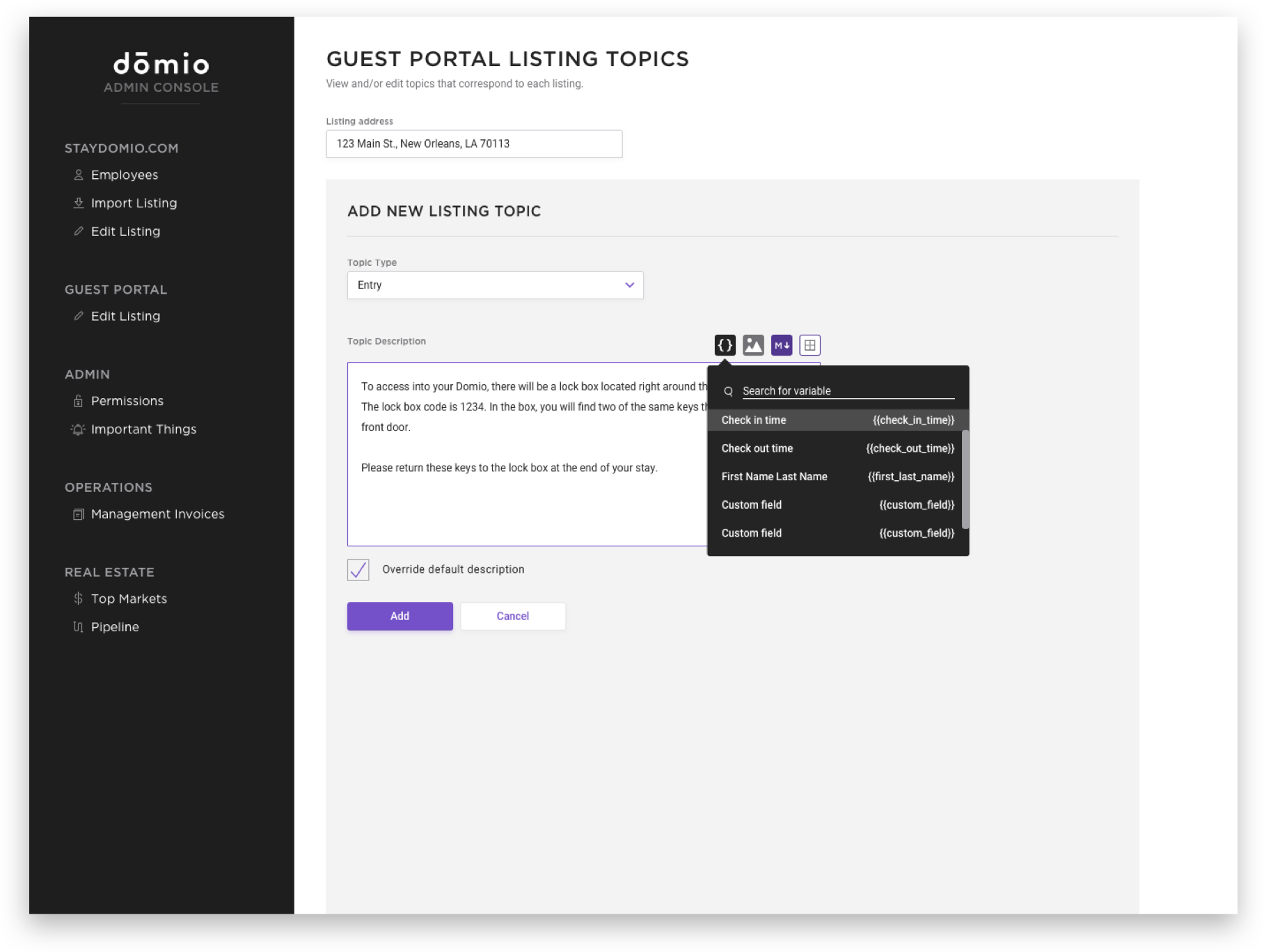
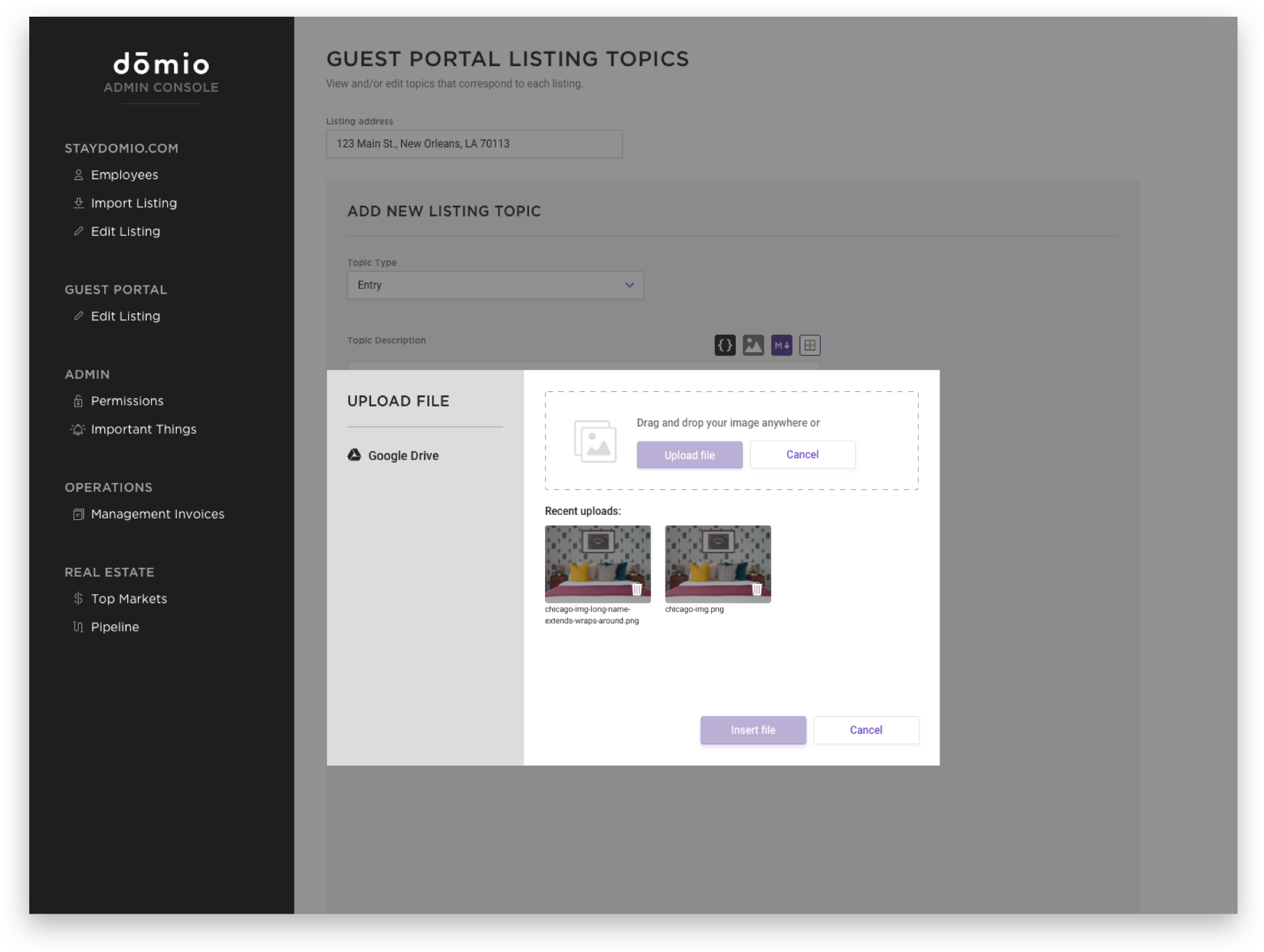
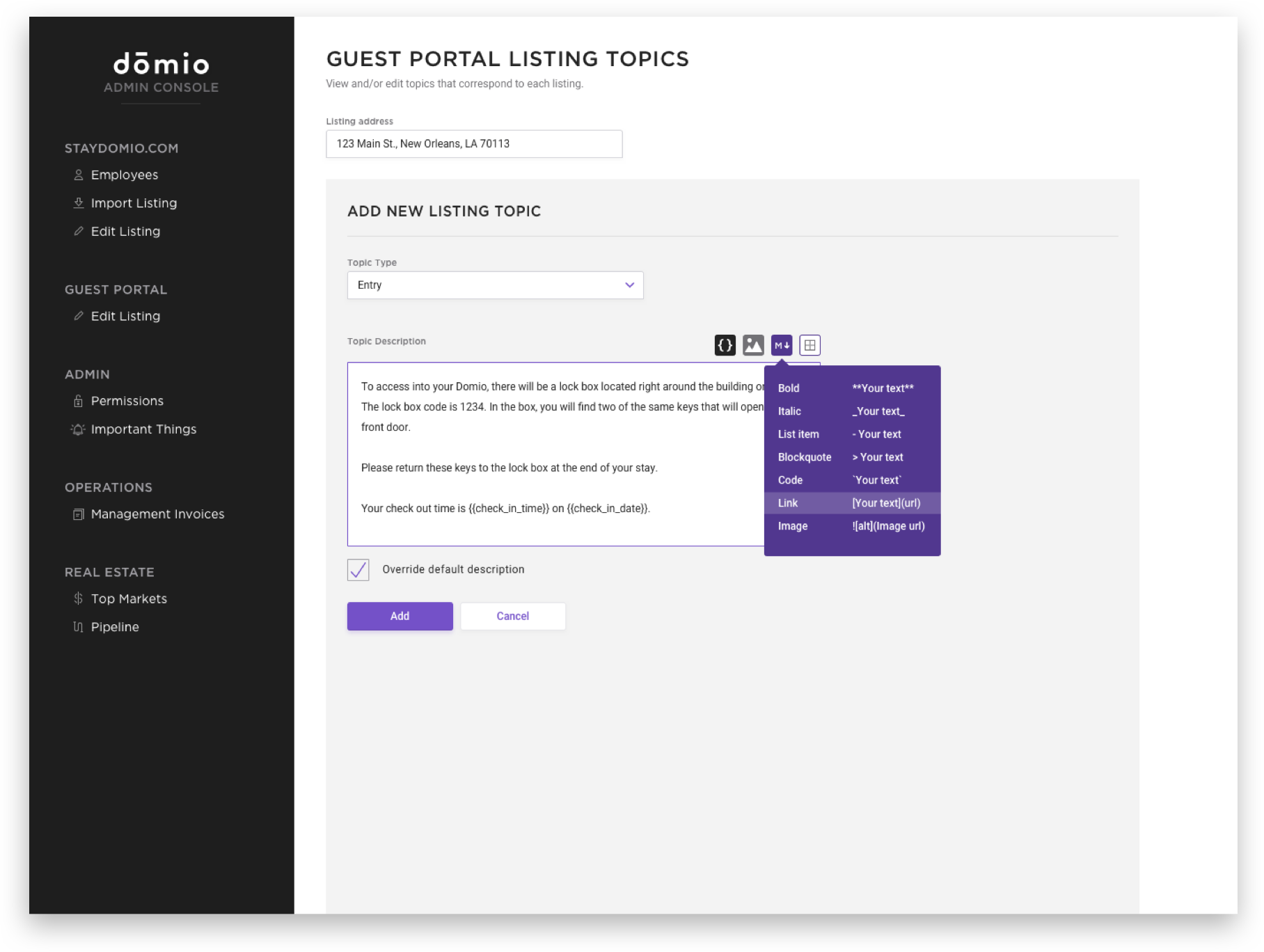
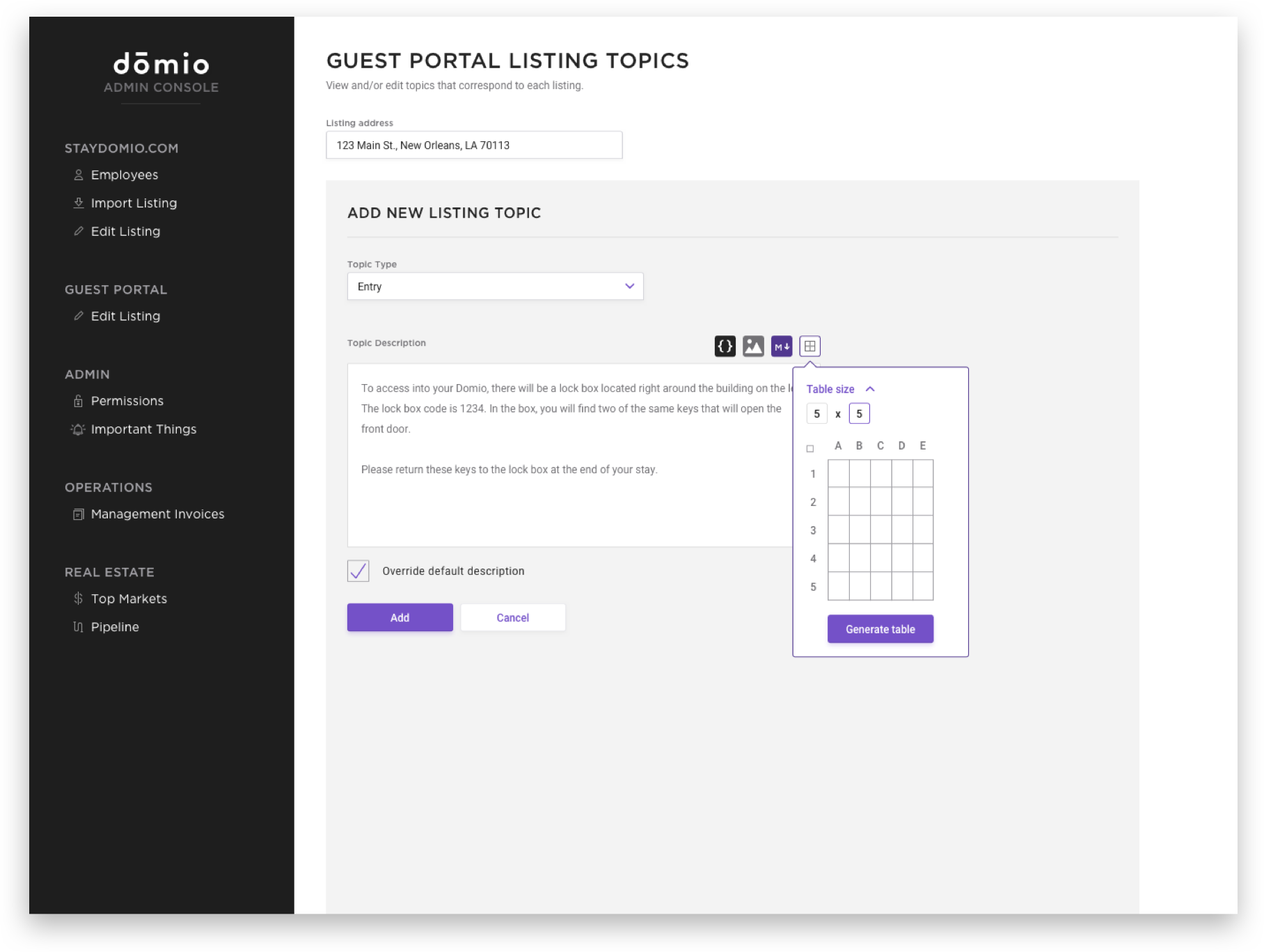
An internal tool designed for our Guest Experience team to help consistently deliver delightful experiences to our Domio guests. This tool helped our team to organize information regarding stays, edit/update information, and easily reference details for guests. Before this redesign, our Guest Experience team had to communicate with our Engineering team to manually input information about specific homes into the database. There wasn’t a solution designed or built yet to allow the team to do this on their own.
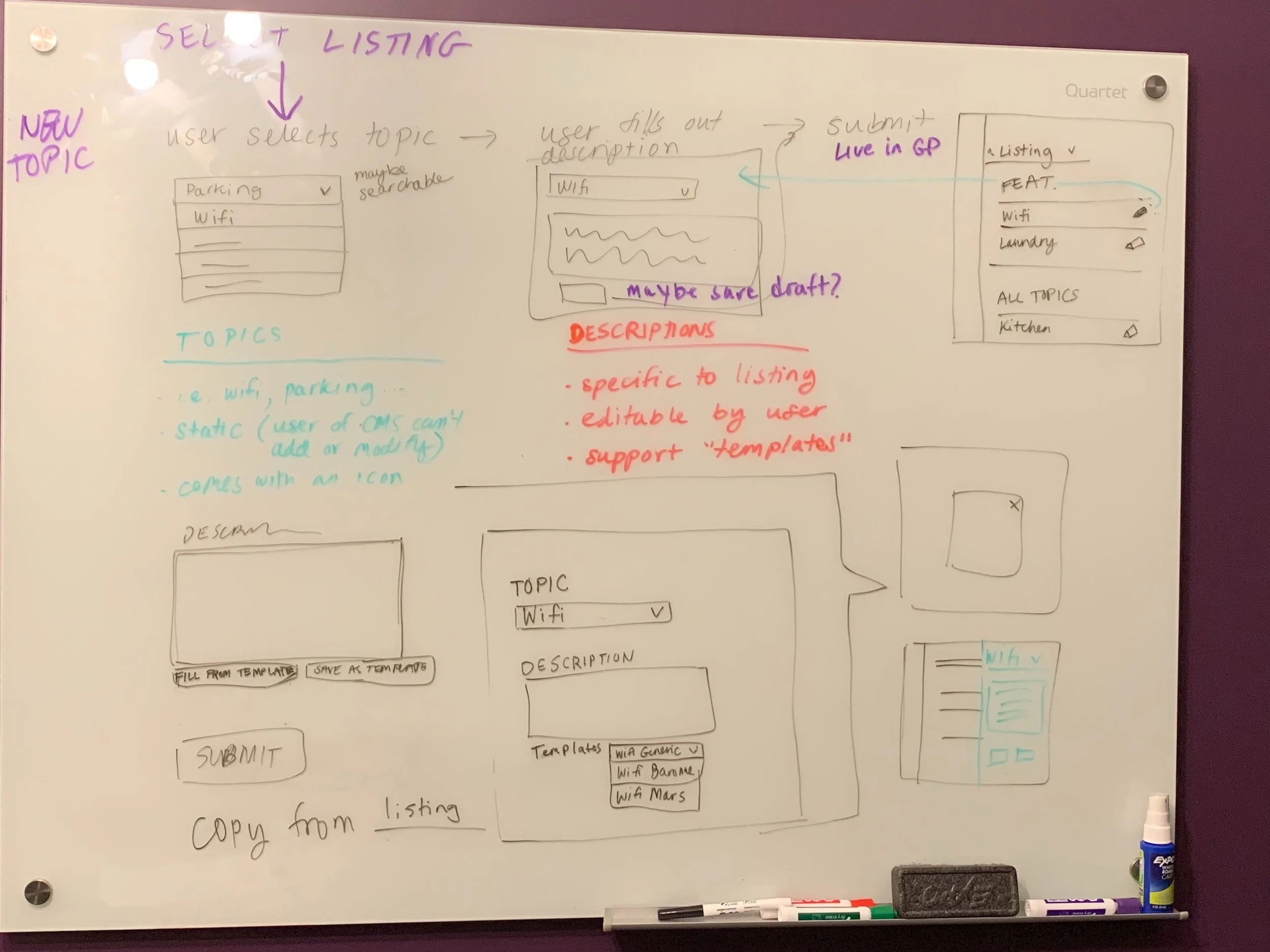
The Guest Portal CMS comprises of 3 main sections:
Creating topic pages
Editing and deleting topic pages
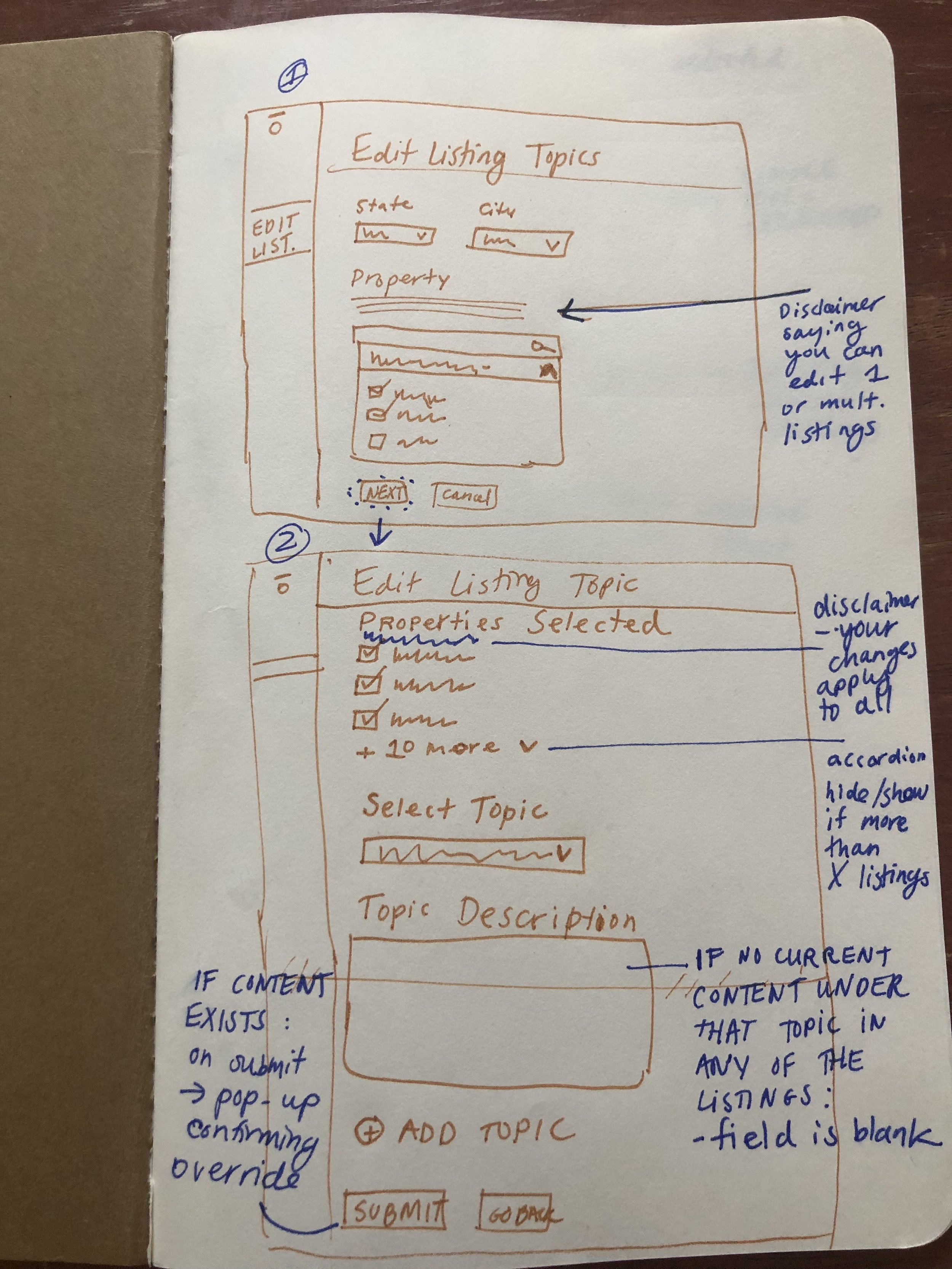
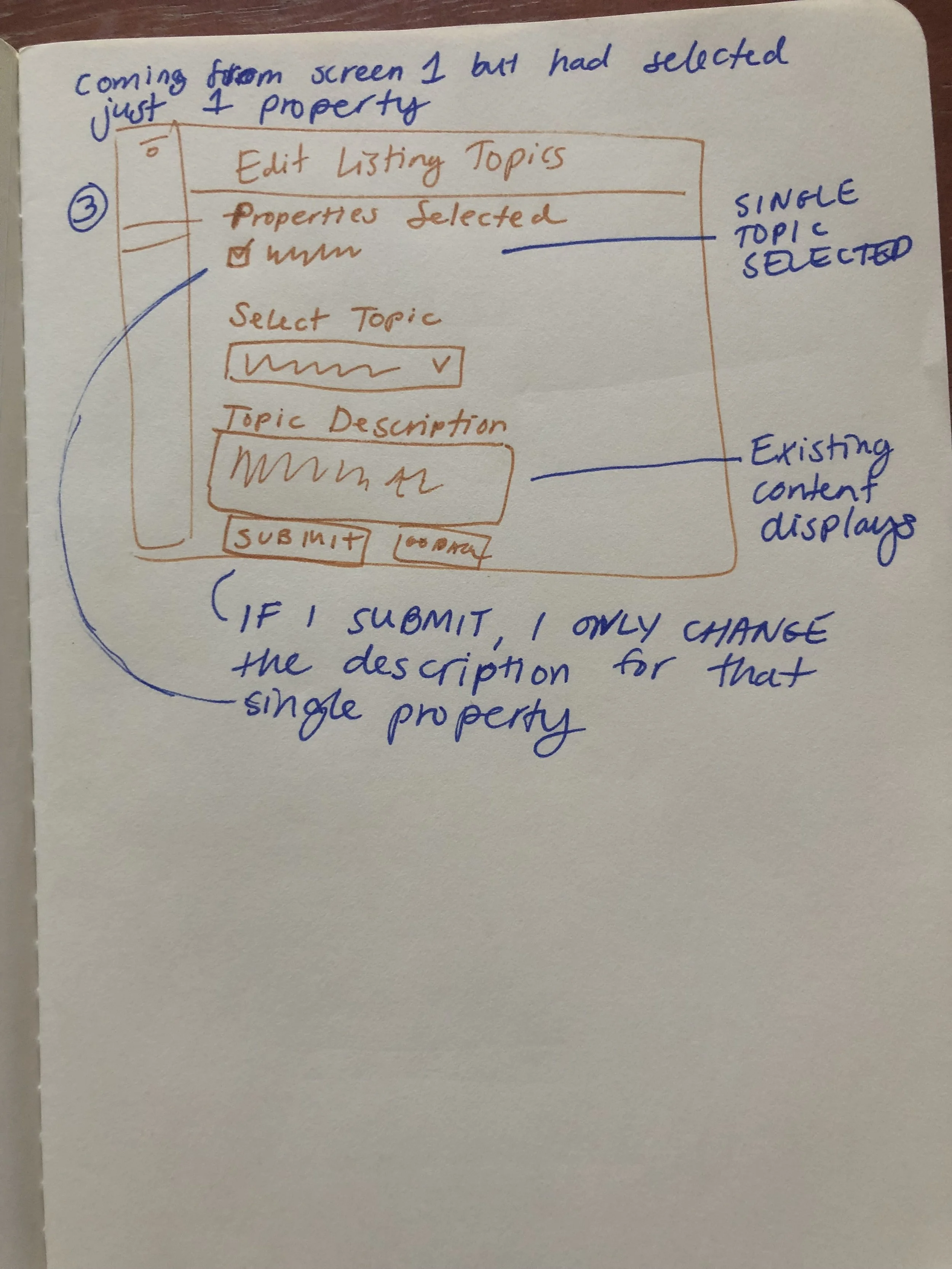
Bulk editing topics
These specific sections allowed our team to efficiently edit, add, or delete topics for all of our properties in each city. This experience was only designed and developed for desktop use.
sketches
creating topic pages
editing/deleting topics
bulk editing topics