
Hivebrite is an all-in-one community management and engagement platform. It empowers organizations to launch, manage, and grow fully branded private communities. Hivebrite is completely customizable and provides all the tools needed to strengthen community engagement.
MODERATION FEATURE
The moderation feature dates back to 2020, and since then the needs of Hivebrite’s clients have evolved.
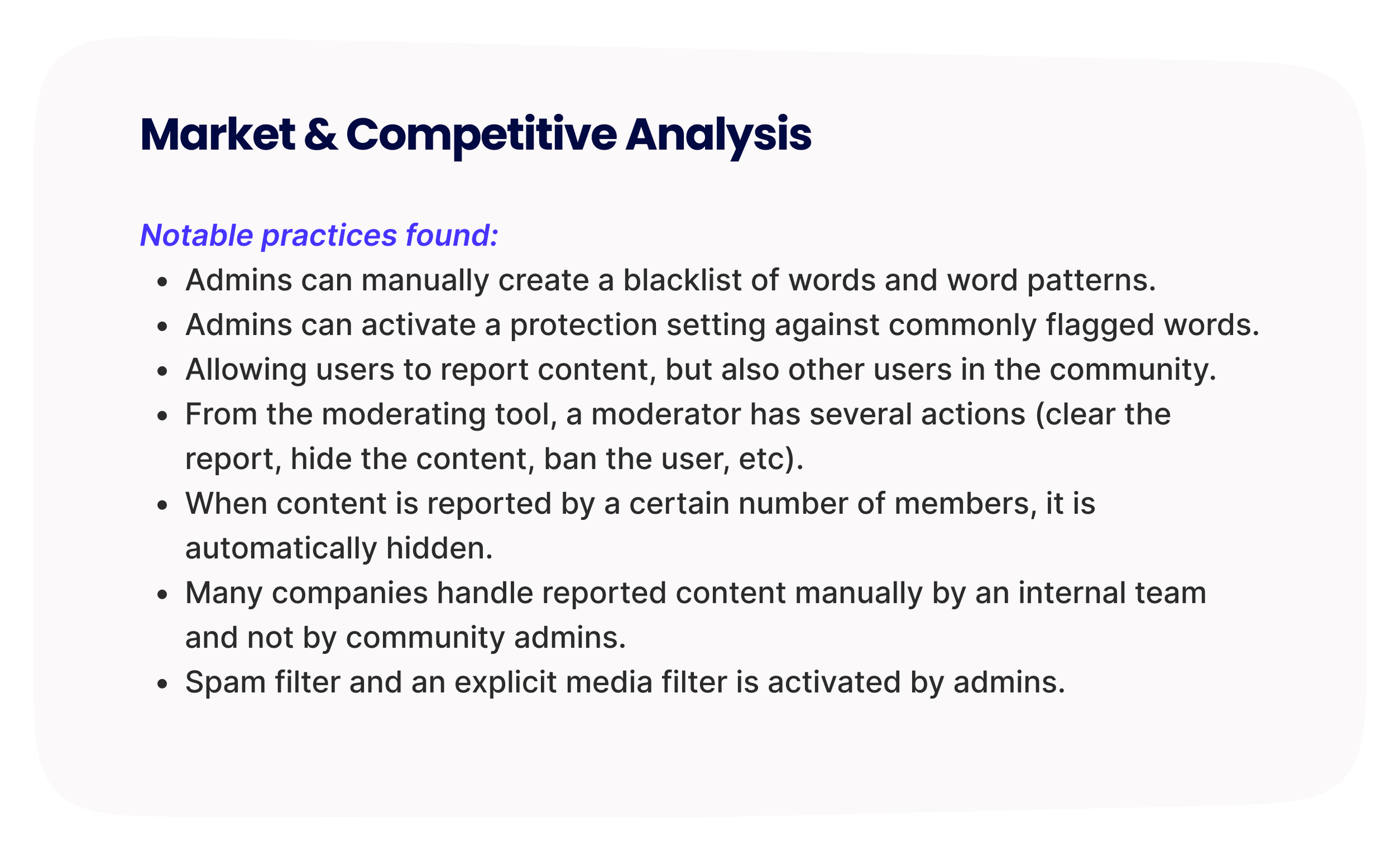
Community platforms lack a smart system to filter and monitor constant new content generated by members. With 60% of clients being major universities or education organizations, this feature is highly demanded to promote more safety/professionalism and to help protect communities from harmful or disruptive content.
Before sketching any ideas, the Product Manager and I led a research initiative to speak with a diverse pool of clients for our discovery process to identify new opportunities.
WHAT
UX/UI
Research
Testing
Design workshop
Client interviews
Team
Lead Designer — Myself
Product Manager
Engineers (4)
DURATION
6 months
Launch date
June 2025
Device
Responsive web
TOOLS
Figma, Condens, Lyssna
PROBLEM STATEMENT
How might we simplify tasks and offer new moderation solutions to administrators who want to ensure that user generated content respects their community guidelines?
HYPOTHESIS
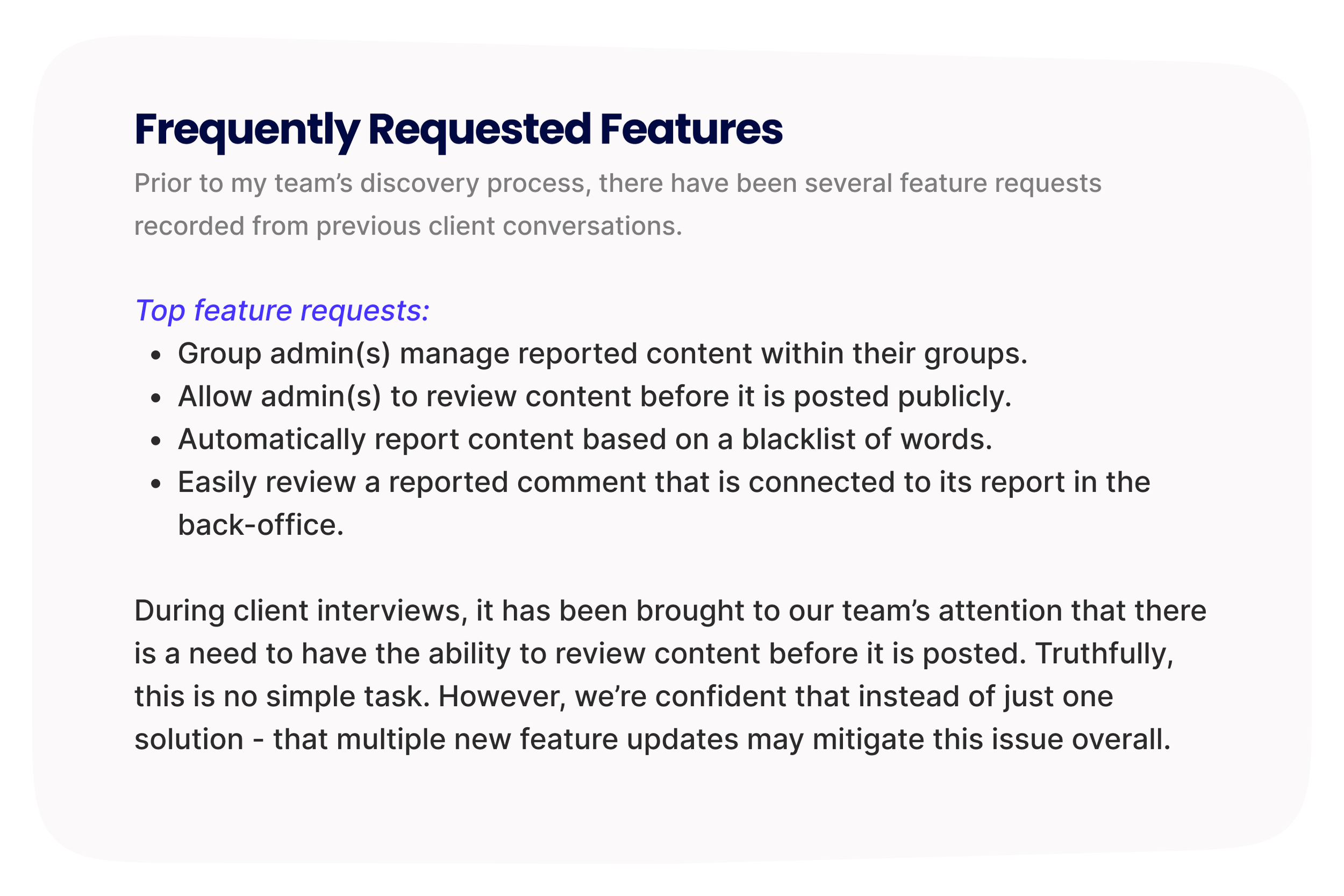
If we offer a manual filter feature with some level of customization, it can help offload some of the manual screening that the admins have to do on a daily basis.
If we provide more information about reported content, along with several actions to process these reports - then admins can moderate items more successfully.
CURRENT MODERATION FEATURE
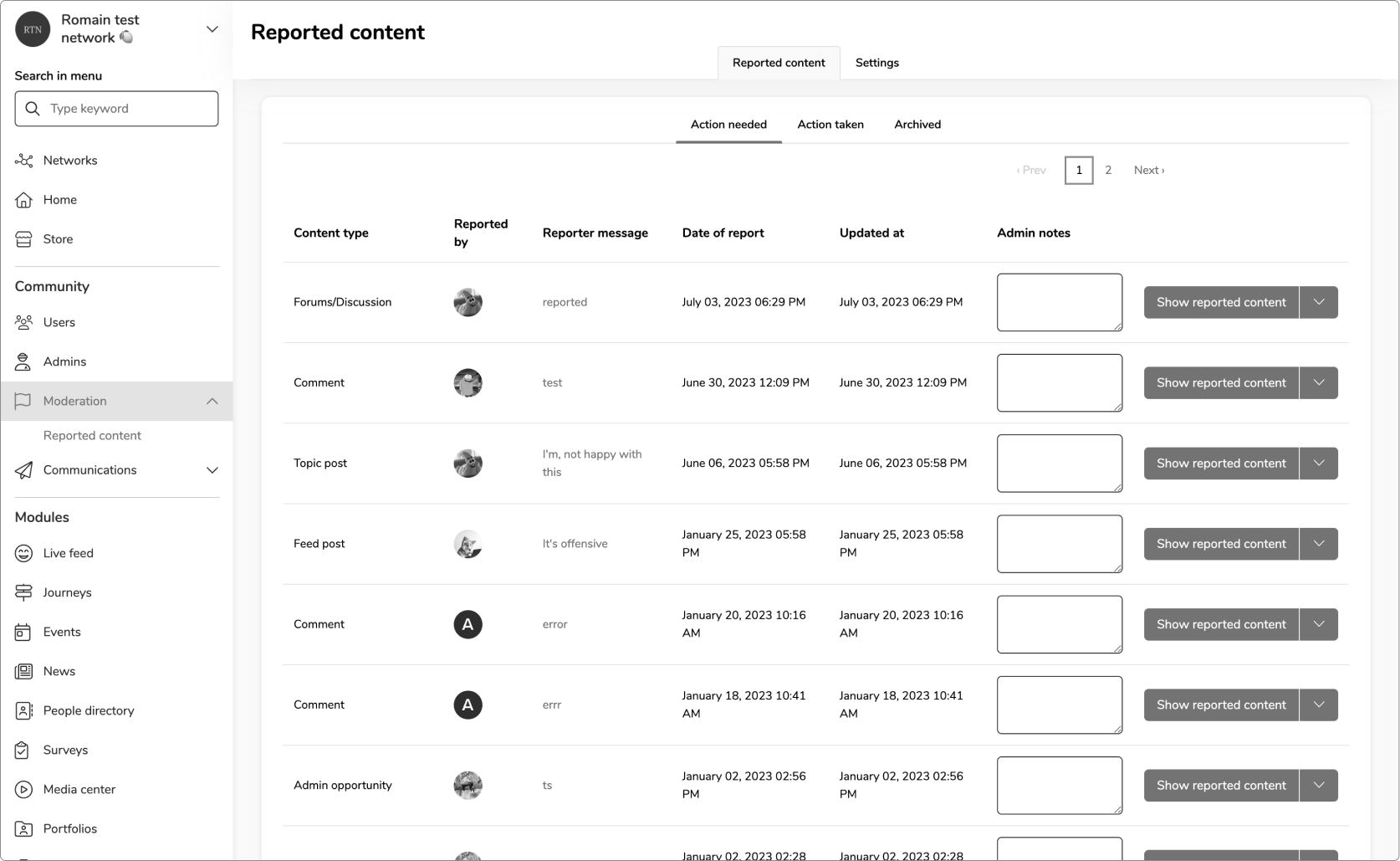
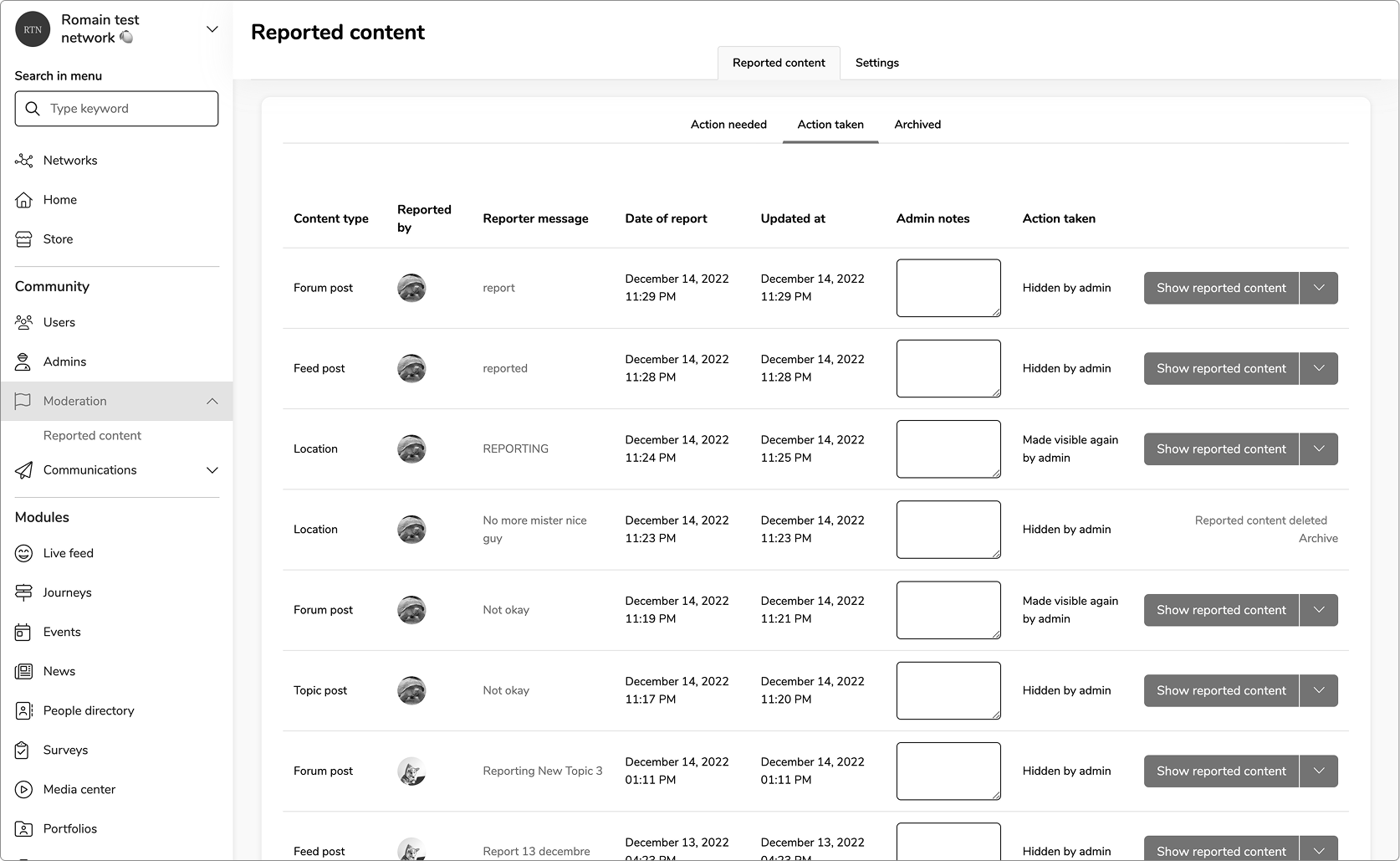
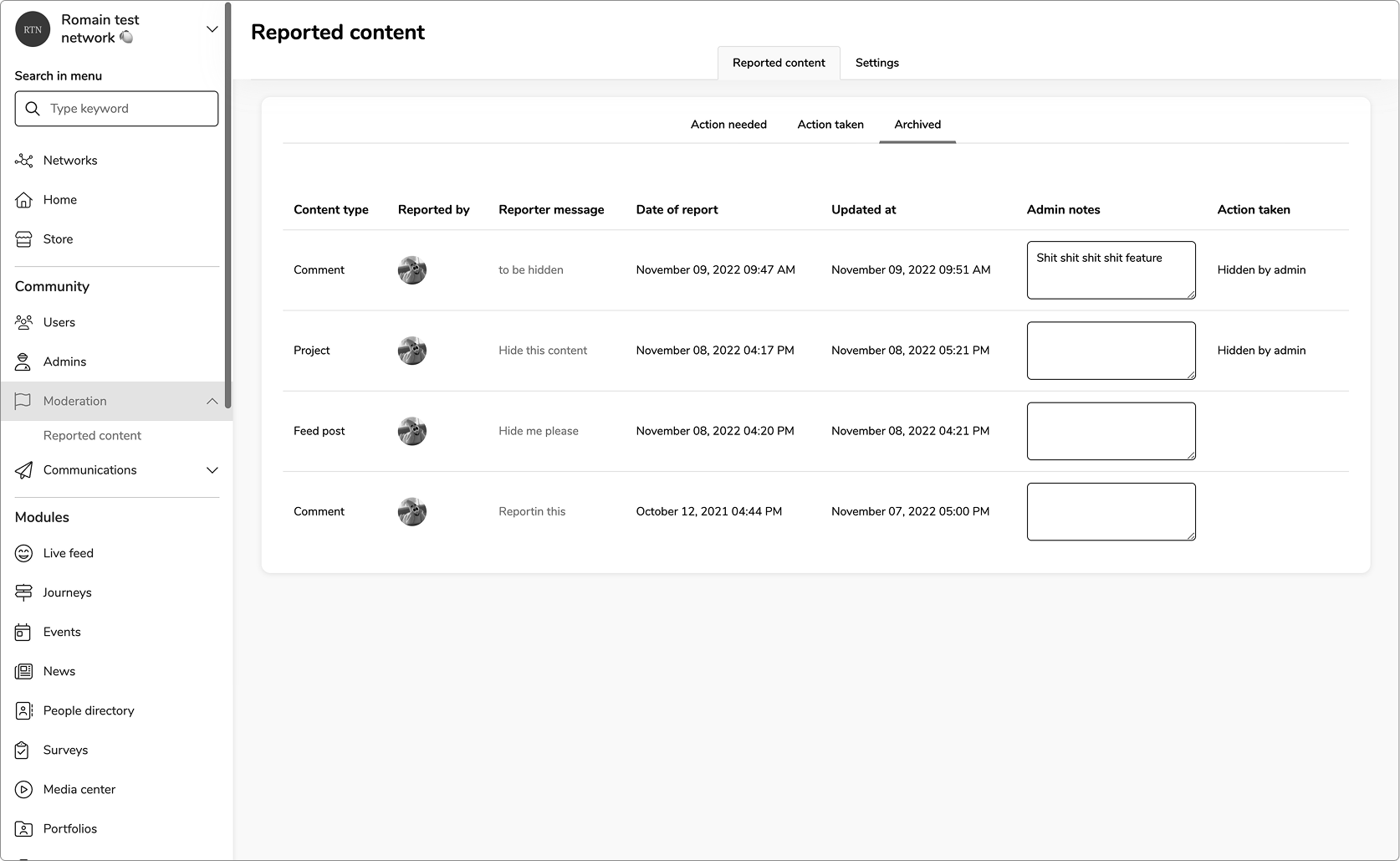
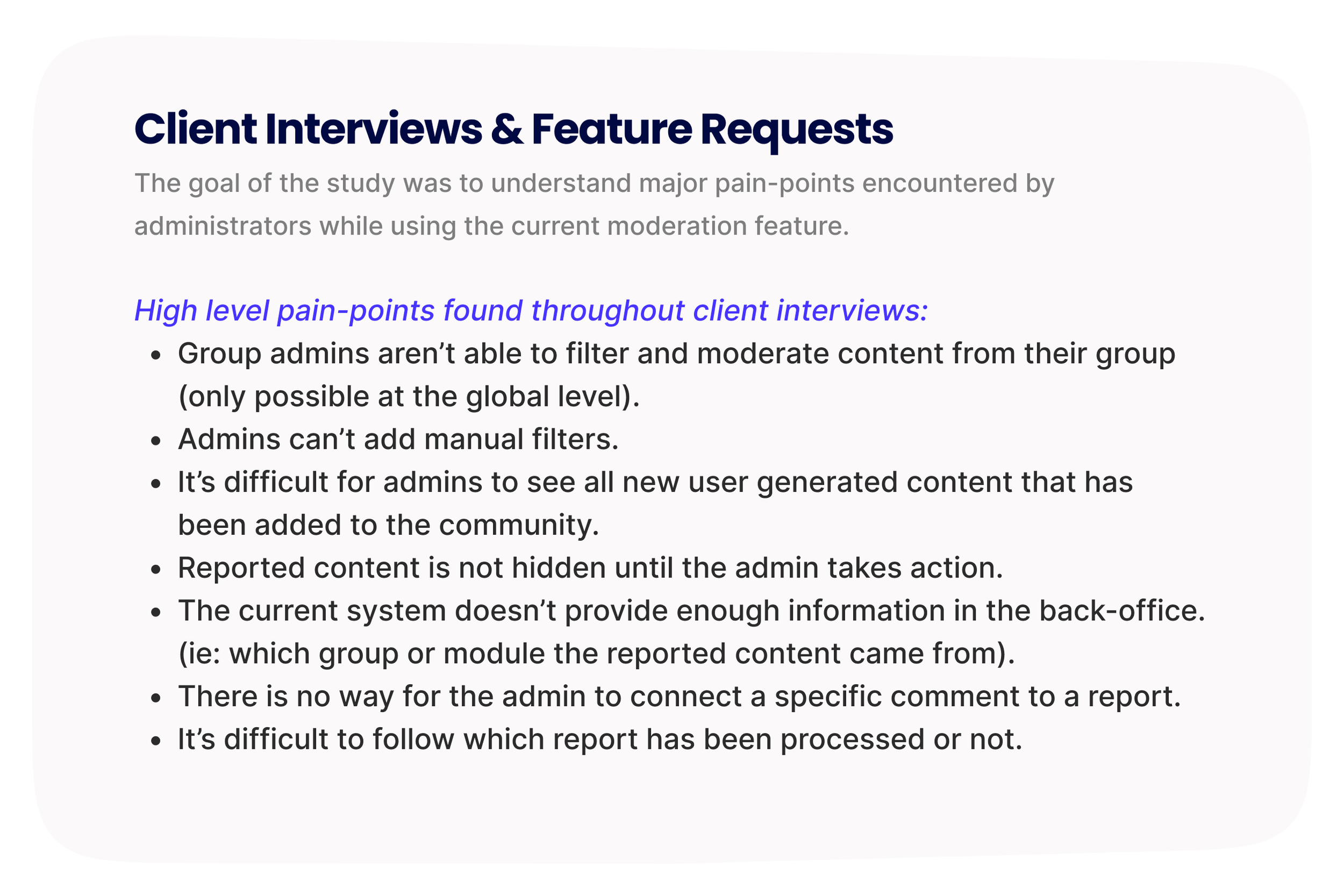
With no smart system in place, a new line item is created every time a report is made - even if it’s for the same content. This creates a deceptively long list and quickly overwhelms the admin when processing each item one by one. There is not enough information as to why the report was made, just an optional comment section if the user provides any details.
research highlights
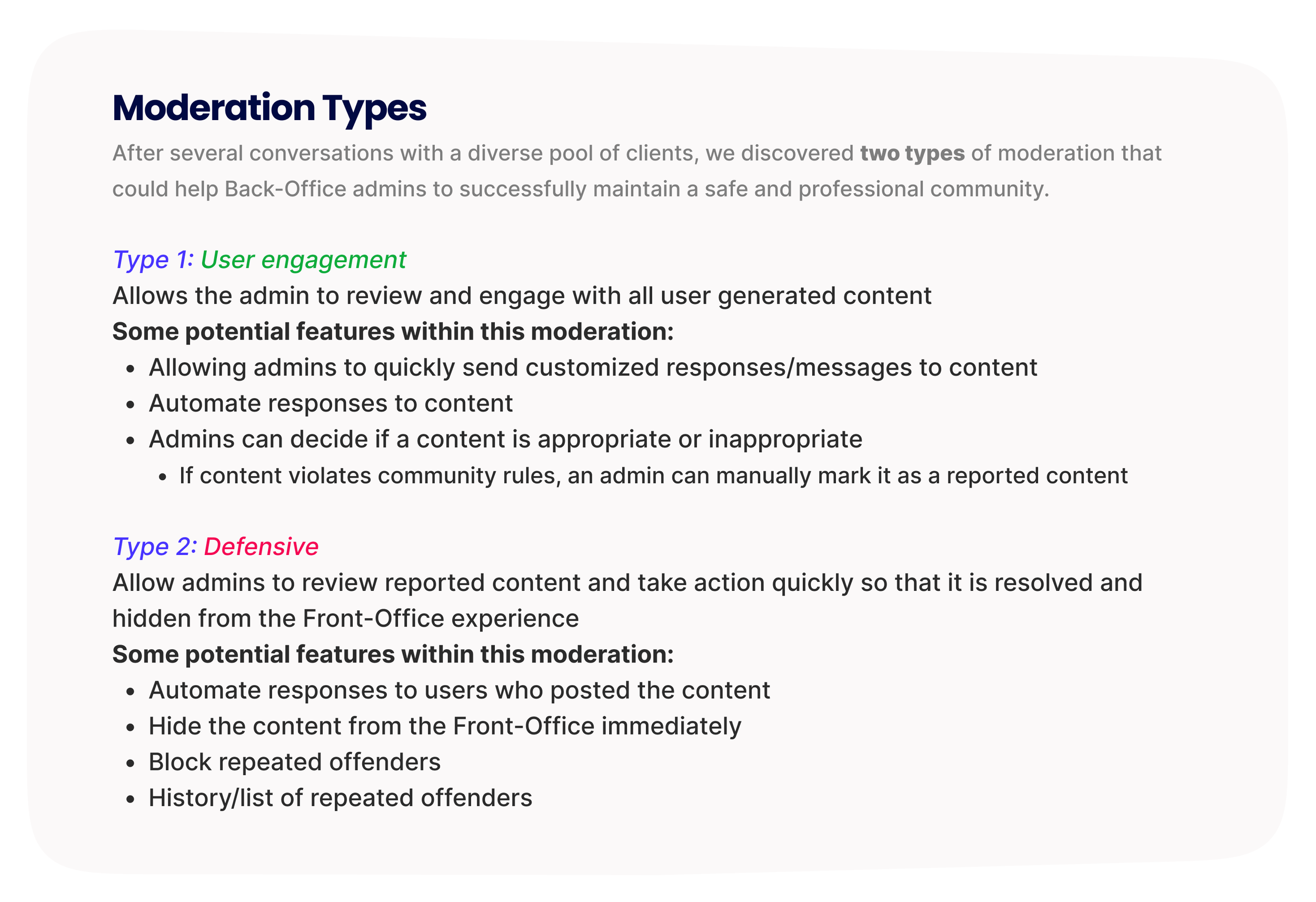
two types of moderation identified
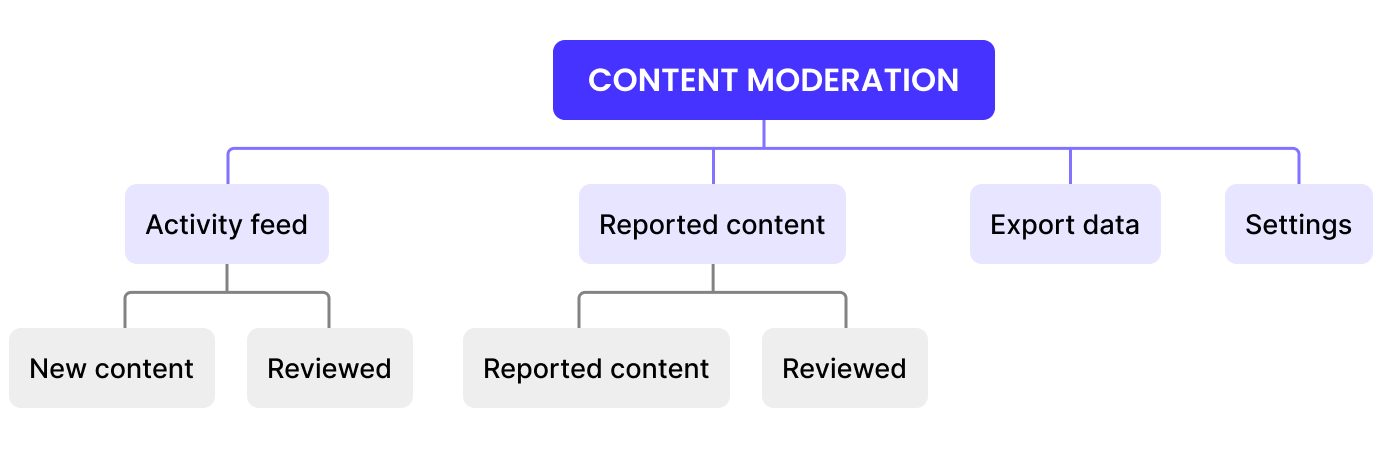
USER FLOW
Activity FEED
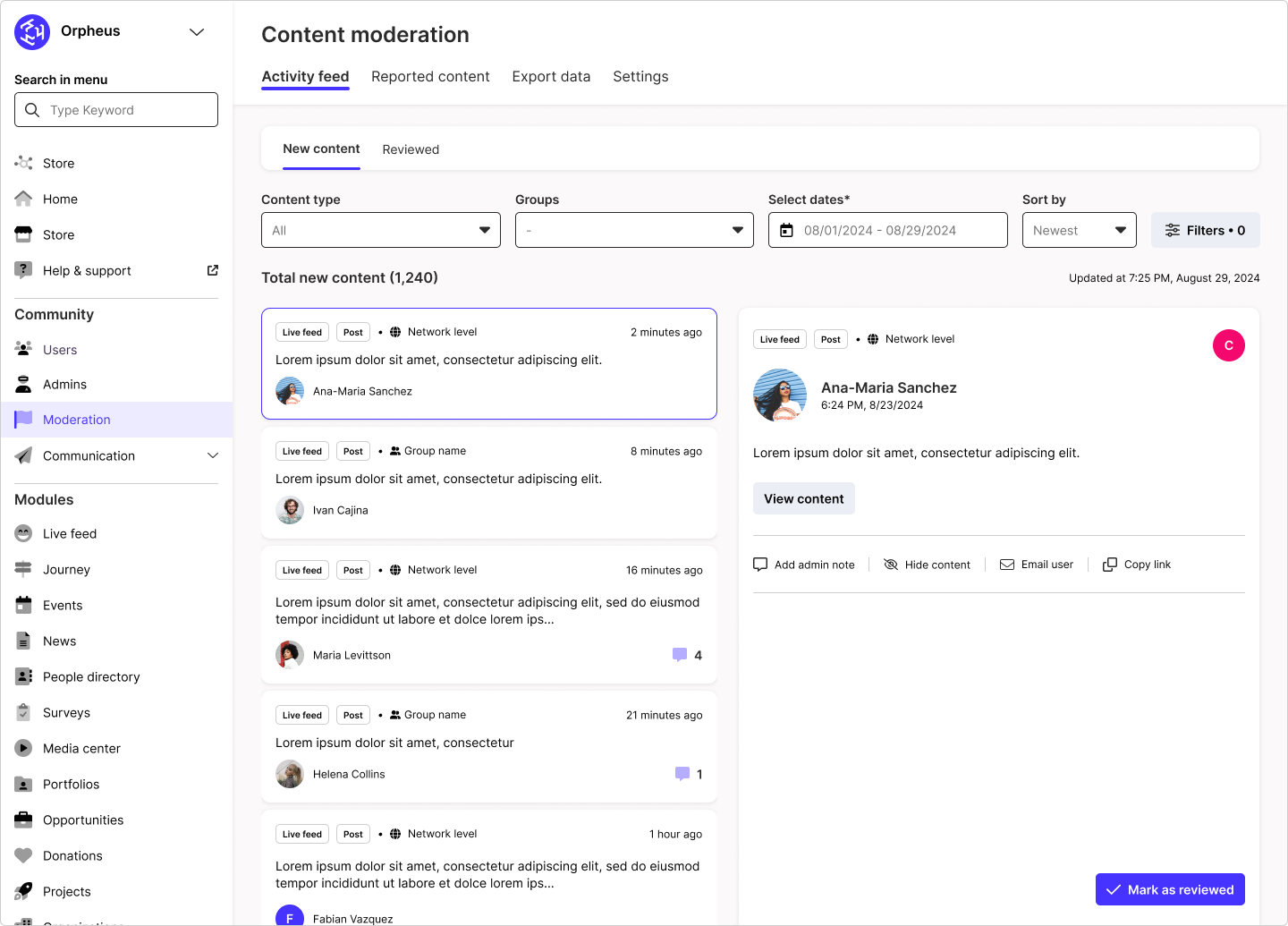
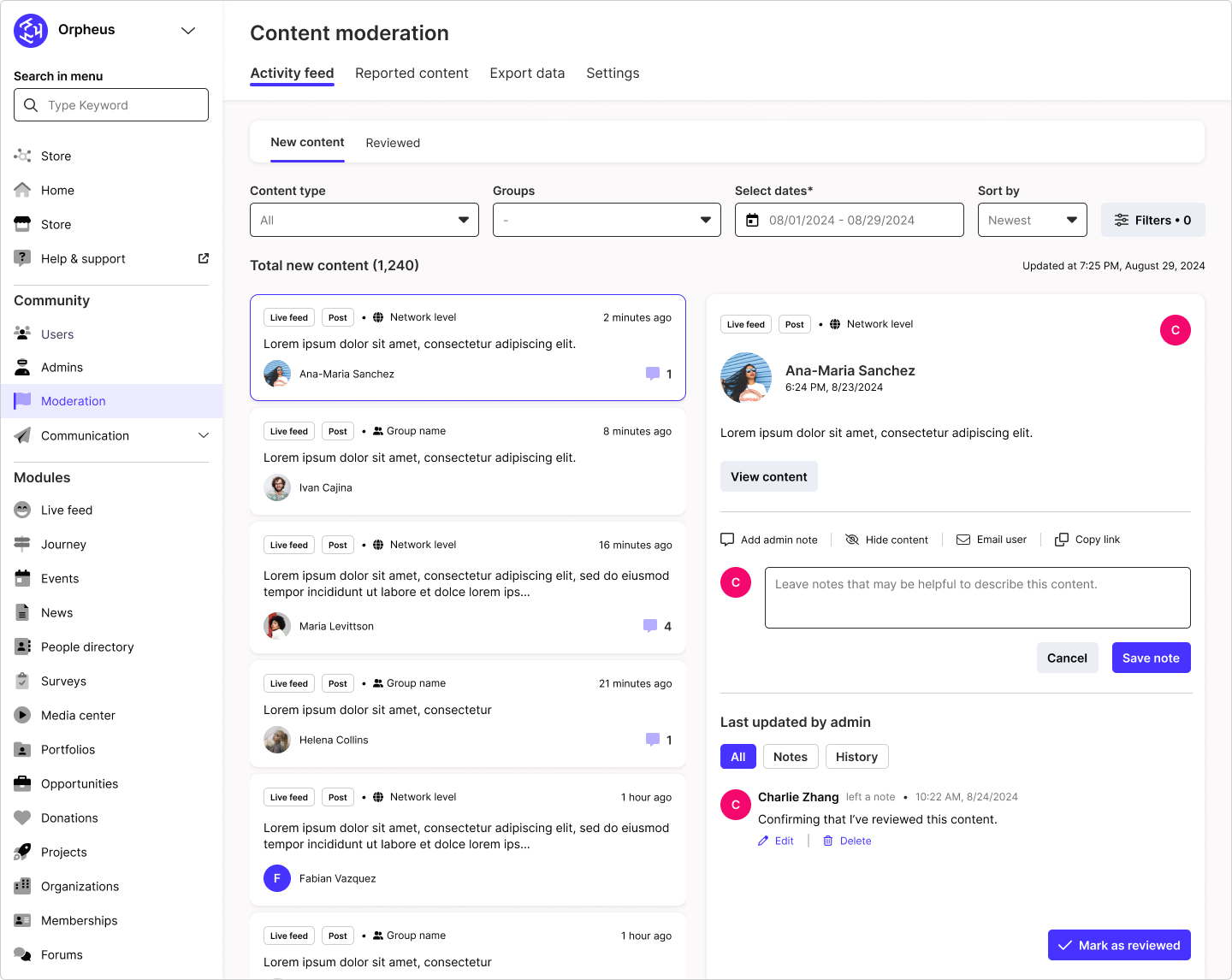
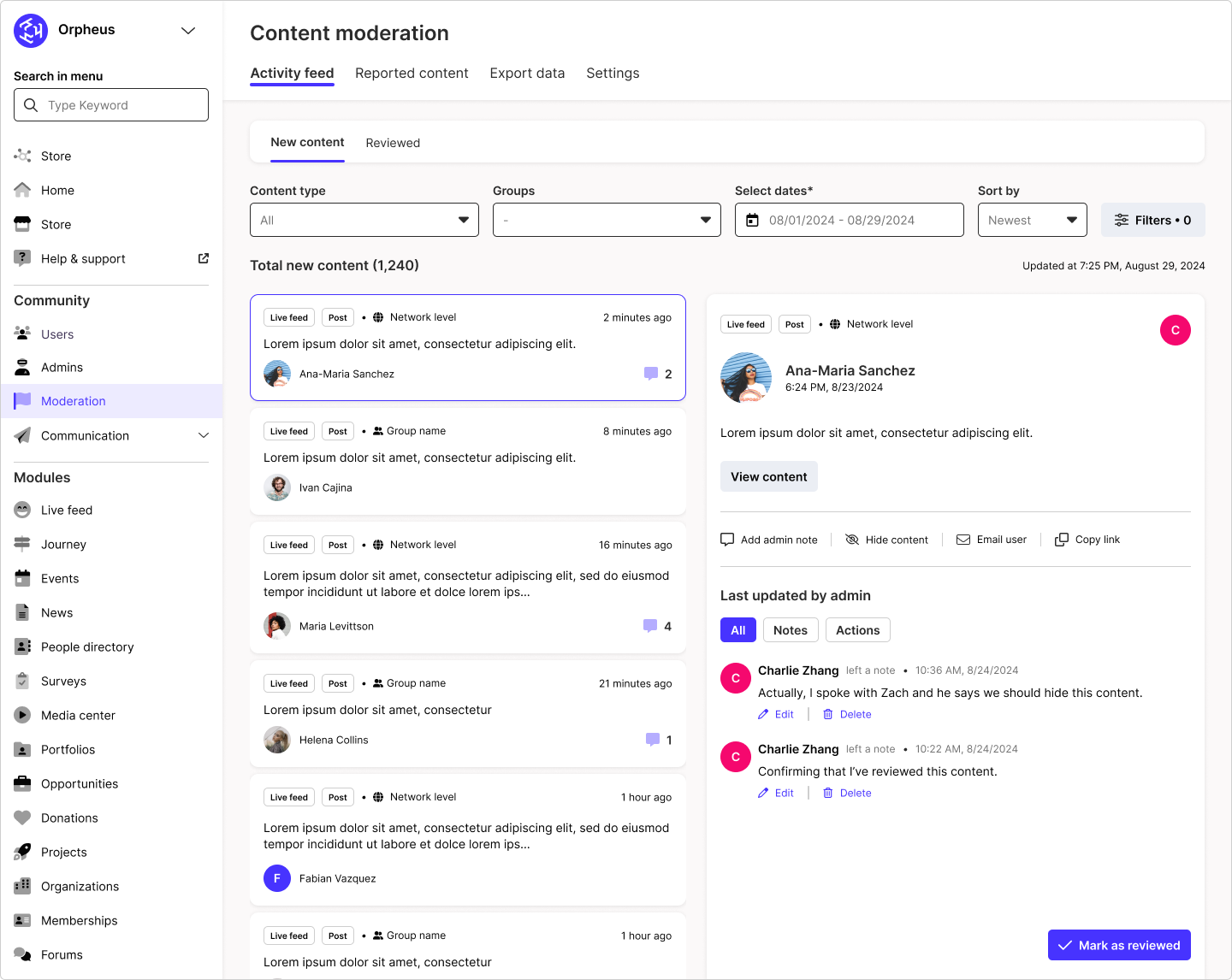
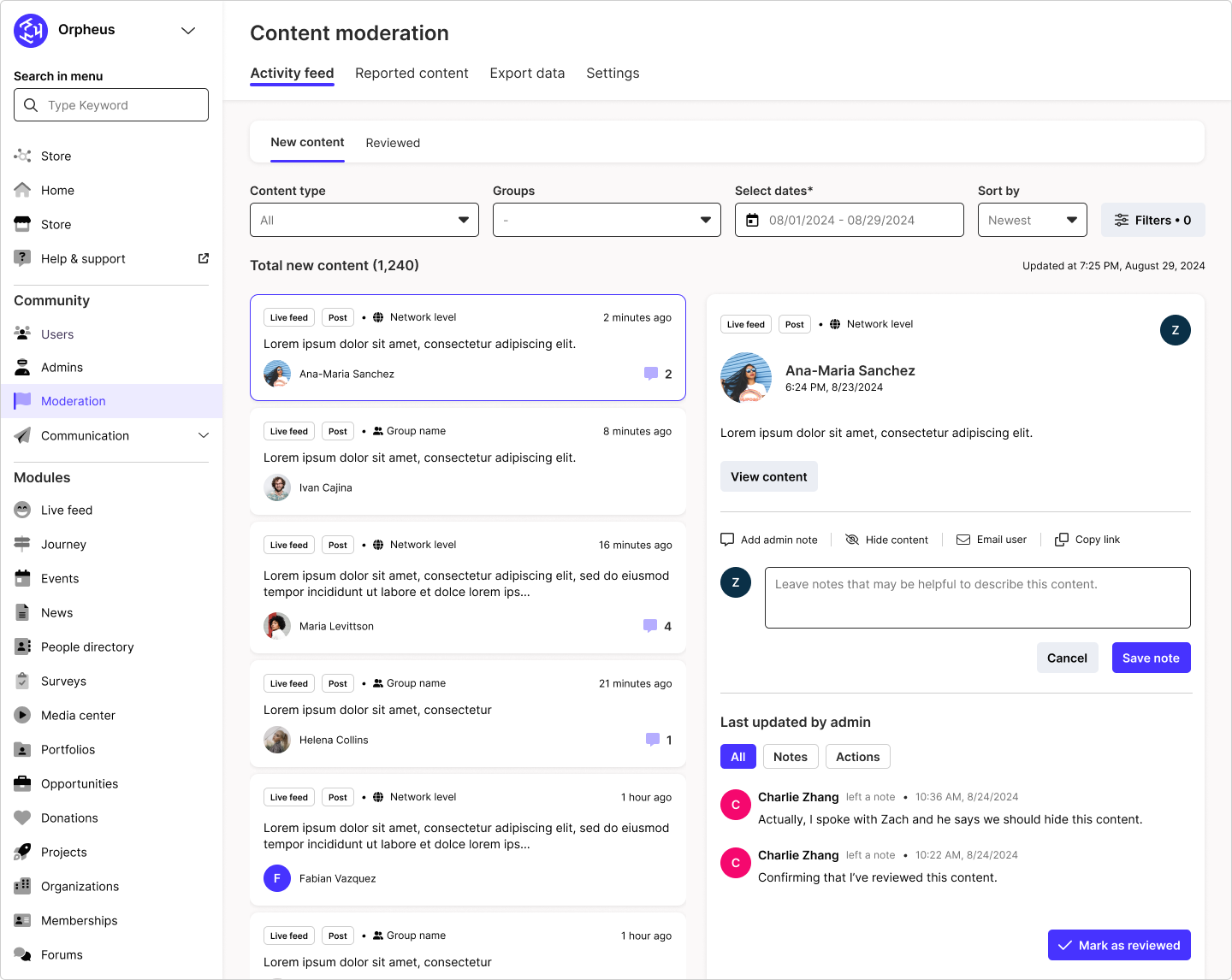
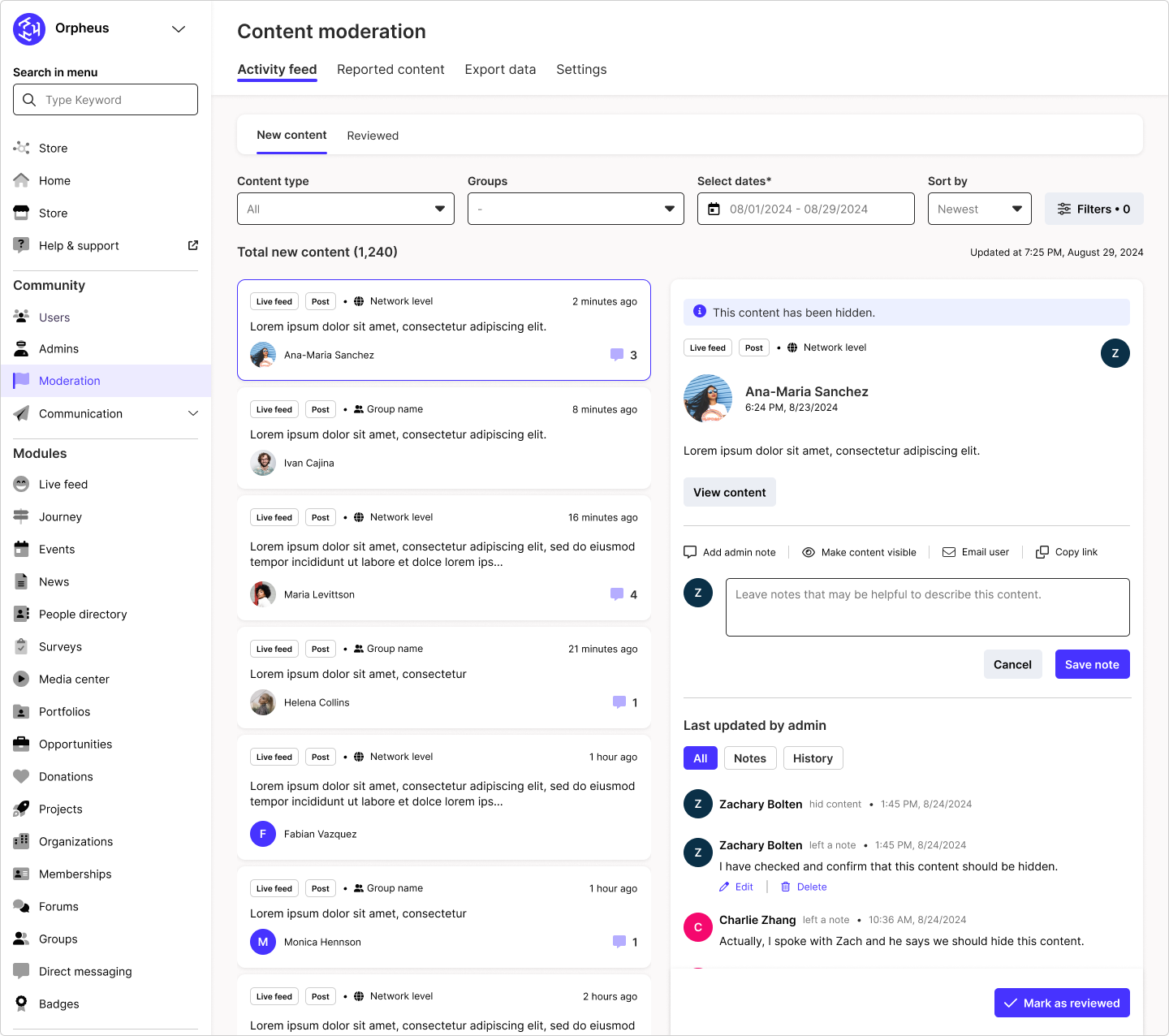
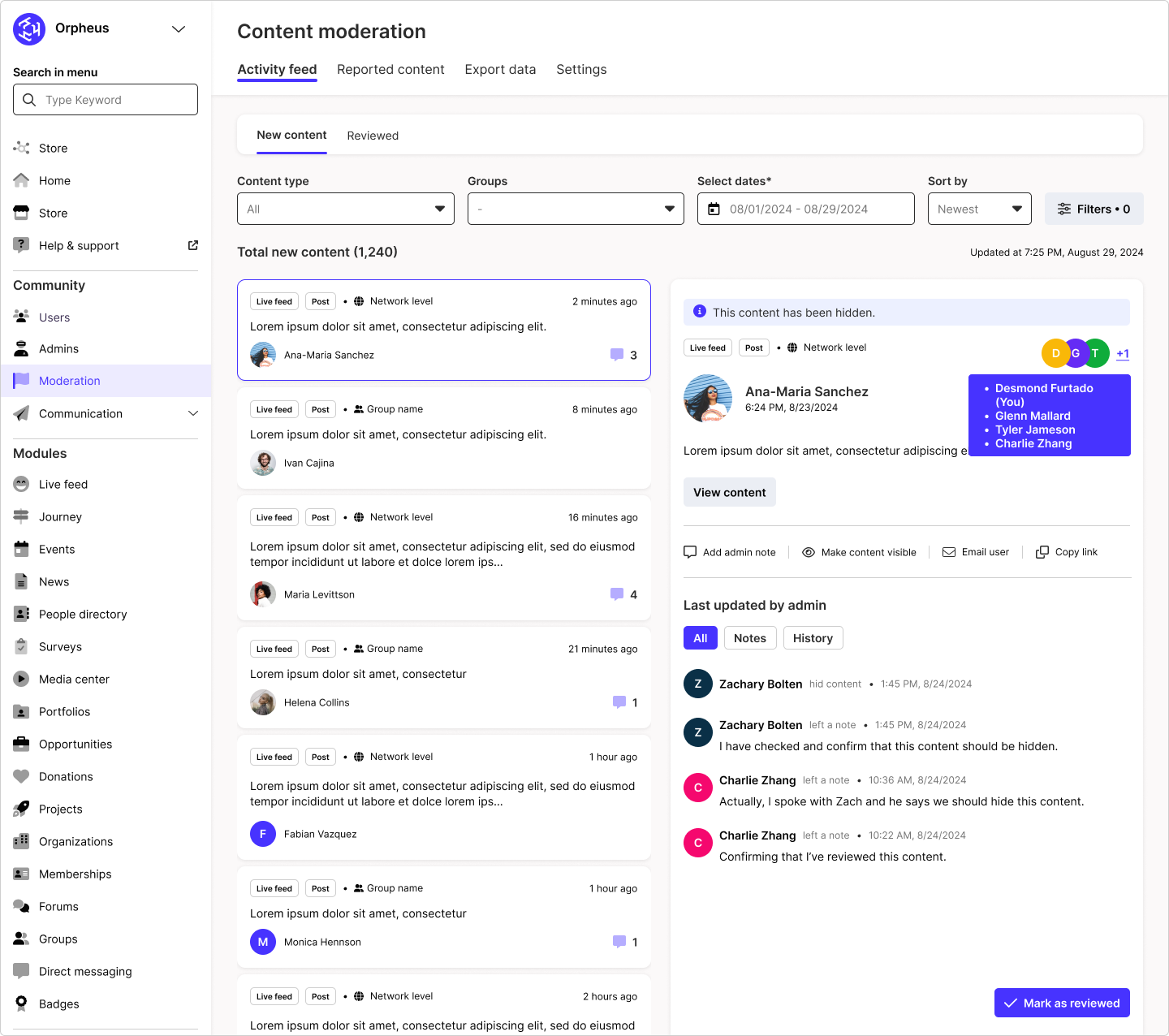
Within the Activity feed, admins will be able to toggle between two tabs - New content and Reviewed. Due to technical constraints, the Back-Office experience is only available as a responsive web experience. However, this enables a split view design which we believe will create a smoother work flow for admins.
NEW CONTENt
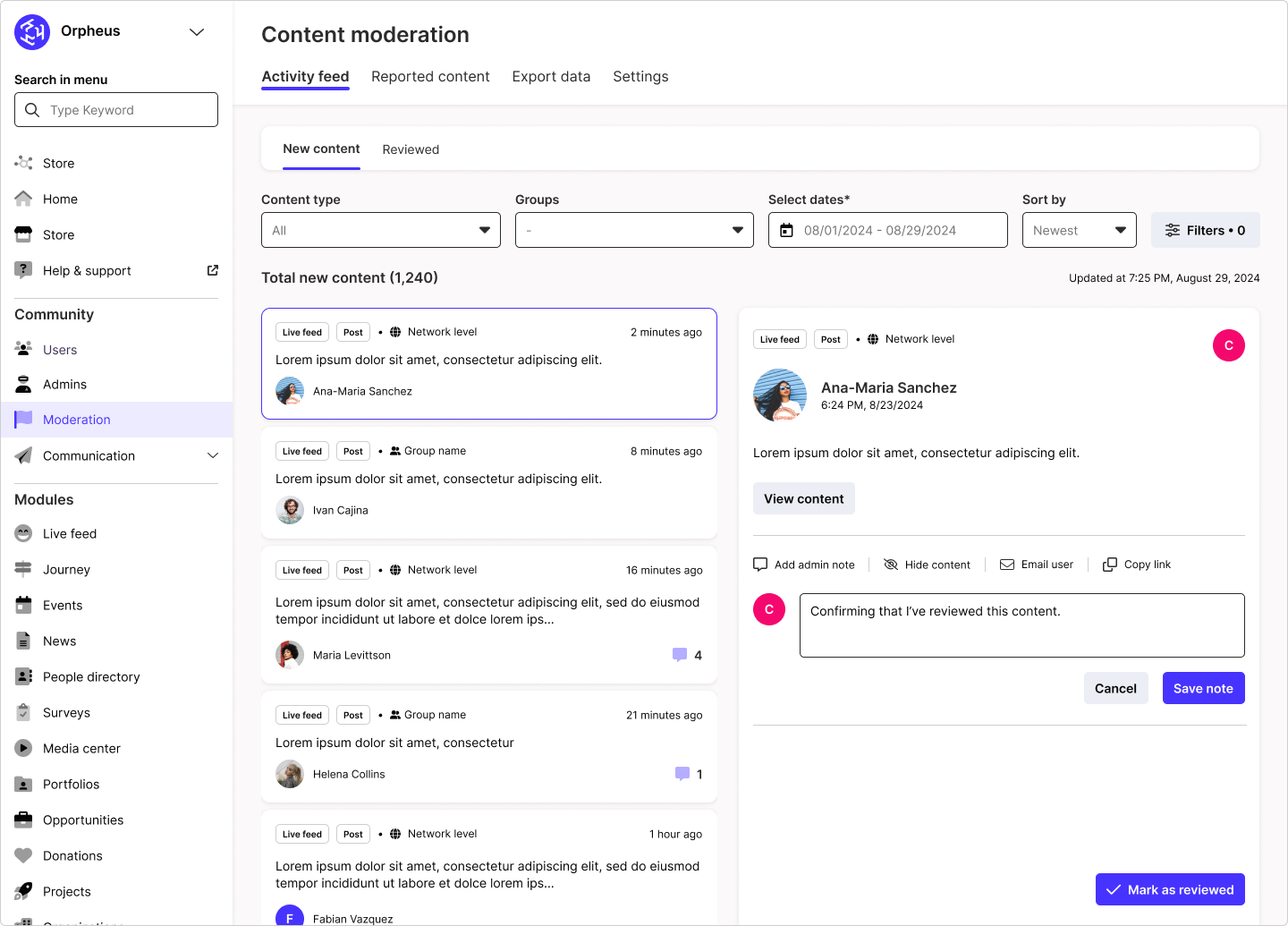
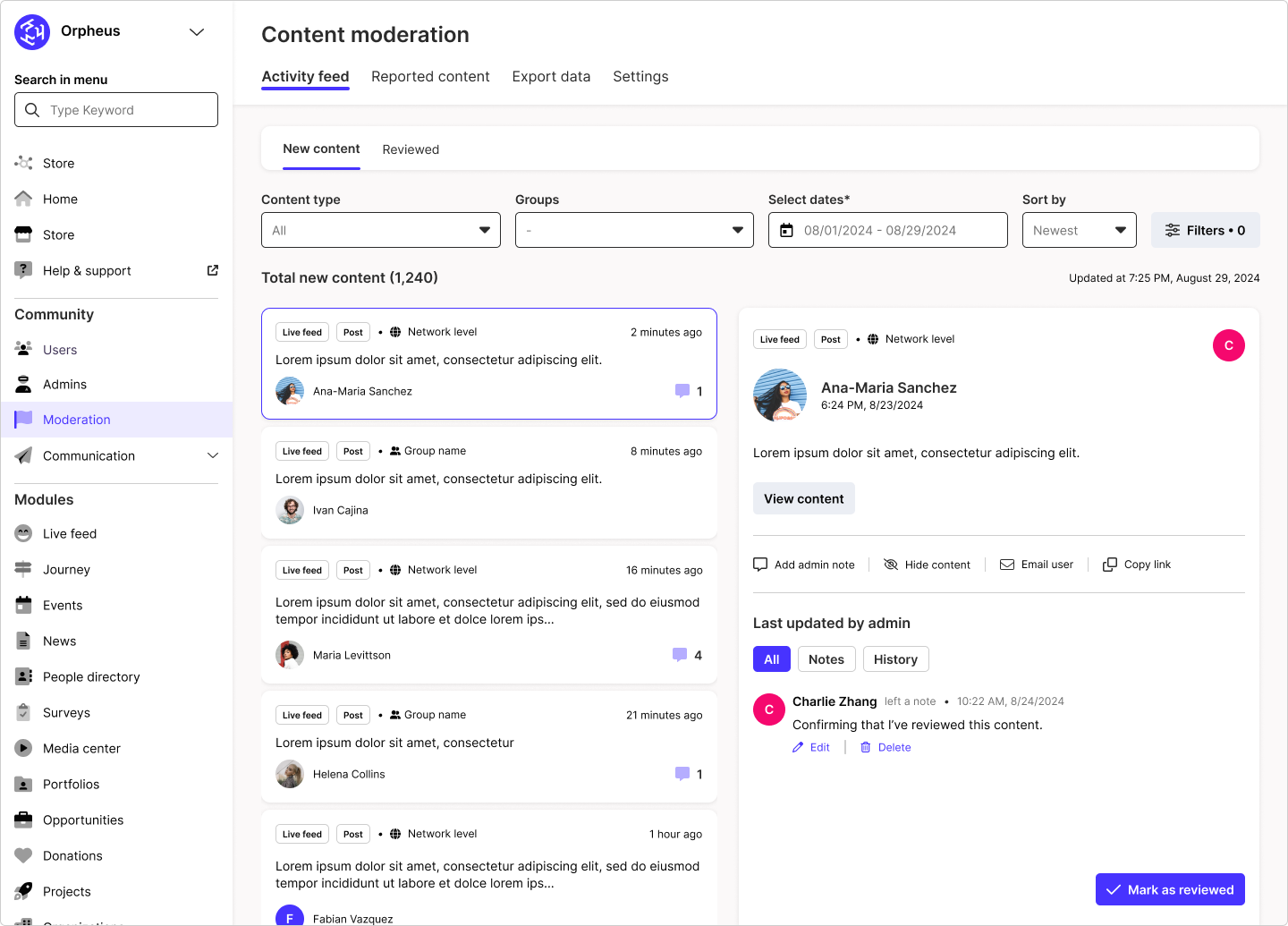
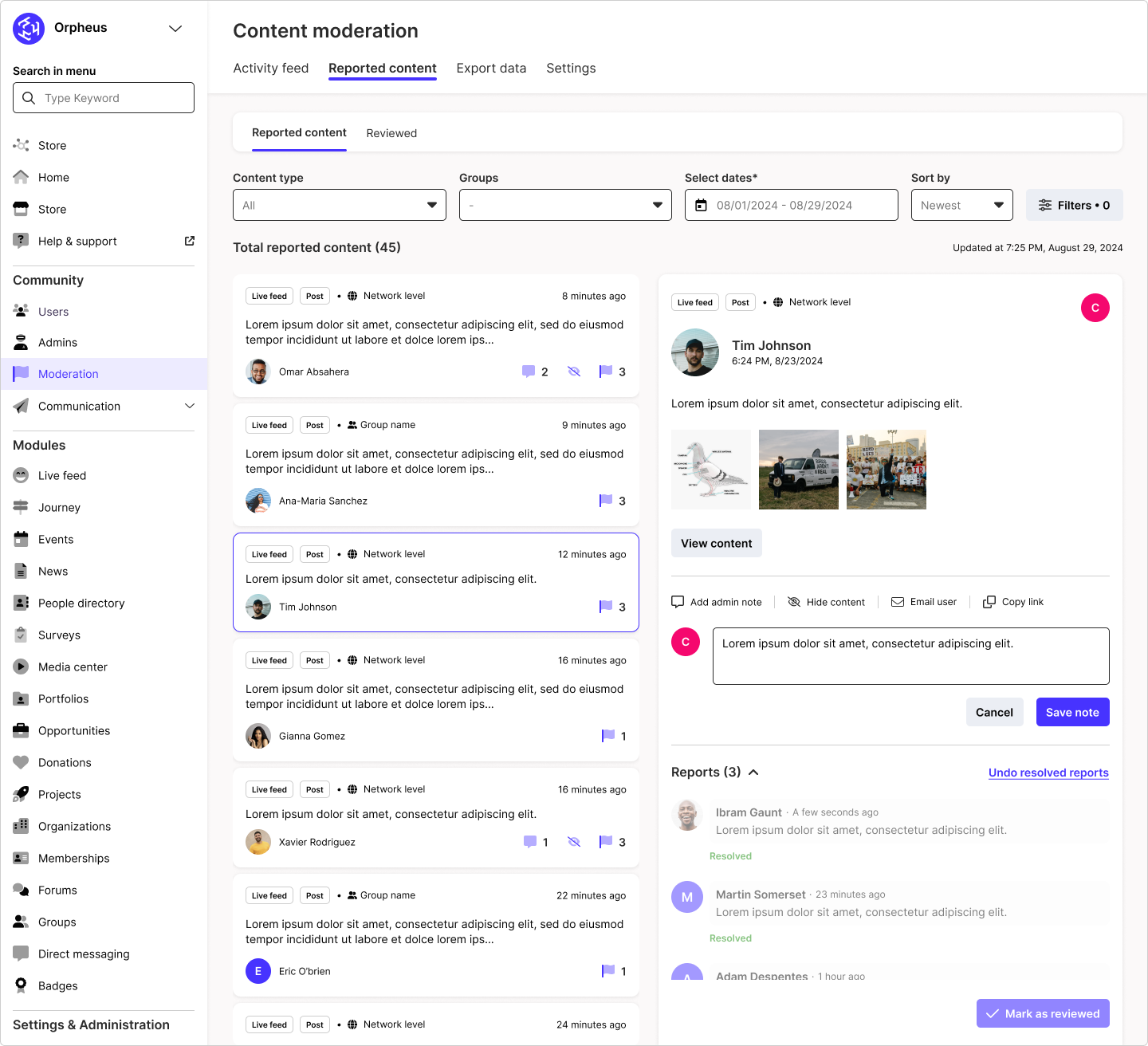
Admins select a new content from the left panel list view. More details and actions will then appear on the right panel. From the details view, admins are able to add comments, hide content, email the user who created the content, and easily copy the unique URL to this content to share with other admin members.
REVIEWED CONTENT
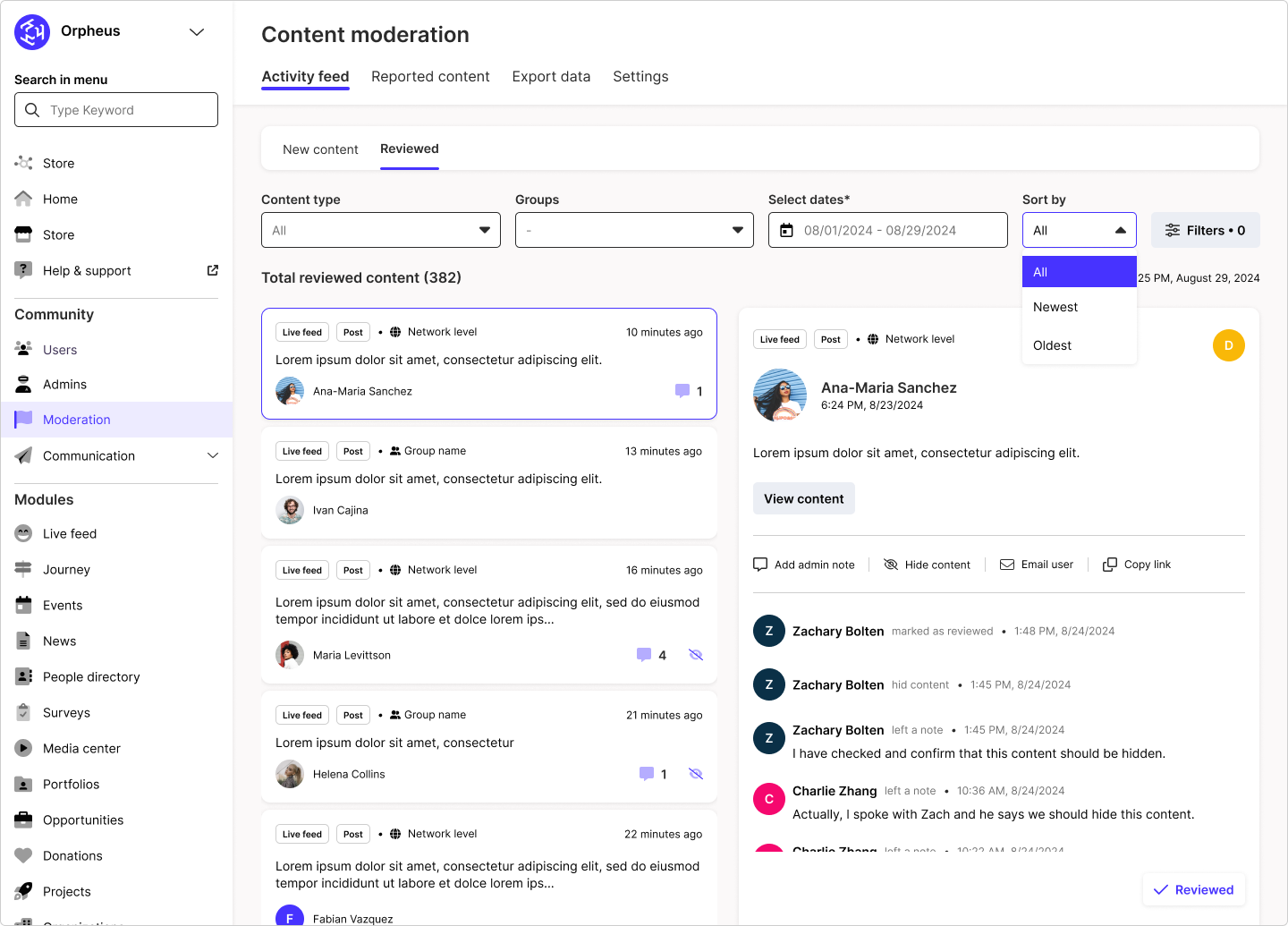
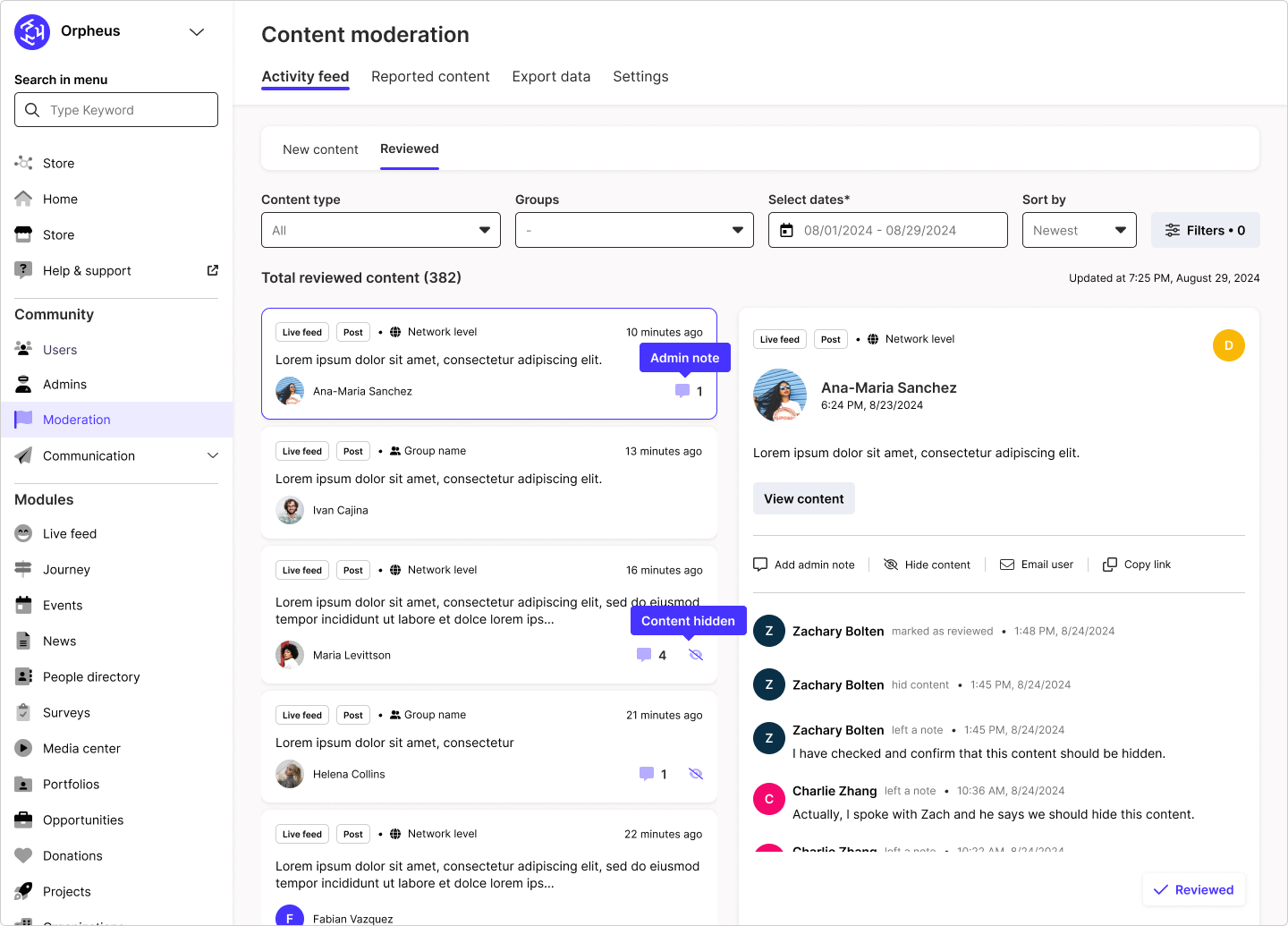
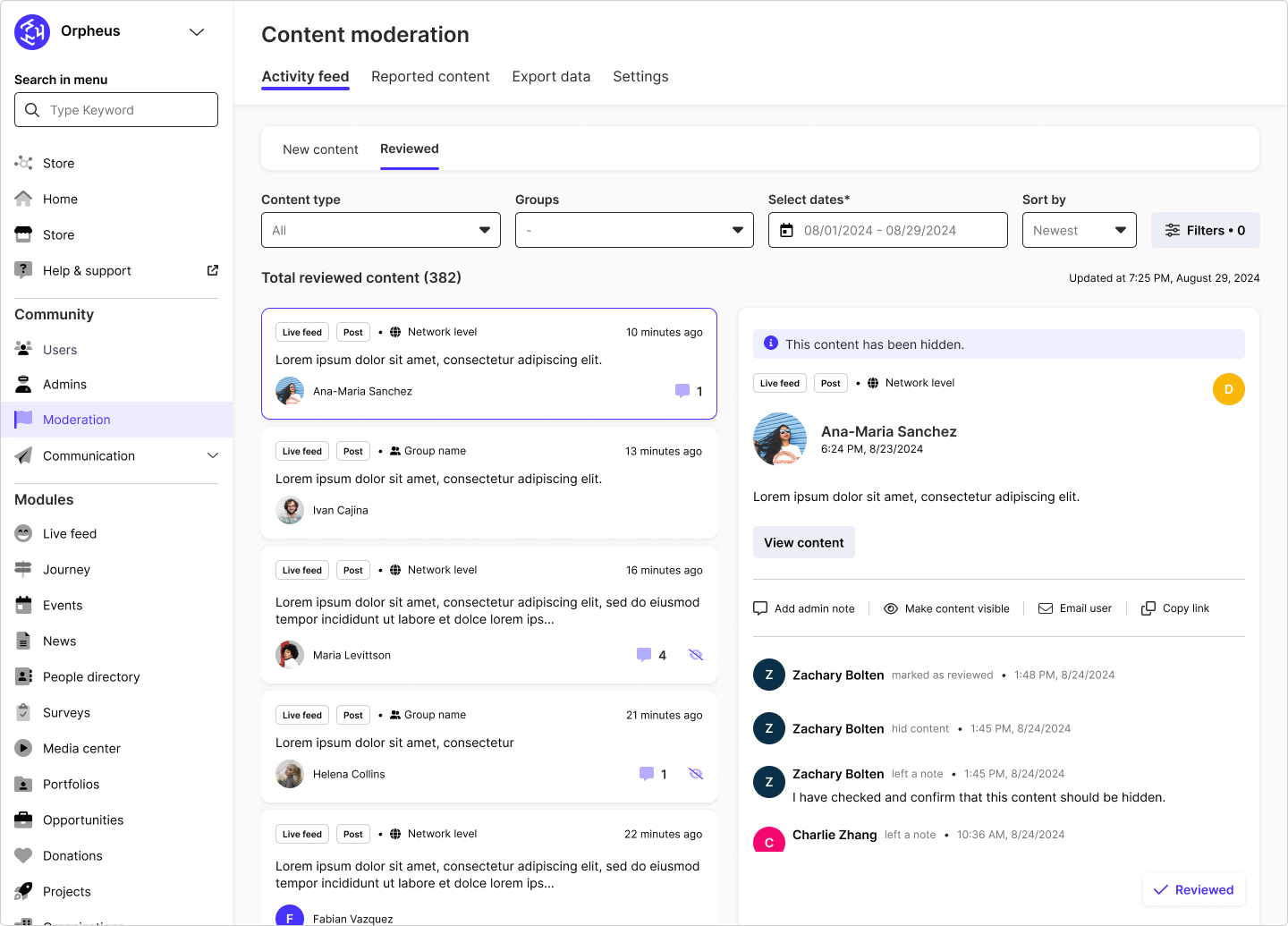
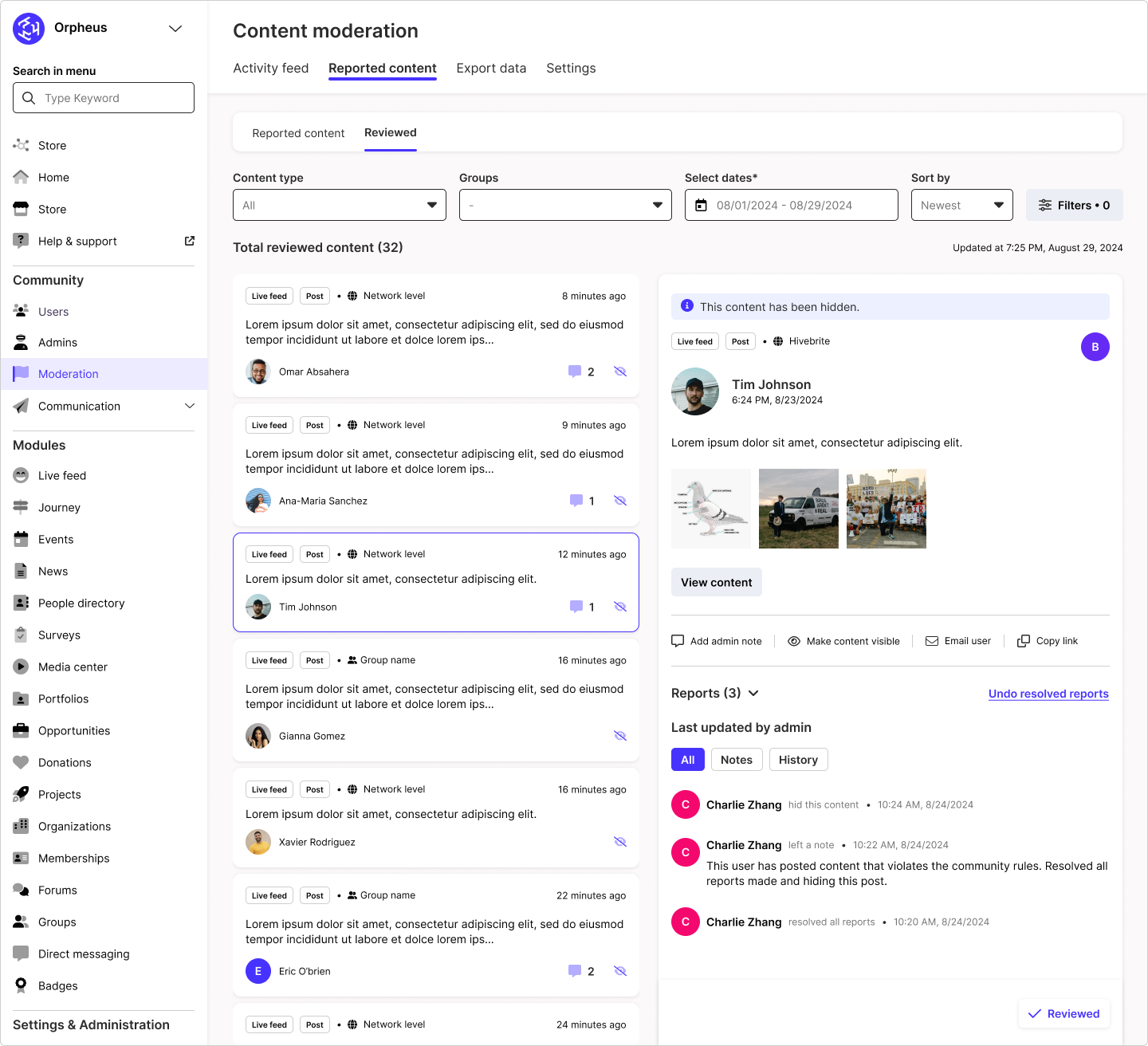
After content is reviewed by an admin, they are funneled into the Reviewed tab view. This acts as a history of reviewed content.
Reported content
all reported content
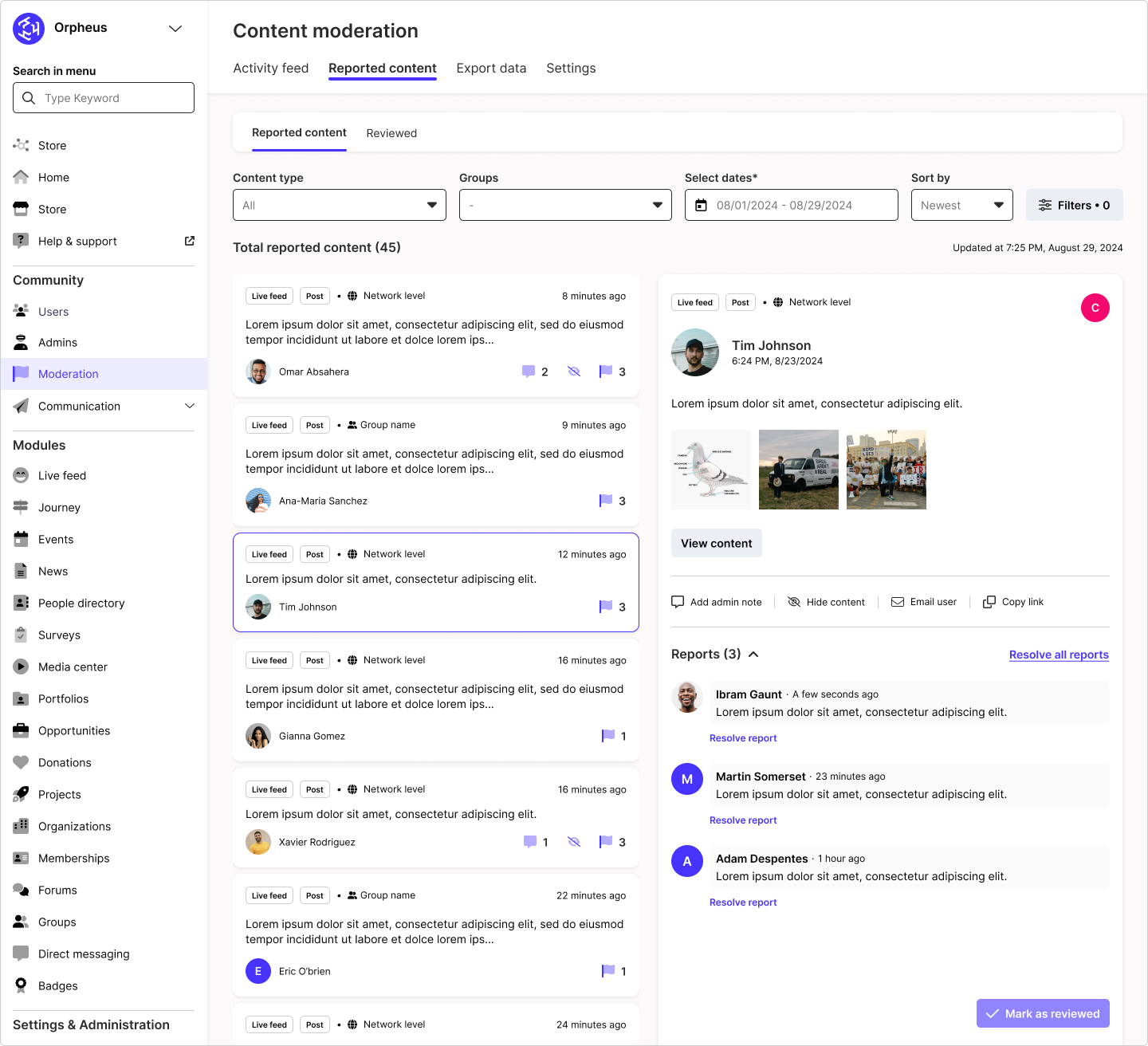
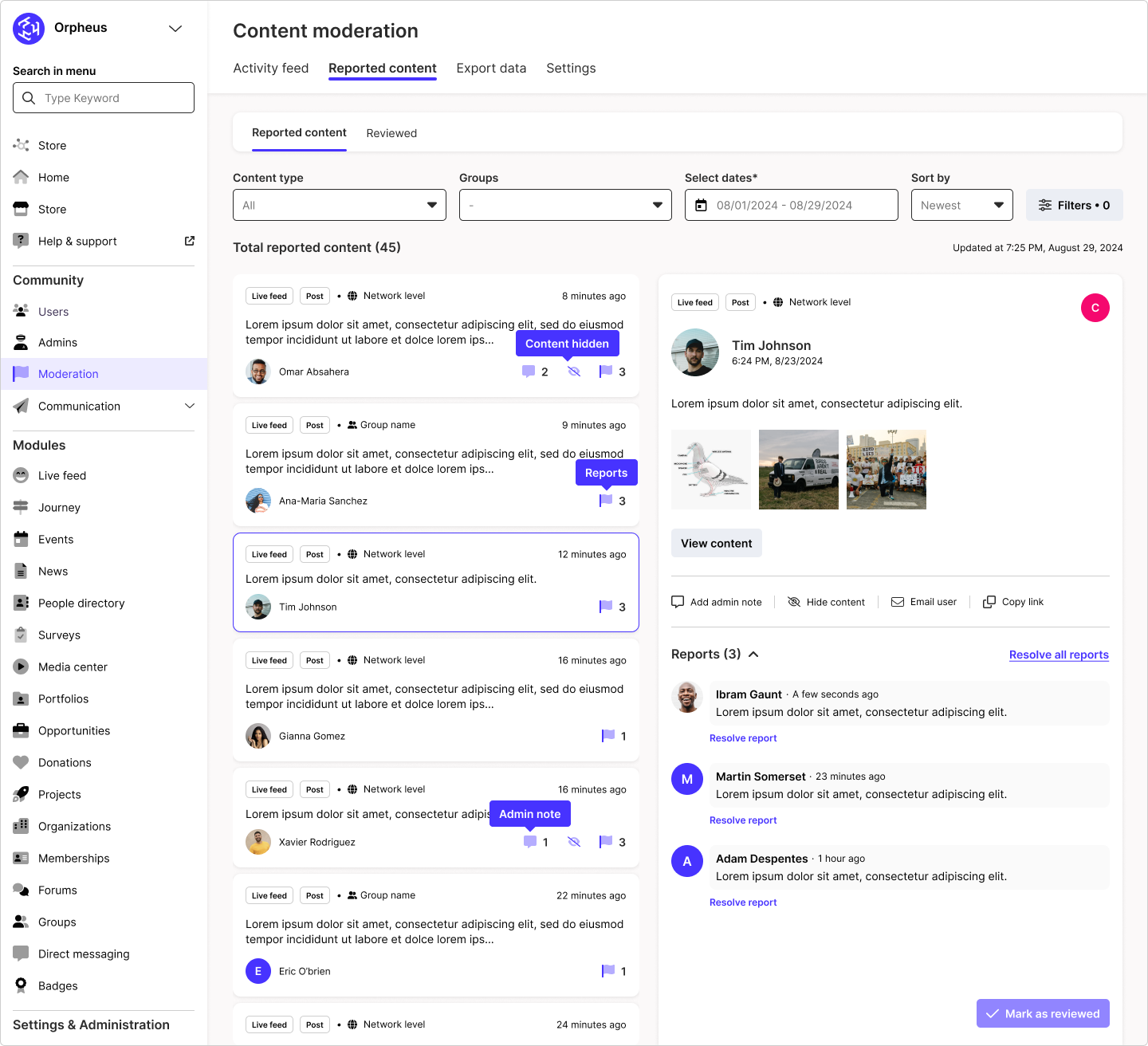
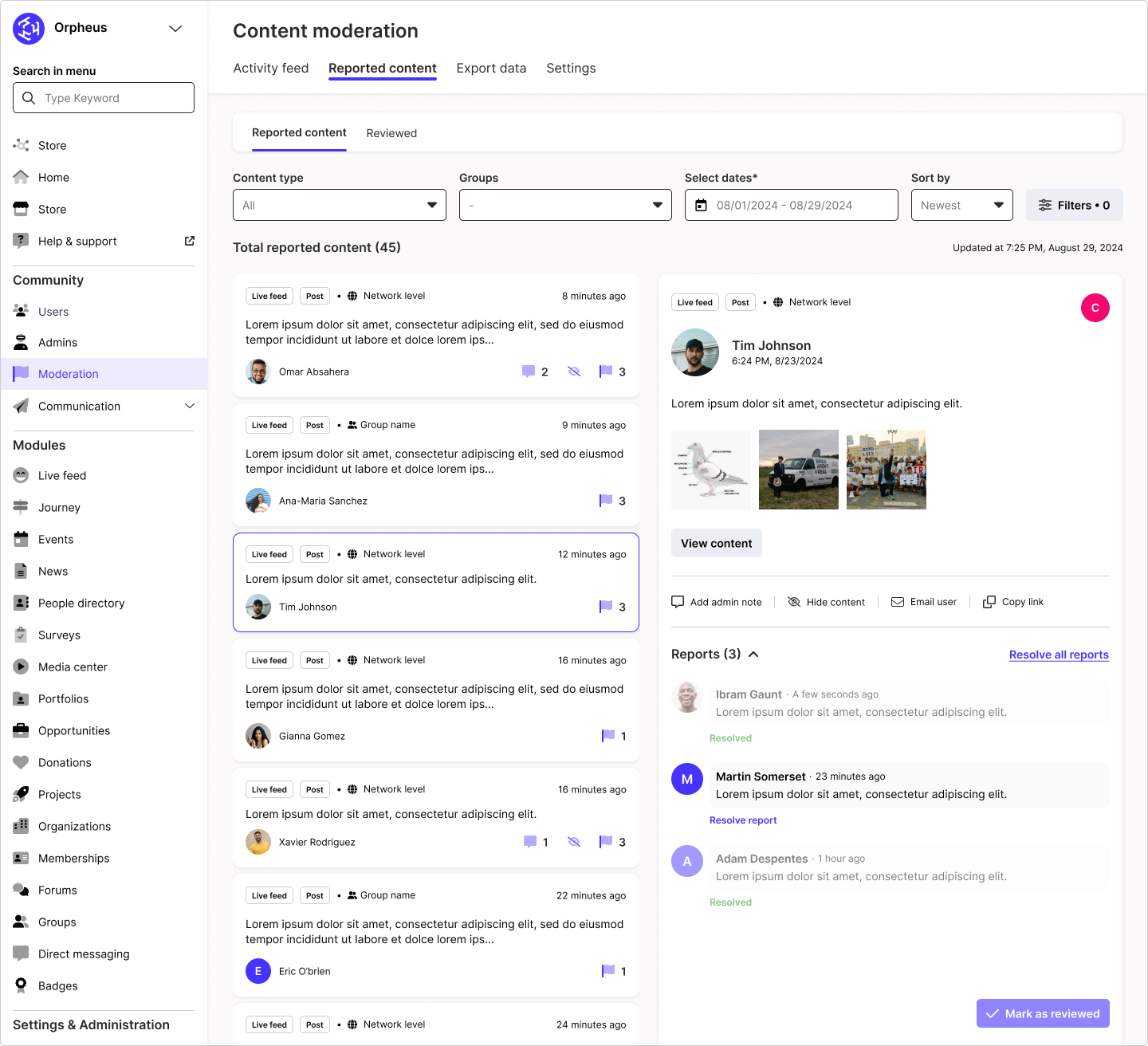
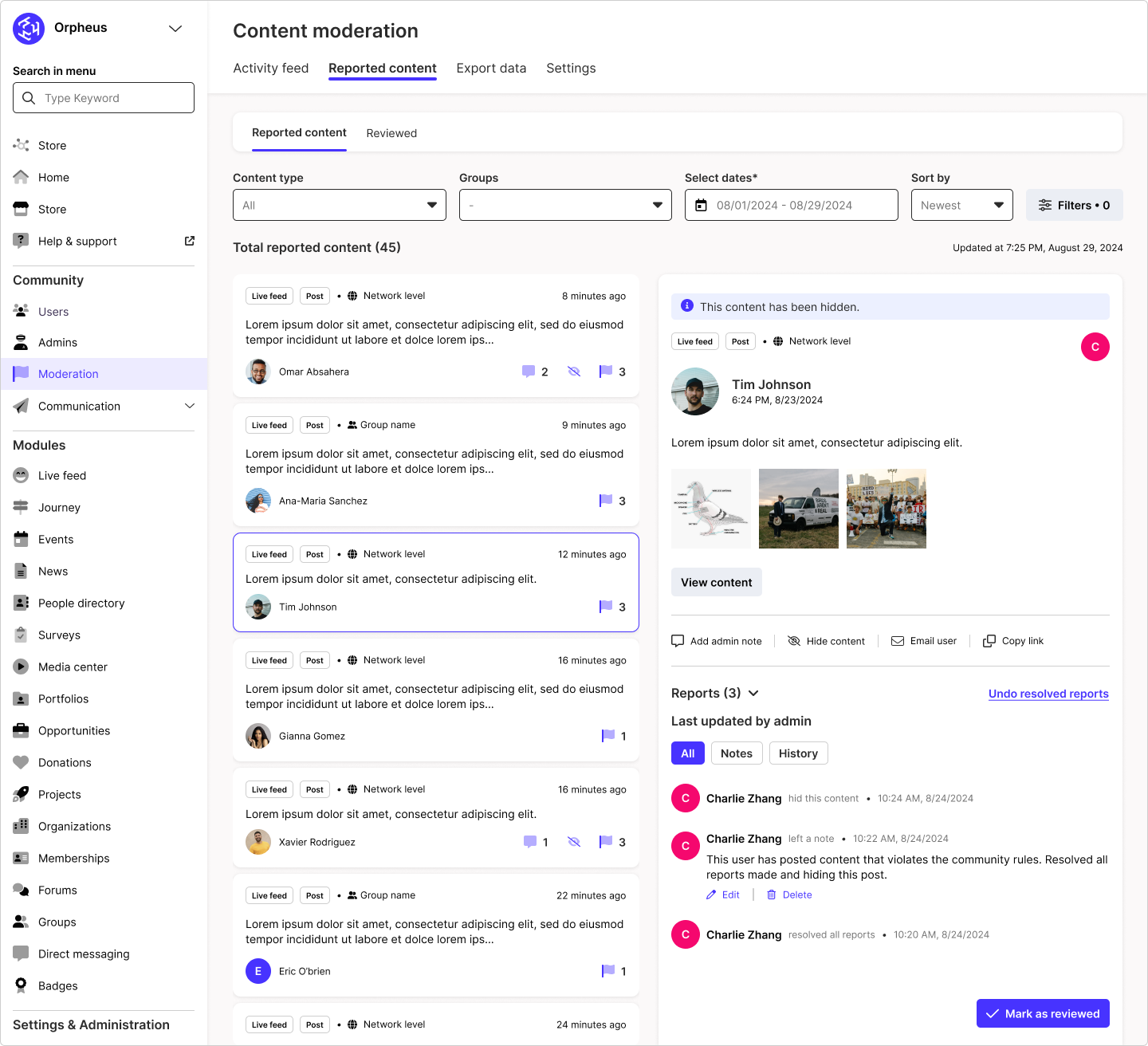
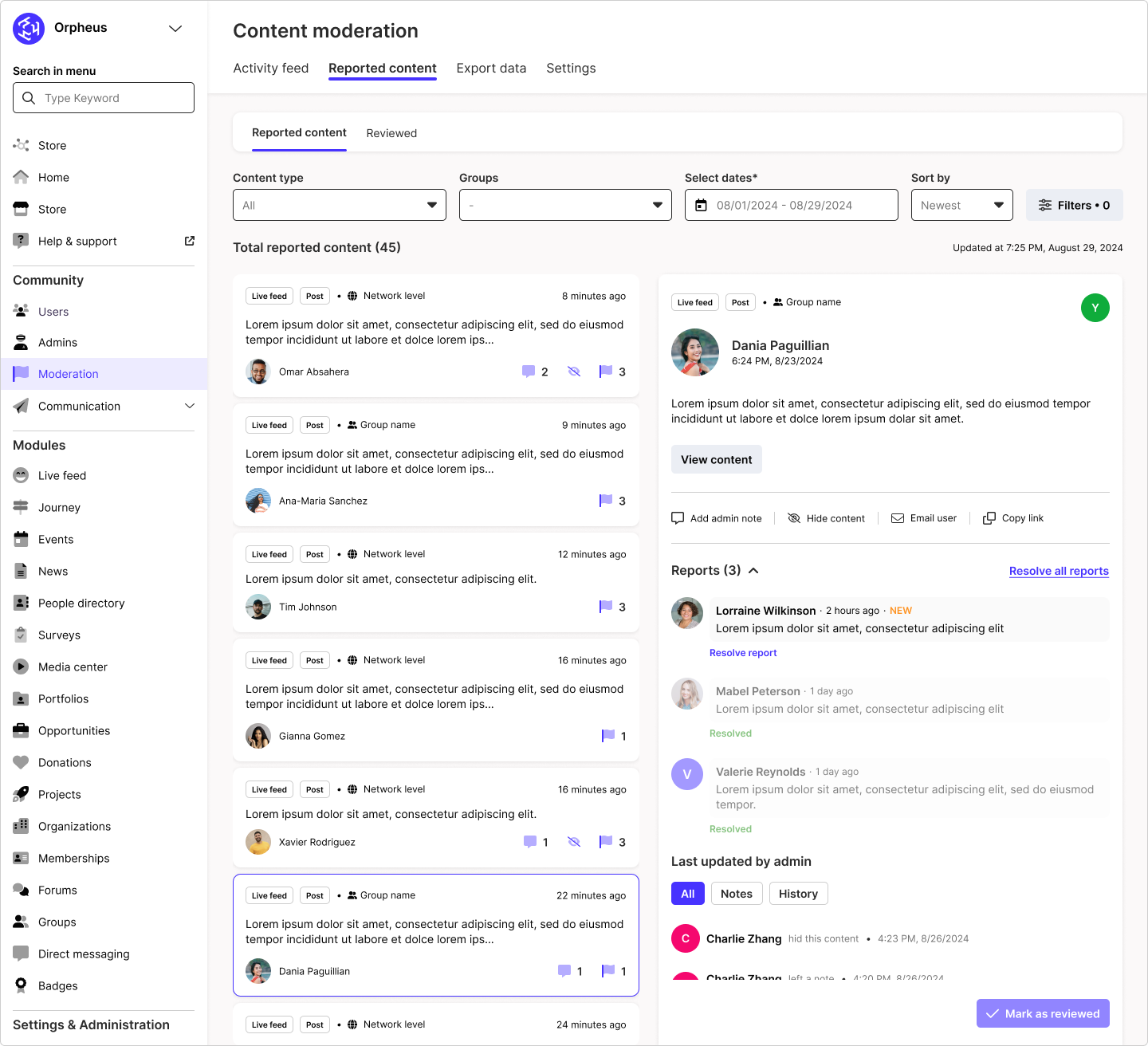
Just like the Activity feed tab, admins can view all reported content on the left panel and see more details on the right side. Admins will be able to see an organized detailed view of a reported content and how many reports have been made, all truncated in one view. They will get to see a list of reported comments and review each one before the content can be successfully marked as reviewed.
reviewed reports
LONG term vision
What could we build next
Group admins can moderate their group content
Admins could choose to activate a function to automatically hide reported content (until taking action)
Users can report more content and other users
Offer a “black-list” of words that would automatically get flagged/reported if used by a community member on the platform
Admins could set up AI to auto moderate images & videos
Incorporate more relevant user generated content in the dashboard design
Provide a list of reasons for the user as to why they’re reporting the content (connect this to the filtering system in the back-office)